
BulgarTheGreat - Minecraft Skins & Skin History
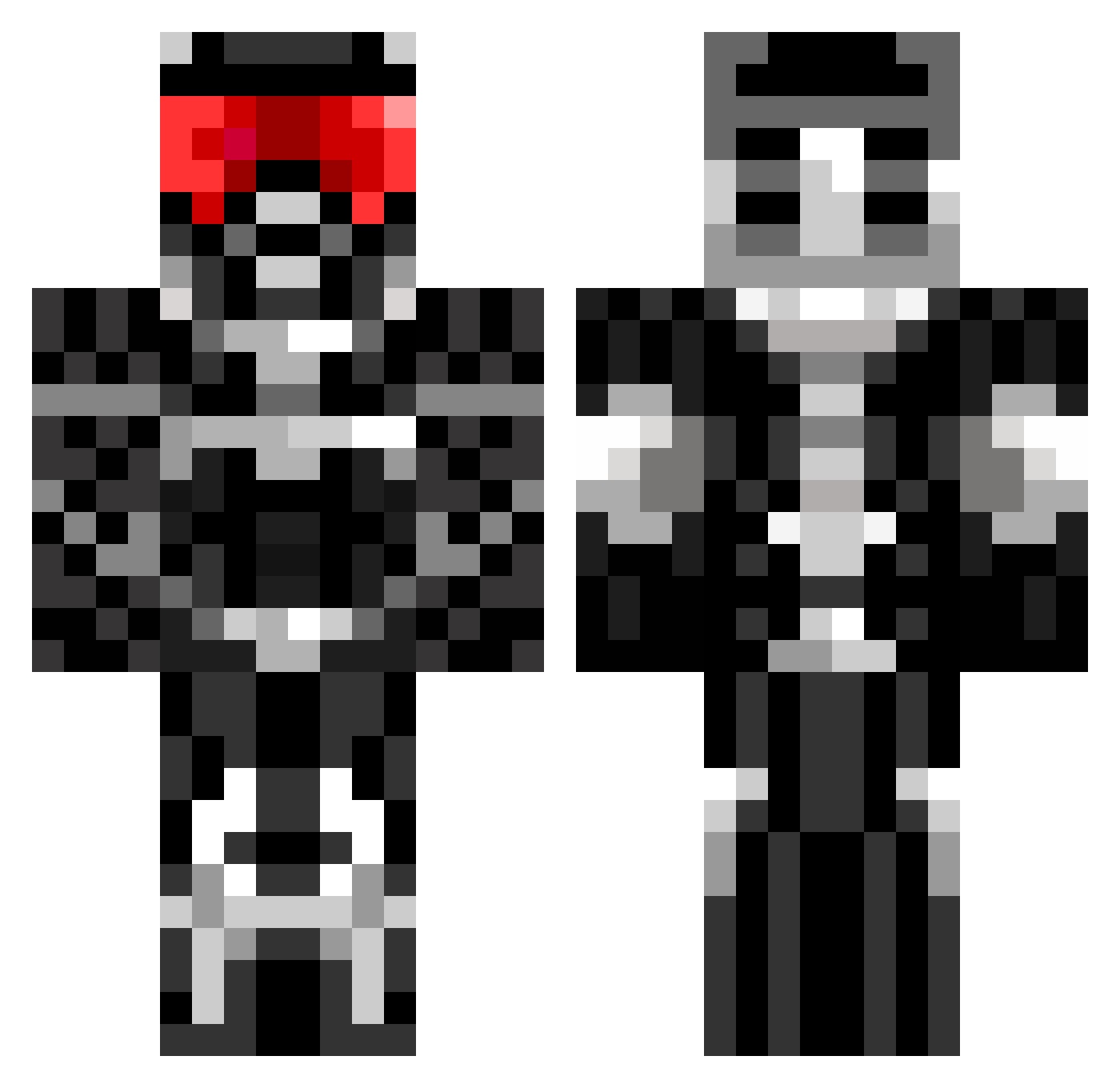
Current Minecraft skin of the player BulgarTheGreat, loaded from the official Mojang API. Rotate the 3D model with your mouse or finger, then download the skin as a PNG file and use it in Minecraft: Bedrock Edition or Java Edition for free. When BulgarTheGreat changes their skin, this page updates automatically and the old skin stays in the history below.
Other players with this skin (675)
BulgarTheGreat was the 576th player we have seen with this skin, first spotted on 20.10.2026. The same skin was seen on these players. Open a nickname to see their current skin and skin history.
 Apocolypse557 YMCMB_12 buildingbeast76 _Lynx_8 Zimakaru Doceo02 lovinmuffin15 kuthrapoli123 DarthVainer MUFFINER6241 telogstar Schmitti00 Soad15 dazmessi leglerreddin pauloberberick elooooo maxfly22 KillerBoy1969 Nahal42 ratchetrynovx Flashlp25 pineapplethe22 _Ares48_ oscarjosh Firefly_3 erykwelde MrTittySprinklez braydon2795 BasiliskWW Galadr1eL KillJoyReturns Shamon94 maldov100 HOTDOGMANXD66 vongola3 michael10383 _Lixo desdestroyer7 master_014 WhoYouGonnaCall archetypelegend LiiRooX Batman1980 lakarata TheRealJDizzle leonator02 louiselliott sasha361 Eugeniy254 Cbjr73 Ghostzero12 insomaniac45 tobiasnice1209 Ujandi LegitGutzi Aviator_Man Dreambite COWOFDUTY52 jairsoft
More Sci Fi Armor Minecraft skins
How to install the BulgarTheGreat skin
- Press the Download button above to save the skin as a PNG file.
- Minecraft: Bedrock Edition (PE): open the Dressing Room from the main menu (or tap your character → Edit Character), go to Classic Skins → Owned, press the + (new skin) button, choose the downloaded PNG and pick the Classic (Steve) model. Works on PC and mobile; consoles cannot import custom skins.
- Minecraft: Java Edition: open the Minecraft Launcher, go to the Skins tab, click New Skin, load the PNG, pick the Classic (Steve) model and press Save & Use. You can also upload it at minecraft.net → Profile → Change Skin.
The skin does not show up after import - what should I do?
Restart Minecraft and open the Dressing Room again - imported skins sometimes appear only after a restart. Also make sure you selected the imported skin and picked the Classic (Steve) model.
Which model should I choose, Classic or Slim?
This skin is designed for the Classic (Steve) model. If you pick the wrong model, the arms of the skin will look stretched or squeezed.
Is the skin of BulgarTheGreat free to download?
Yes. Press Download, save the PNG file and use it in Minecraft: Bedrock Edition or Java Edition - no payment or registration needed. The skin also works on multiplayer servers and Realms.
More skins
Looking for more? Go back to all Minecraft skins and check the top skins of the week, month and all time, or find any player's skin by nickname.