
Buddalicious - Minecraft Skins & Skin History
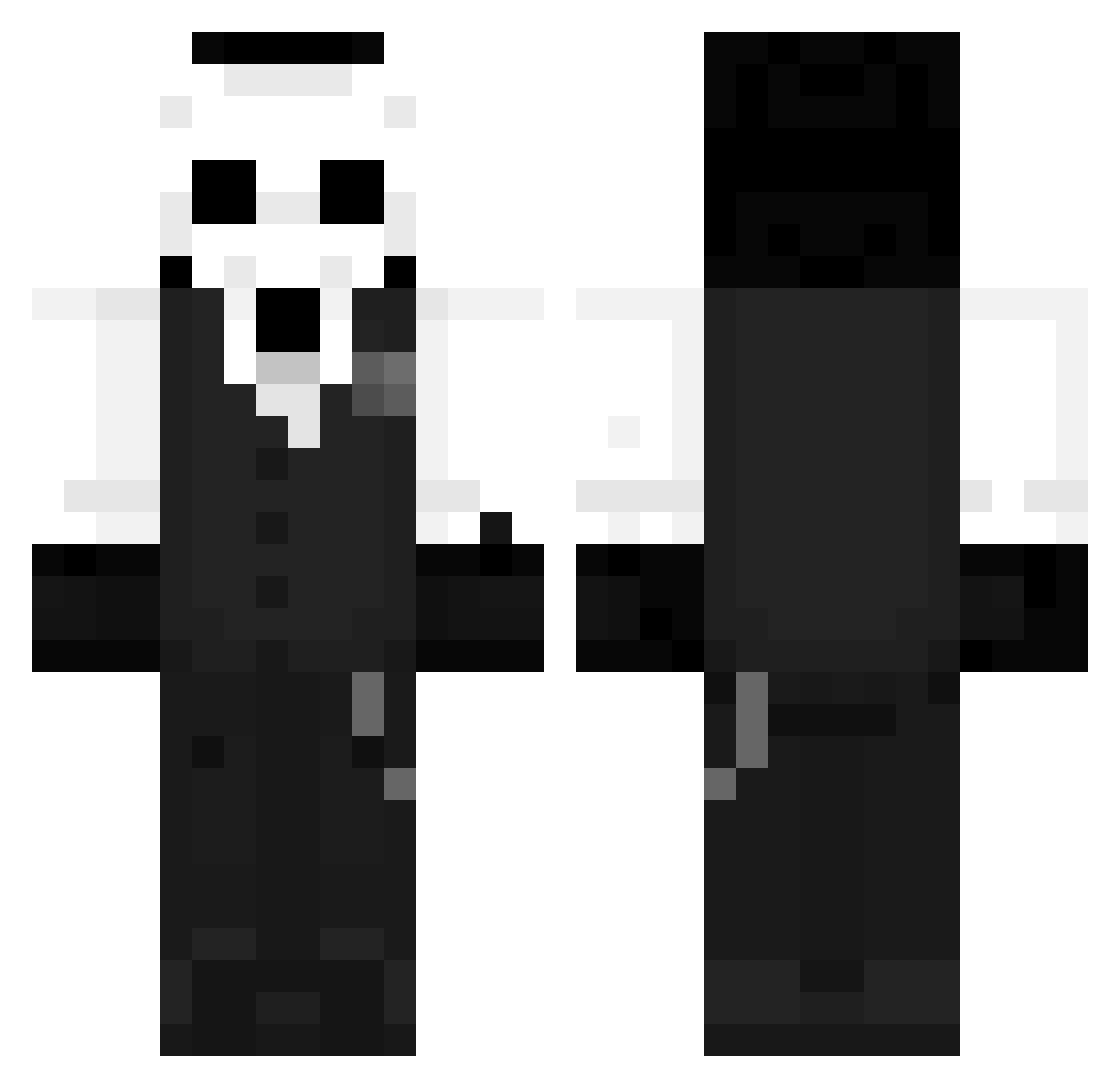
Current Minecraft skin of the player Buddalicious, loaded from the official Mojang API. Rotate the 3D model with your mouse or finger, then download the skin as a PNG file and use it in Minecraft: Bedrock Edition or Java Edition for free. When Buddalicious changes their skin, this page updates automatically and the old skin stays in the history below.
Other players with this skin (1260)
Buddalicious was the 1109th player we have seen with this skin, first spotted on 25.10.2026. The same skin was seen on these players. Open a nickname to see their current skin and skin history.
 dadadapingguo FancyLadMan 1Peppish yassinedownpourz exexex15 Xeno_Diablo SSNIIPEE SaVeMoon_ STANCRAF SSA_Ninja tersteen_slimy62 ISASSY TitansInArms chase17820 Kai_6 AGARI26 Lightz77 __D_D____ herbsicles opp1e dogesbepis opimo2 9MtS9 creeperman411 AnthonyGGxD20 Zetted Tjalk DrGenie2015 KrazyLord Darkrry Monster737 MK_Monkeyd Tr1n3x WhiteMartt Drakkobr MikelLB JeanSch litleces flemme_ta_gueule TeamMode02 InqNight Jaopek LyhLeo fengqi2004 Bl00dyRain Ruri825 Susspy DarkGroundsS DekuHime OrangeTgamer Asura_Ar Yie_87 MDuda12 King_Void1 LazuS2 BeastBoy553 HylioKing RomxnoCT _Dont SkrunkySkillz
More Sans Minecraft skins
How to install the Buddalicious skin
- Press the Download button above to save the skin as a PNG file.
- Minecraft: Bedrock Edition (PE): open the Dressing Room from the main menu (or tap your character → Edit Character), go to Classic Skins → Owned, press the + (new skin) button, choose the downloaded PNG and pick the Classic (Steve) model. Works on PC and mobile; consoles cannot import custom skins.
- Minecraft: Java Edition: open the Minecraft Launcher, go to the Skins tab, click New Skin, load the PNG, pick the Classic (Steve) model and press Save & Use. You can also upload it at minecraft.net → Profile → Change Skin.
The skin does not show up after import - what should I do?
Restart Minecraft and open the Dressing Room again - imported skins sometimes appear only after a restart. Also make sure you selected the imported skin and picked the Classic (Steve) model.
Which model should I choose, Classic or Slim?
This skin is designed for the Classic (Steve) model. If you pick the wrong model, the arms of the skin will look stretched or squeezed.
Is the skin of Buddalicious free to download?
Yes. Press Download, save the PNG file and use it in Minecraft: Bedrock Edition or Java Edition - no payment or registration needed. The skin also works on multiplayer servers and Realms.
More skins
Looking for more? Go back to all Minecraft skins and check the top skins of the week, month and all time, or find any player's skin by nickname.