
BucKING0 - Minecraft Skins & Skin History
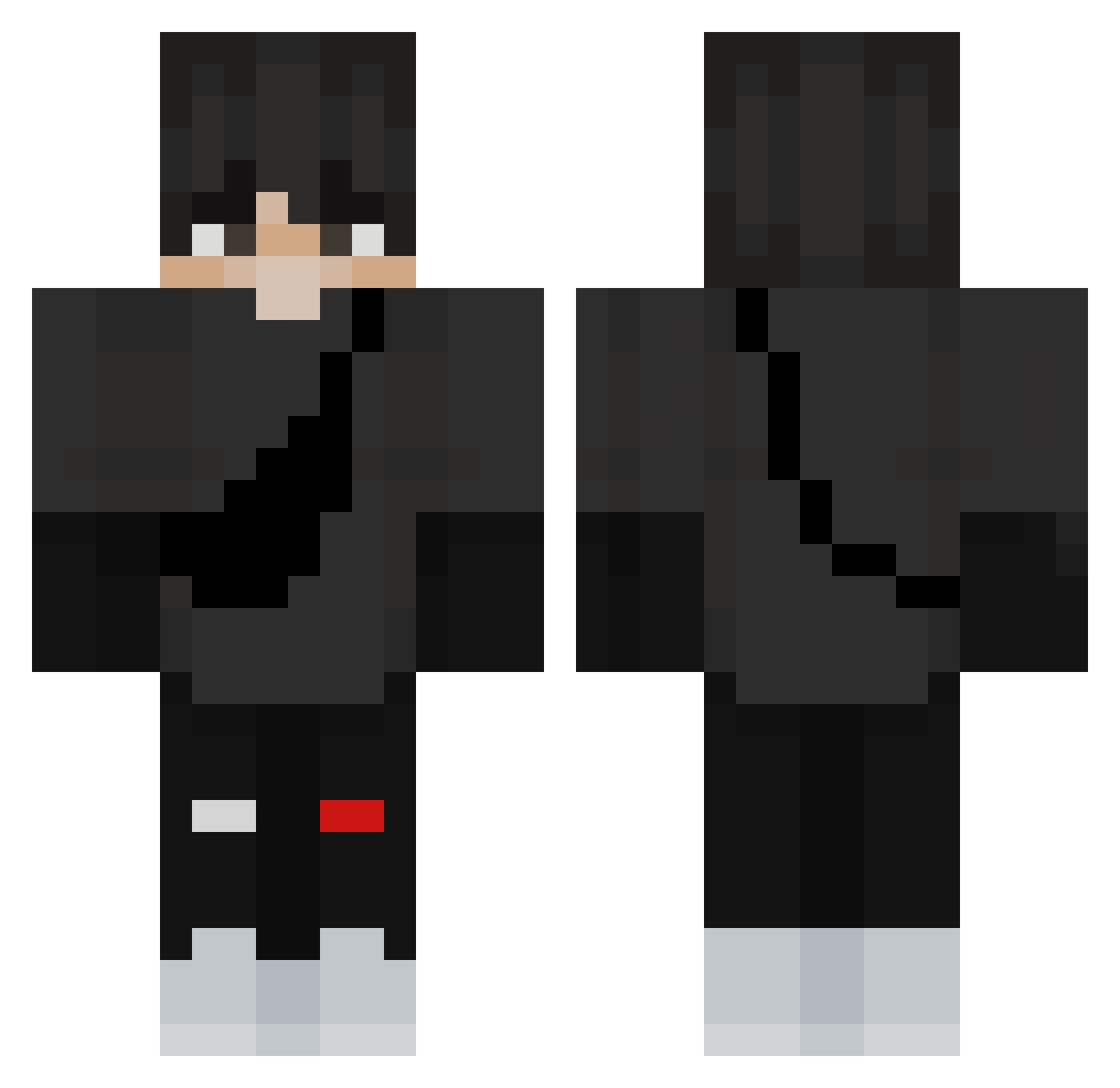
Current Minecraft skin of the player BucKING0, loaded from the official Mojang API. Rotate the 3D model with your mouse or finger, then download the skin as a PNG file and use it in Minecraft: Bedrock Edition or Java Edition for free. When BucKING0 changes their skin, this page updates automatically and the old skin stays in the history below.
Other players with this skin (361)
BucKING0 was the 332nd player we have seen with this skin, first spotted on 21.10.2026. The same skin was seen on these players. Open a nickname to see their current skin and skin history.
 AwesomeVag1na 3Cucumber Dedzioo MUR4LH4S kkayo_ ykTaco enfiq KPyToI_Doter228 Kayy007 avengerboy2014 Klayzn MommyIssues04 ZZFLOTA FiLiPoS_1 Equalavent VapsHero_ ogawa1 Willizocker00 Makalister_ SkylarkVA I5A_ FourTse7en YT_ItzzzJxy iiCaptainWolf apce YunusEmre58 Abap058 red_kaps gun22101 TSJop Oleg246854 Nowakos loris125 Ecstasy13 Grizzlybaird410 DixBFIoppin tarik_by58 strawWWS Lookiyo18_ gjhf RudyCortez XD_EMPTY waffleboyt DemonXOXO Huggehugo OdeZsa paulo4fun Opitune132292 DarkUsernameXI1 Shqnnan CAJAMILLER N4stiaczek CxmmxnGxrl ___Yujiro___ xTeqzx BaustinPizza MrBoyce13_ bigboiwill2012 yusung_ BackToBefore
More Messenger Bag Minecraft skins
See all 535 Messenger Bag skins
How to install the BucKING0 skin
- Press the Download button above to save the skin as a PNG file.
- Minecraft: Bedrock Edition (PE): open the Dressing Room from the main menu (or tap your character → Edit Character), go to Classic Skins → Owned, press the + (new skin) button, choose the downloaded PNG and pick the Classic (Steve) model. Works on PC and mobile; consoles cannot import custom skins.
- Minecraft: Java Edition: open the Minecraft Launcher, go to the Skins tab, click New Skin, load the PNG, pick the Classic (Steve) model and press Save & Use. You can also upload it at minecraft.net → Profile → Change Skin.
The skin does not show up after import - what should I do?
Restart Minecraft and open the Dressing Room again - imported skins sometimes appear only after a restart. Also make sure you selected the imported skin and picked the Classic (Steve) model.
Which model should I choose, Classic or Slim?
This skin is designed for the Classic (Steve) model. If you pick the wrong model, the arms of the skin will look stretched or squeezed.
Is the skin of BucKING0 free to download?
Yes. Press Download, save the PNG file and use it in Minecraft: Bedrock Edition or Java Edition - no payment or registration needed. The skin also works on multiplayer servers and Realms.
More skins
Looking for more? Go back to all Minecraft skins and check the top skins of the week, month and all time, or find any player's skin by nickname.