
BubolzZ_053 - Minecraft Skins & Skin History
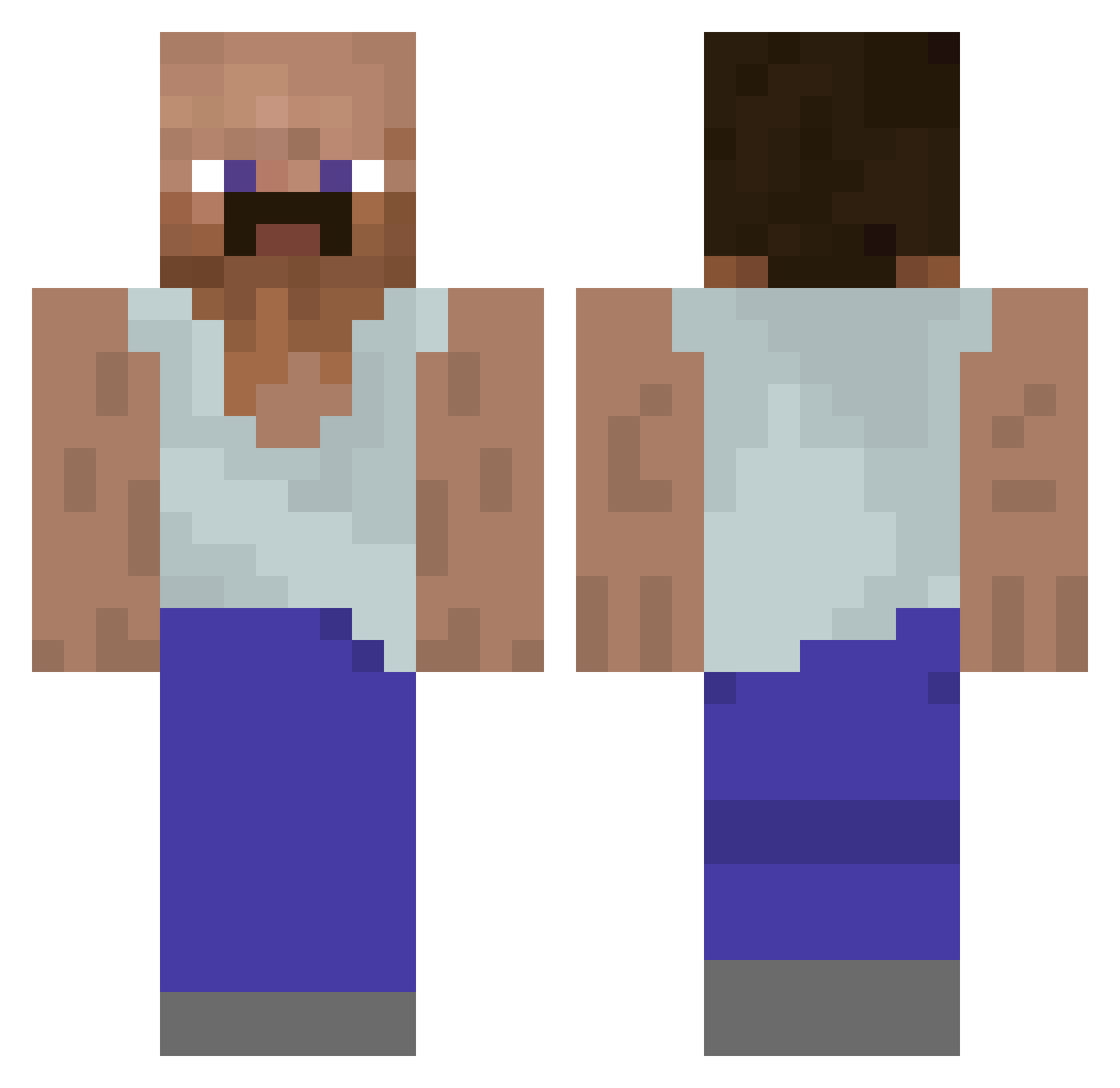
Current Minecraft skin of the player BubolzZ_053, loaded from the official Mojang API. Rotate the 3D model with your mouse or finger, then download the skin as a PNG file and use it in Minecraft: Bedrock Edition or Java Edition for free. When BubolzZ_053 changes their skin, this page updates automatically and the old skin stays in the history below.
Other players with this skin (930)
BubolzZ_053 was the 686th player we have seen with this skin, first spotted on 08.10.2026. The same skin was seen on these players. Open a nickname to see their current skin and skin history.
 dicsuseeeeeeeeee Uldewu Vexxed9 chachman RickySlickySlim ellagella72 m1injae budddik Supercoco88 OmarRM H3TE_ pabloreverdy jjquinn kneegears69 Laura800 Marlon181 Lewanda15 MolLbriwat SKYLL3RON J8llowillfindyou drexonpls GBV_Luka Planix Kaname3377 anatolianguy Jocker_1 Halowishe kikin_xVuBa_12 xGaZwaN963x C0ntrollin shaggylover08 SkykhanFox Wato_Furanku Ahendyukora M4chmut Domenik_44 _Mord3ch4j_ Unknown_91ayer frapas UnshoweredIndian Gilbertthehottie ImBlondyy Botcik Lopez71_ ChumpoKai Jim_Lin666 AYED_1 vallax99 rhoenbiker08 mireksznel TomatoOnKeys69 Surf3032 FONIK123 HAIRLINEHURTSMOM Vendocupones123 Fent_addict53 Permzy Just_Mo0n 3skibidi BrownyJnr
More Mustache Minecraft skins
How to install the BubolzZ_053 skin
- Press the Download button above to save the skin as a PNG file.
- Minecraft: Bedrock Edition (PE): open the Dressing Room from the main menu (or tap your character → Edit Character), go to Classic Skins → Owned, press the + (new skin) button, choose the downloaded PNG and pick the Classic (Steve) model. Works on PC and mobile; consoles cannot import custom skins.
- Minecraft: Java Edition: open the Minecraft Launcher, go to the Skins tab, click New Skin, load the PNG, pick the Classic (Steve) model and press Save & Use. You can also upload it at minecraft.net → Profile → Change Skin.
The skin does not show up after import - what should I do?
Restart Minecraft and open the Dressing Room again - imported skins sometimes appear only after a restart. Also make sure you selected the imported skin and picked the Classic (Steve) model.
Which model should I choose, Classic or Slim?
This skin is designed for the Classic (Steve) model. If you pick the wrong model, the arms of the skin will look stretched or squeezed.
Is the skin of BubolzZ_053 free to download?
Yes. Press Download, save the PNG file and use it in Minecraft: Bedrock Edition or Java Edition - no payment or registration needed. The skin also works on multiplayer servers and Realms.
More skins
Looking for more? Go back to all Minecraft skins and check the top skins of the week, month and all time, or find any player's skin by nickname.