
Brxge - Minecraft Skins & Skin History
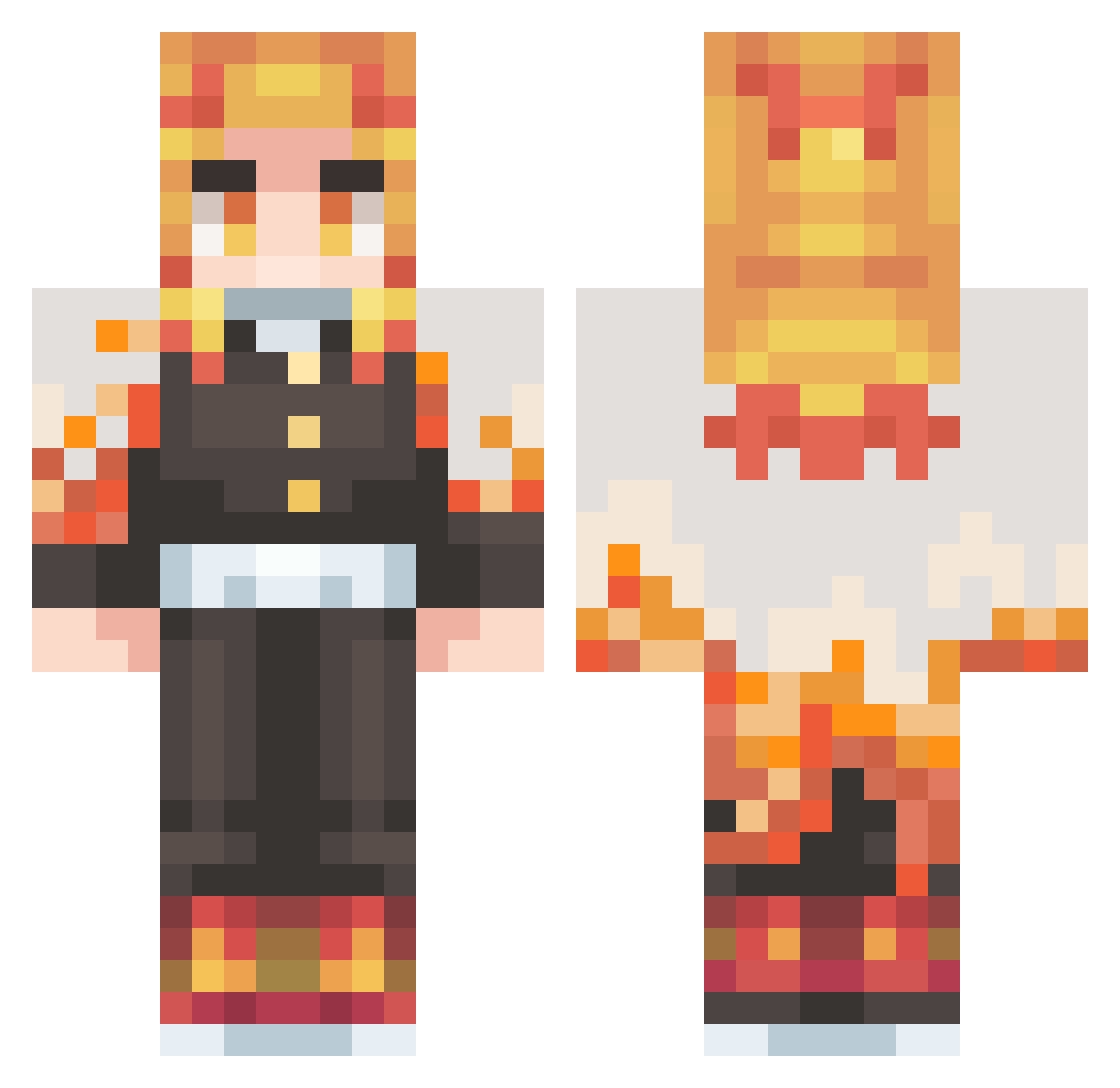
Current Minecraft skin of the player Brxge, loaded from the official Mojang API. Rotate the 3D model with your mouse or finger, then download the skin as a PNG file and use it in Minecraft: Bedrock Edition or Java Edition for free. When Brxge changes their skin, this page updates automatically and the old skin stays in the history below.
Other players with this skin (410)
Brxge was the 290th player we have seen with this skin, first spotted on 06.10.2026. The same skin was seen on these players. Open a nickname to see their current skin and skin history.
 ImBlonded NocturnalPrey TopMan0524 RengokuLive DvnEvndr Vi1mos Jugo1005 ShauKiat Just_87 Ip3rnova MonsterGerald Akabeco_M Dracarys971 sagious Grzyb_23 PoPoPyo koshishirai SuperNinja597 Pablozki778 n3exz0 Ghostkill746 KOTAKREW xChaddyxDaddyx iMsuperdan katahabaman Nicolo210 GGININDER0803 ToastierCorgi56 NormalSheet9973 DDTRoyalBeggar lakim10 SaraSoju777 masamitsu515 Voidal101 imjasonchan_1025 SentientRazer DarkAce23 hinhinpeter spaling caityelise fuyouaoi Arimi_ Loyalty3599 elraider_2 Gil_45 JayRodM Shiro0021 Leoo4 Kenta1015 zelrond Grav_Fnatic Sperandeo THOMASITOOO portwave_ Haileybobo hank_013 FluffySprite jyojyoi tMFnebulax jotarou1121
More Kyojuro Rengoku Minecraft skins
See all 108 Kyojuro Rengoku skins
How to install the Brxge skin
- Press the Download button above to save the skin as a PNG file.
- Minecraft: Bedrock Edition (PE): open the Dressing Room from the main menu (or tap your character → Edit Character), go to Classic Skins → Owned, press the + (new skin) button, choose the downloaded PNG and pick the Classic (Steve) model. Works on PC and mobile; consoles cannot import custom skins.
- Minecraft: Java Edition: open the Minecraft Launcher, go to the Skins tab, click New Skin, load the PNG, pick the Classic (Steve) model and press Save & Use. You can also upload it at minecraft.net → Profile → Change Skin.
The skin does not show up after import - what should I do?
Restart Minecraft and open the Dressing Room again - imported skins sometimes appear only after a restart. Also make sure you selected the imported skin and picked the Classic (Steve) model.
Which model should I choose, Classic or Slim?
This skin is designed for the Classic (Steve) model. If you pick the wrong model, the arms of the skin will look stretched or squeezed.
Is the skin of Brxge free to download?
Yes. Press Download, save the PNG file and use it in Minecraft: Bedrock Edition or Java Edition - no payment or registration needed. The skin also works on multiplayer servers and Realms.
More skins
Looking for more? Go back to all Minecraft skins and check the top skins of the week, month and all time, or find any player's skin by nickname.