
Brune_02 - Minecraft Skins & Skin History
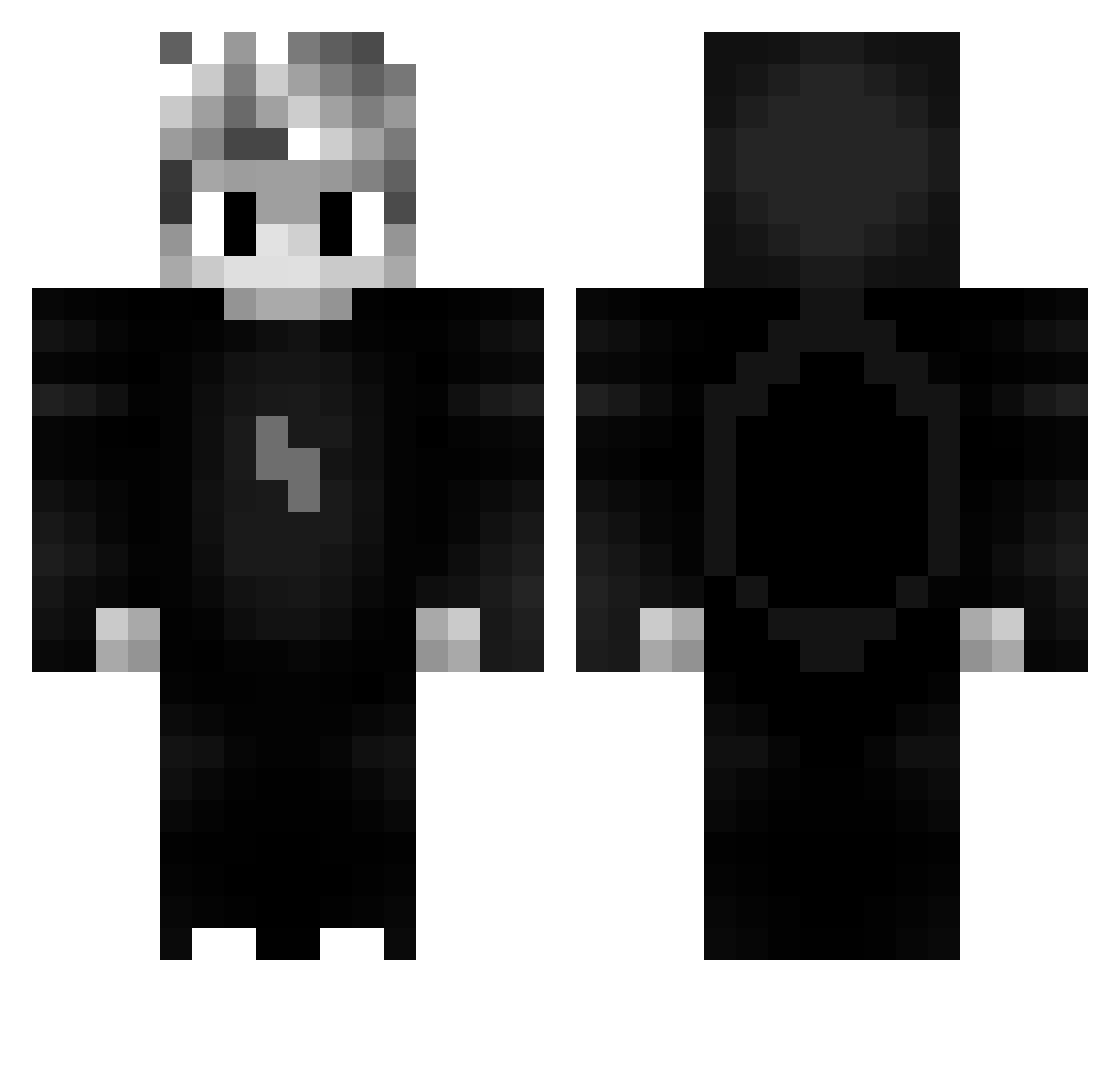
Current Minecraft skin of the player Brune_02, loaded from the official Mojang API. Rotate the 3D model with your mouse or finger, then download the skin as a PNG file and use it in Minecraft: Bedrock Edition or Java Edition for free. When Brune_02 changes their skin, this page updates automatically and the old skin stays in the history below.
Other players with this skin (52)
Brune_02 was the 36th player we have seen with this skin, first spotted on 08.10.2026. The same skin was seen on these players. Open a nickname to see their current skin and skin history.
 night_mare_14 ivaan_aperaador pagreen13 Ionut04 xSheiLan Marinettte Pr0xi_ RJC NizeF excellent1337 Vic3Vip3r Retrohacker 3qlf Xexano Refillen OfficialKouling edumosr BestMelee OveR_Flamme RommiPoju Cieslaczek_105_ AaronTheHeir ANTONIOWMRCF umutbabuss Scadii Juice_Ten ByFelix_HD AladinWizard ___Sh4d0w___ Latashi Wikingel RazerGamingYT Stoek Gabriel_345 Goaty Pj011 blastid Azyl_ 13pouf d1amondman36 qSnakie Shiroonoo Black__Demon SnapiOfficial AirPlum87154584 1Godmode
 Tvqtd TheN9ine Nicozed SchorchmimPils orjentalny555 BaroneziN
More Lightning Bolt Minecraft skins
See all 879 Lightning Bolt skins
How to install the Brune_02 skin
- Press the Download button above to save the skin as a PNG file.
- Minecraft: Bedrock Edition (PE): open the Dressing Room from the main menu (or tap your character → Edit Character), go to Classic Skins → Owned, press the + (new skin) button, choose the downloaded PNG and pick the Classic (Steve) model. Works on PC and mobile; consoles cannot import custom skins.
- Minecraft: Java Edition: open the Minecraft Launcher, go to the Skins tab, click New Skin, load the PNG, pick the Classic (Steve) model and press Save & Use. You can also upload it at minecraft.net → Profile → Change Skin.
The skin does not show up after import - what should I do?
Restart Minecraft and open the Dressing Room again - imported skins sometimes appear only after a restart. Also make sure you selected the imported skin and picked the Classic (Steve) model.
Which model should I choose, Classic or Slim?
This skin is designed for the Classic (Steve) model. If you pick the wrong model, the arms of the skin will look stretched or squeezed.
Is the skin of Brune_02 free to download?
Yes. Press Download, save the PNG file and use it in Minecraft: Bedrock Edition or Java Edition - no payment or registration needed. The skin also works on multiplayer servers and Realms.
More skins
Looking for more? Go back to all Minecraft skins and check the top skins of the week, month and all time, or find any player's skin by nickname.