
Brooben - Minecraft Skins & Skin History
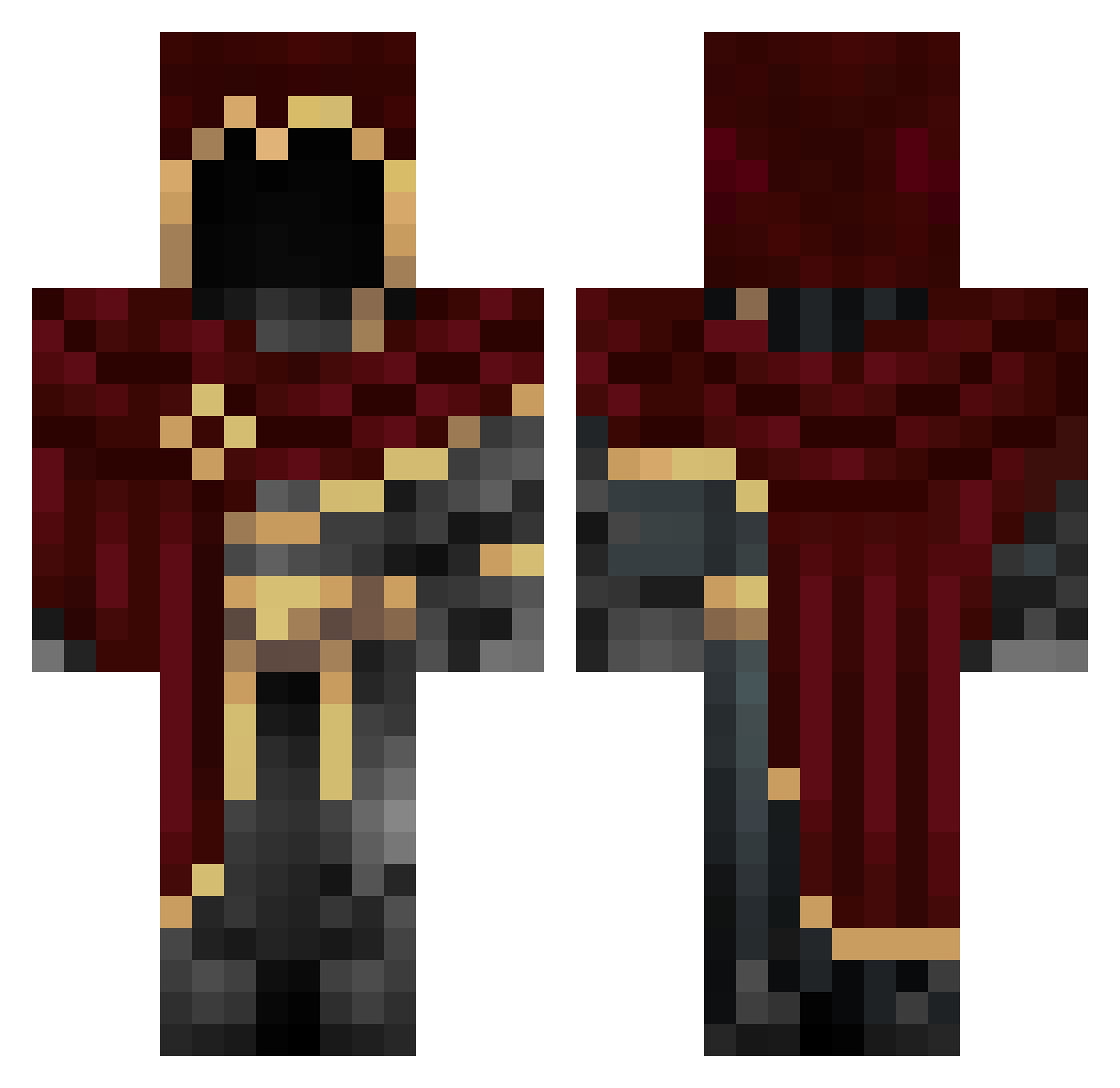
Current Minecraft skin of the player Brooben, loaded from the official Mojang API. Rotate the 3D model with your mouse or finger, then download the skin as a PNG file and use it in Minecraft: Bedrock Edition or Java Edition for free. When Brooben changes their skin, this page updates automatically and the old skin stays in the history below.
Other players with this skin (50)
Brooben was the 22nd player we have seen with this skin, first spotted on 29.08.2026. The same skin was seen on these players. Open a nickname to see their current skin and skin history.
 Tok2436 _ZoXoC_ Kavekva GamerSkills22
 Sonic2345 Shadow1Neptune Faintheartedness Appolyon9838 Kitiro07 0_Endless_0 shadowwolph45 MavricJC Zach2025 CapitanMorroco Cledsol
 LenzxD EnderDios77777 supertoady64
 Kierem Kavakai qSajkOp Gowterh Hatlesspepper dudugamer_340 lllizy maksiyx _sbk famedagreat _MrAldi_ SalmonGame23605 willasoliveira MrCookies1205 Str_m KopperDome SHAZAM_01 CRYPTIC_G Exotication BubblyRS 7_Weeks Alduin239 xLezu 09FoX09 zManu66 Alluck_NoSkill eastan_ Markarovlol EndZone27 logreen777 NSR_0 SneakX764
More Assassin Minecraft skins
How to install the Brooben skin
- Press the Download button above to save the skin as a PNG file.
- Minecraft: Bedrock Edition (PE): open the Dressing Room from the main menu (or tap your character → Edit Character), go to Classic Skins → Owned, press the + (new skin) button, choose the downloaded PNG and pick the Classic (Steve) model. Works on PC and mobile; consoles cannot import custom skins.
- Minecraft: Java Edition: open the Minecraft Launcher, go to the Skins tab, click New Skin, load the PNG, pick the Classic (Steve) model and press Save & Use. You can also upload it at minecraft.net → Profile → Change Skin.
The skin does not show up after import - what should I do?
Restart Minecraft and open the Dressing Room again - imported skins sometimes appear only after a restart. Also make sure you selected the imported skin and picked the Classic (Steve) model.
Which model should I choose, Classic or Slim?
This skin is designed for the Classic (Steve) model. If you pick the wrong model, the arms of the skin will look stretched or squeezed.
Is the skin of Brooben free to download?
Yes. Press Download, save the PNG file and use it in Minecraft: Bedrock Edition or Java Edition - no payment or registration needed. The skin also works on multiplayer servers and Realms.
More skins
Looking for more? Go back to all Minecraft skins and check the top skins of the week, month and all time, or find any player's skin by nickname.