
Brobri - Minecraft Skins & Skin History
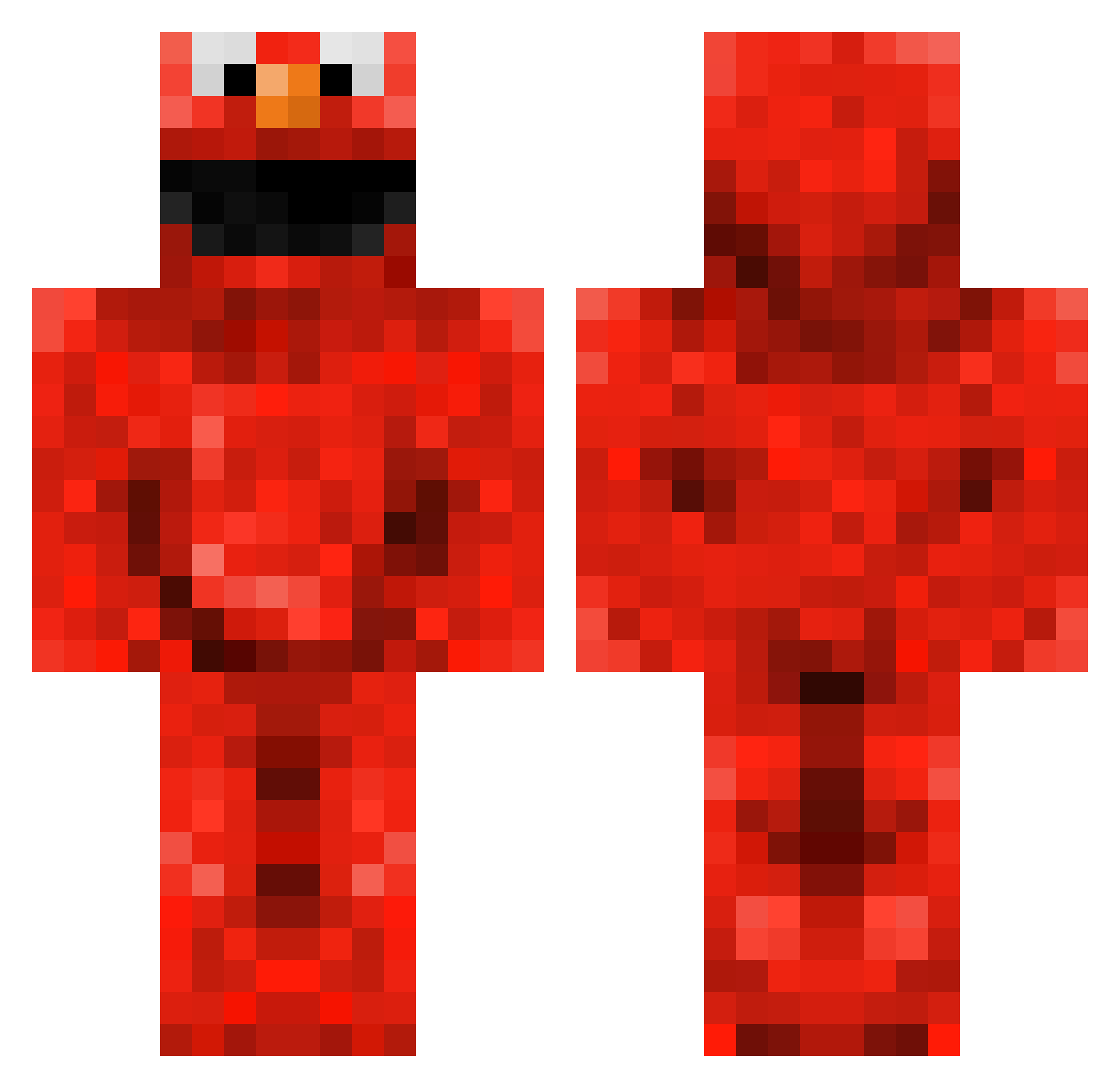
Current Minecraft skin of the player Brobri, loaded from the official Mojang API. Rotate the 3D model with your mouse or finger, then download the skin as a PNG file and use it in Minecraft: Bedrock Edition or Java Edition for free. When Brobri changes their skin, this page updates automatically and the old skin stays in the history below.
Other players with this skin (230)
Brobri was the 149th player we have seen with this skin, first spotted on 30.09.2026. The same skin was seen on these players. Open a nickname to see their current skin and skin history.
 Hoopyfruitloop_ Calghm CypriotSpartan AhDollarYT bradenben10 hippybob999 Jes5ieD DanOz 1000b jjman123 aaartman LegendaryWade CeTea_ Toad_ly EnceladusMe BerwickHockey6 xaviermb1999 Class__ darkelmo95 munchin10 SledgeHammerA SweatyArcher cagri_61 lucasostrich1 Panzerchrist_91 Gorsala memphistigs2 Michaelmus xhoneybooboo Drap0r Maxxalot Vaynese FreakShow13 MiquelRenaldo tubie312 Dani_Girl TiernanLawd Snarl1 Lauren4756 tommy_lockwood kokej8 Frandsen kyle_delloyd m_wonink NakkyGraphics underword7 GredickHD Disco_David typicalhande HeyItzReece Alexlee2010 AceRZiX canadianskater3 LeviOtto dominikIRL cHiCkEnMaStEr4 kyled3 xFaNsPaRtAx Kiwiana_aroha OGDogs
More Elmo Minecraft skins
How to install the Brobri skin
- Press the Download button above to save the skin as a PNG file.
- Minecraft: Bedrock Edition (PE): open the Dressing Room from the main menu (or tap your character → Edit Character), go to Classic Skins → Owned, press the + (new skin) button, choose the downloaded PNG and pick the Classic (Steve) model. Works on PC and mobile; consoles cannot import custom skins.
- Minecraft: Java Edition: open the Minecraft Launcher, go to the Skins tab, click New Skin, load the PNG, pick the Classic (Steve) model and press Save & Use. You can also upload it at minecraft.net → Profile → Change Skin.
The skin does not show up after import - what should I do?
Restart Minecraft and open the Dressing Room again - imported skins sometimes appear only after a restart. Also make sure you selected the imported skin and picked the Classic (Steve) model.
Which model should I choose, Classic or Slim?
This skin is designed for the Classic (Steve) model. If you pick the wrong model, the arms of the skin will look stretched or squeezed.
Is the skin of Brobri free to download?
Yes. Press Download, save the PNG file and use it in Minecraft: Bedrock Edition or Java Edition - no payment or registration needed. The skin also works on multiplayer servers and Realms.
More skins
Looking for more? Go back to all Minecraft skins and check the top skins of the week, month and all time, or find any player's skin by nickname.