
Brira - Minecraft Skins & Skin History
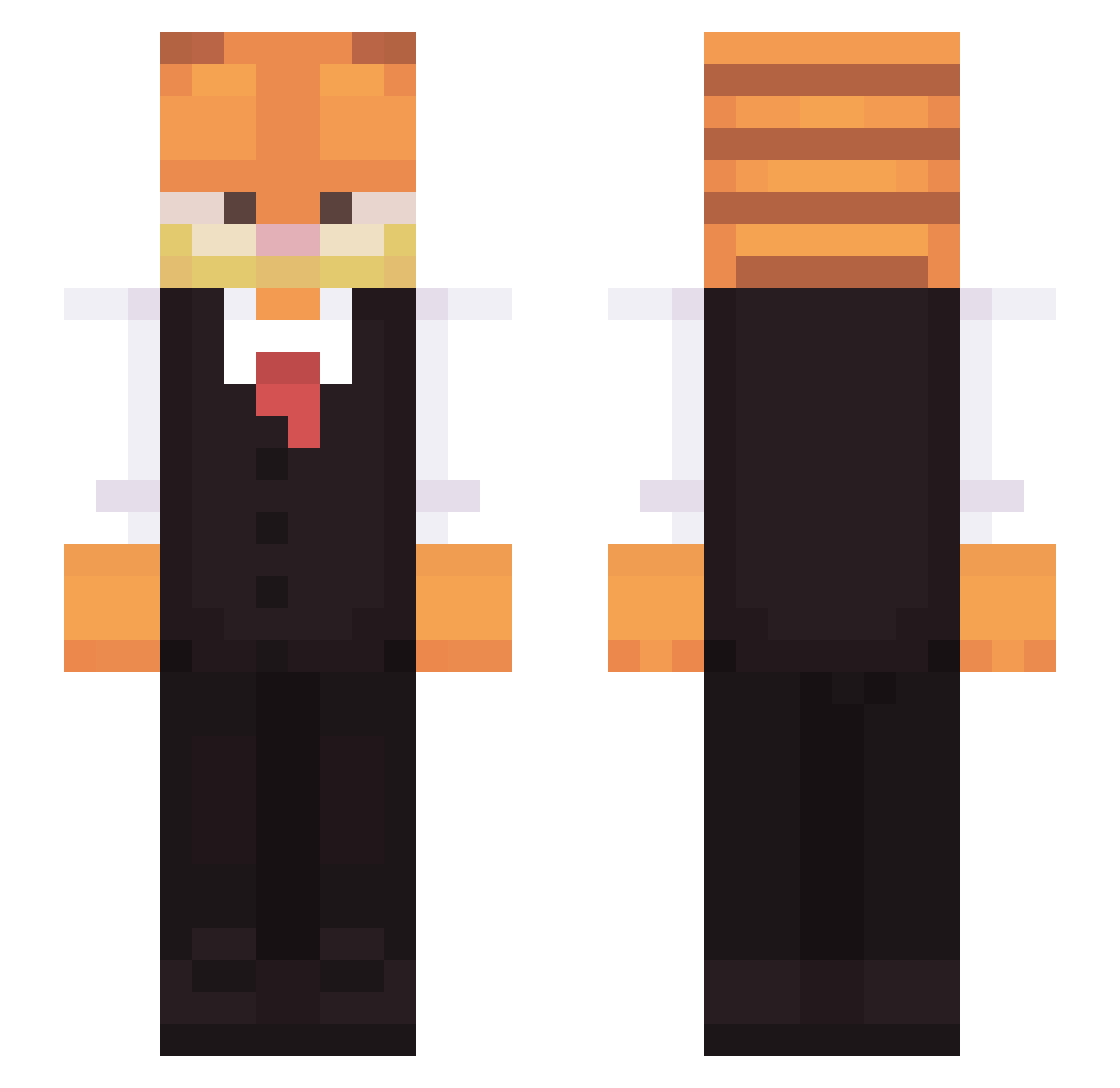
Current Minecraft skin of the player Brira, loaded from the official Mojang API. Rotate the 3D model with your mouse or finger, then download the skin as a PNG file and use it in Minecraft: Bedrock Edition or Java Edition for free. When Brira changes their skin, this page updates automatically and the old skin stays in the history below.
Other players with this skin (312)
Brira was the 22nd player we have seen with this skin, first spotted on 02.08.2026. The same skin was seen on these players. Open a nickname to see their current skin and skin history.
 Xeeth OptimusPotts Areaweare Glaakin sexslav Flexbus007 fallafna123 drKedu Yalcnn Ethsonic ENCRYPT10N Maboroshiii QBRADQ slfr LogiaLuc MissPatate Kashnepopolos Midons Mus7afa Kirby165 Maci2021 xL1berate Vads_3 Twojkot quandalebase whoisvaalvii Vertigo1106 Irrelevantlmao boostedcat YZxxx Avokadu96 Pietronek Deirocx SilentHorton dumblos3r chael9905 MeloTix detanracnier Jaackiie forestrock JimmyNeutron302 FyhNz Muyiss Epicsamsam zivziv Kulico TheWillistWilll
 ShadowTopia_ caspr1 zoeC8
 AuMeinArm Gingerkinz chaosking243 ikickgrandpas AtomPlayy MetalZeroOne neck_salad Cheetorat38 Gaarfield kumo41
More Garfield Minecraft skins
How to install the Brira skin
- Press the Download button above to save the skin as a PNG file.
- Minecraft: Bedrock Edition (PE): open the Dressing Room from the main menu (or tap your character → Edit Character), go to Classic Skins → Owned, press the + (new skin) button, choose the downloaded PNG and pick the Slim (Alex) model. Works on PC and mobile; consoles cannot import custom skins.
- Minecraft: Java Edition: open the Minecraft Launcher, go to the Skins tab, click New Skin, load the PNG, pick the Slim (Alex) model and press Save & Use. You can also upload it at minecraft.net → Profile → Change Skin.
The skin does not show up after import - what should I do?
Restart Minecraft and open the Dressing Room again - imported skins sometimes appear only after a restart. Also make sure you selected the imported skin and picked the Slim (Alex) model.
Which model should I choose, Classic or Slim?
This skin is designed for the Slim (Alex) model. If you pick the wrong model, the arms of the skin will look stretched or squeezed.
Is the skin of Brira free to download?
Yes. Press Download, save the PNG file and use it in Minecraft: Bedrock Edition or Java Edition - no payment or registration needed. The skin also works on multiplayer servers and Realms.
More skins
Looking for more? Go back to all Minecraft skins and check the top skins of the week, month and all time, or find any player's skin by nickname.