
Brickbot223 - Minecraft Skins & Skin History
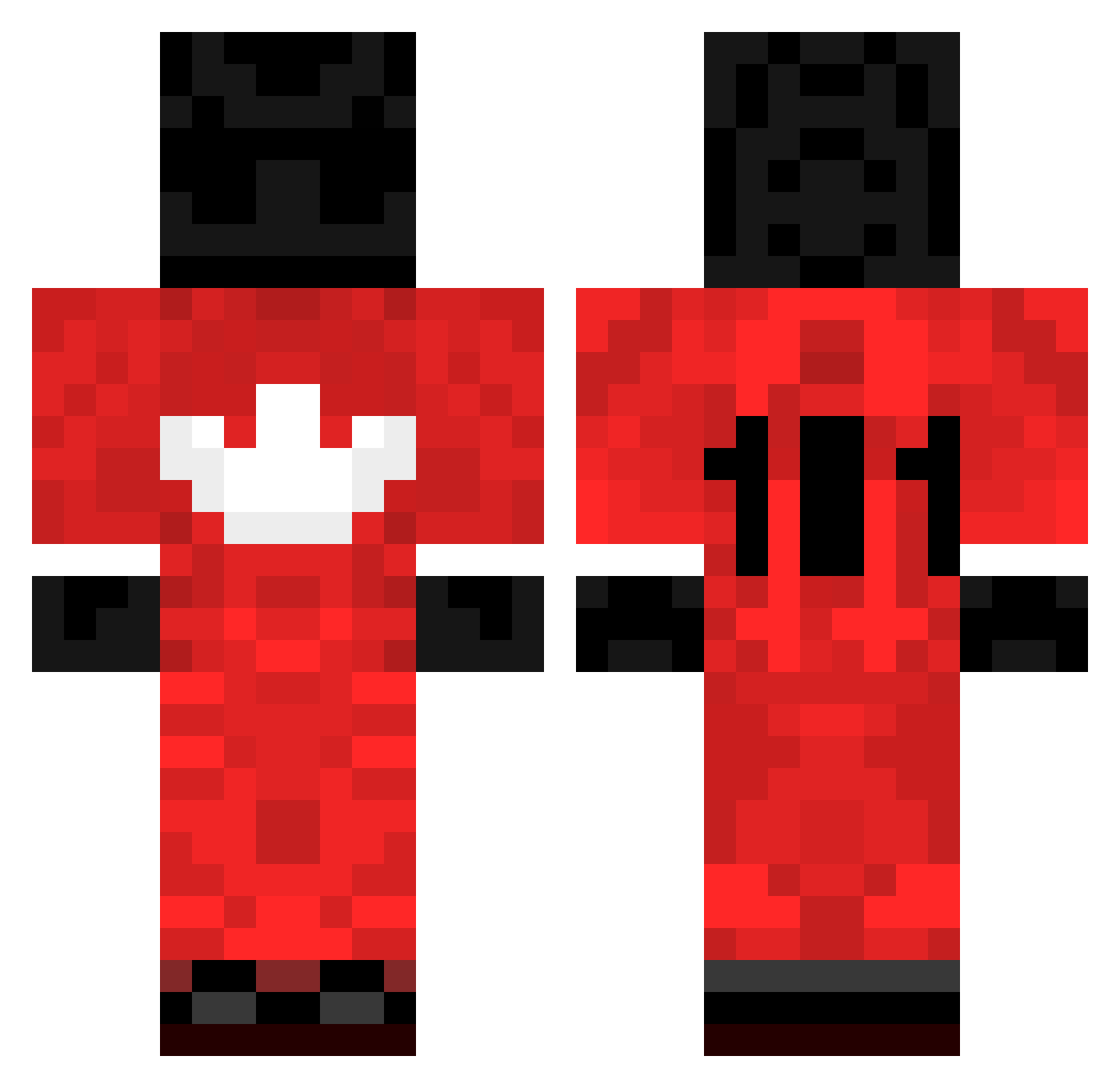
Current Minecraft skin of the player Brickbot223, loaded from the official Mojang API. Rotate the 3D model with your mouse or finger, then download the skin as a PNG file and use it in Minecraft: Bedrock Edition or Java Edition for free. When Brickbot223 changes their skin, this page updates automatically and the old skin stays in the history below.
Other players with this skin (203)
Brickbot223 was the 170th player we have seen with this skin, first spotted on 08.10.2026. The same skin was seen on these players. Open a nickname to see their current skin and skin history.
 Longjiale_cRD613 Anomex BESTMANAOS olexsyandeer Straaiight ADRIANASUE AnticheatReviews PandilleroCJNG Coup2BaBouche XANTARESPEEKK Harsha1 GarySmokeOak AstridTheHunter chalmersouchv2 kukduck BackShots3 HunterSquish watchdoges MaiCN Rzagluwa Y0h4n33 nlrrr ToxicManPlayzYT yungkebin BESTEARTH MIcCHu_ togglecrew DonRodrigoo Gincro NotKoncept ImBrokenRN smuFii zibblackingg Stattone MagotizilaBr Cheesegod85 METODEU MrAnanymous RubinNinja935 RLg563 Herbz_2106 Ukrainec_B_Katke 7xxxxer El_PrePuce5966 ZIBBLACKLING Toryq sethgarion8742 ghostots kozeris BreeMarieA ZiblackingBestWW krzxmc Hriffy weedbienverte ZIBLACKINGGQ qarac tspBSNV6W3o8vtDm guiwow_vap ItalicMink351Nya M3RKJ1NX
More Sports Uniform Minecraft skins
See all 67 Sports Uniform skins
How to install the Brickbot223 skin
- Press the Download button above to save the skin as a PNG file.
- Minecraft: Bedrock Edition (PE): open the Dressing Room from the main menu (or tap your character → Edit Character), go to Classic Skins → Owned, press the + (new skin) button, choose the downloaded PNG and pick the Classic (Steve) model. Works on PC and mobile; consoles cannot import custom skins.
- Minecraft: Java Edition: open the Minecraft Launcher, go to the Skins tab, click New Skin, load the PNG, pick the Classic (Steve) model and press Save & Use. You can also upload it at minecraft.net → Profile → Change Skin.
The skin does not show up after import - what should I do?
Restart Minecraft and open the Dressing Room again - imported skins sometimes appear only after a restart. Also make sure you selected the imported skin and picked the Classic (Steve) model.
Which model should I choose, Classic or Slim?
This skin is designed for the Classic (Steve) model. If you pick the wrong model, the arms of the skin will look stretched or squeezed.
Is the skin of Brickbot223 free to download?
Yes. Press Download, save the PNG file and use it in Minecraft: Bedrock Edition or Java Edition - no payment or registration needed. The skin also works on multiplayer servers and Realms.
More skins
Looking for more? Go back to all Minecraft skins and check the top skins of the week, month and all time, or find any player's skin by nickname.