
Breslin99 - Minecraft Skins & Skin History
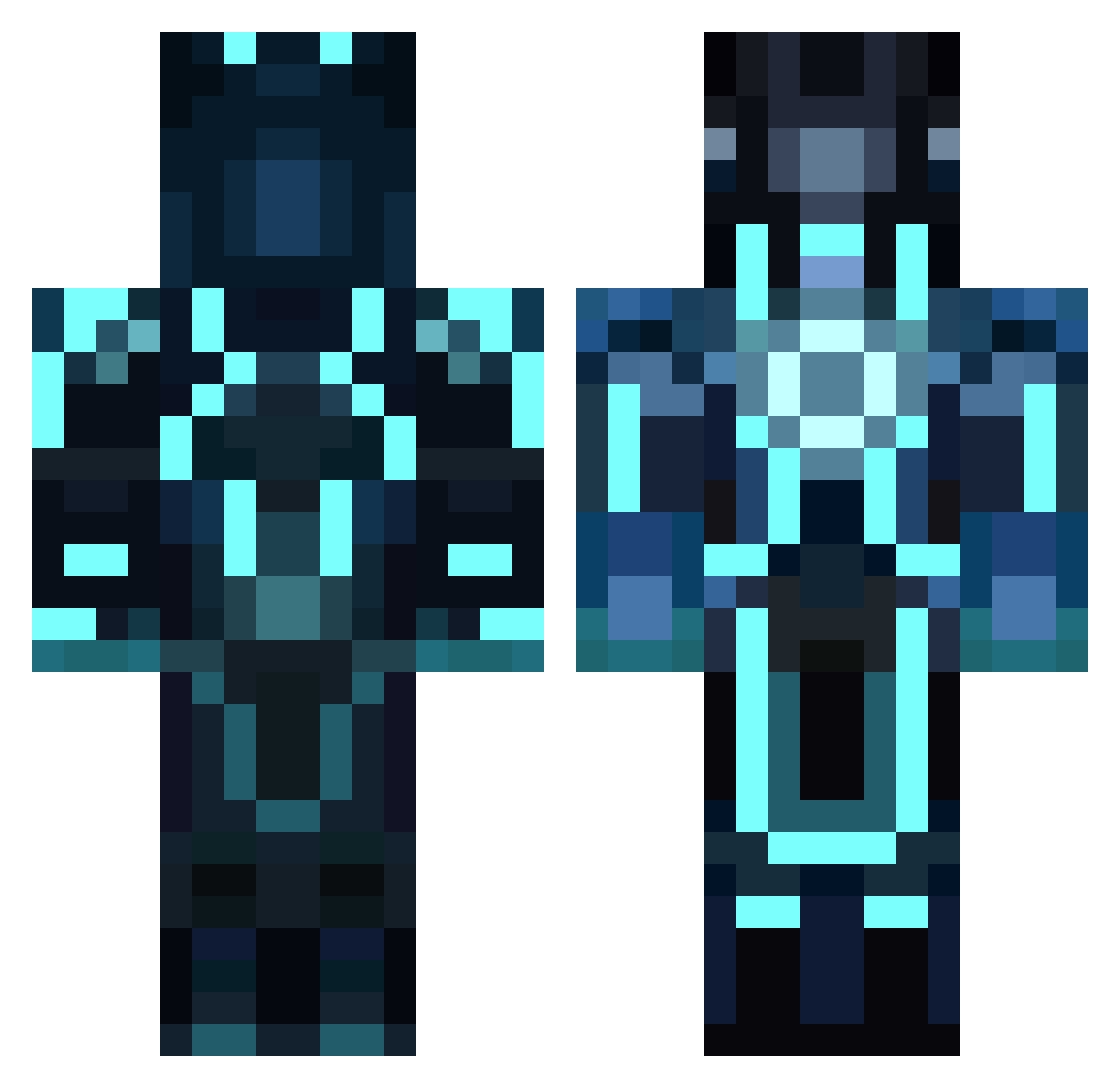
Current Minecraft skin of the player Breslin99, loaded from the official Mojang API. Rotate the 3D model with your mouse or finger, then download the skin as a PNG file and use it in Minecraft: Bedrock Edition or Java Edition for free. When Breslin99 changes their skin, this page updates automatically and the old skin stays in the history below.
Other players with this skin (859)
Breslin99 was the 646th player we have seen with this skin, first spotted on 10.10.2026. The same skin was seen on these players. Open a nickname to see their current skin and skin history.
 Brickdude32 FM1988 kfahler7 Trint1405 RadioactiveRain j_ryan98 AtomicSX MainEventMatt Cristo76 WallmanDB Jedi_Jr FancyCyclops jordan_l1 qwas5544111 SoMuchDuck Weylaf Zer0Creativity g00nther Viridian_Sky Weckest Neversummer_ snider_03 LotusSpark Tiber13 ShadowXin Hyyyt boss9006 kussy_94 kingawsome1234 NICOO6 Firengel Mr_K1NG Petrolhead102 beccacuevas leandman derEdgar SkuaSeptember ECO_ZA iFlolo_bak SamFlynnn key2everything5 crokerj MURASE kewin91 909dynamic T_t_clem Donkodactyl PogorelovIn Djmbk1 mkcawcutt Joshanky jake_au The_Gold_Marine JaredPastor CRISTINO07 Wethu Betrayedicefire crazydan derechtebasti222 Conzyh1000
More Glowing Armor Minecraft skins
See all 61 Glowing Armor skins
How to install the Breslin99 skin
- Press the Download button above to save the skin as a PNG file.
- Minecraft: Bedrock Edition (PE): open the Dressing Room from the main menu (or tap your character → Edit Character), go to Classic Skins → Owned, press the + (new skin) button, choose the downloaded PNG and pick the Classic (Steve) model. Works on PC and mobile; consoles cannot import custom skins.
- Minecraft: Java Edition: open the Minecraft Launcher, go to the Skins tab, click New Skin, load the PNG, pick the Classic (Steve) model and press Save & Use. You can also upload it at minecraft.net → Profile → Change Skin.
The skin does not show up after import - what should I do?
Restart Minecraft and open the Dressing Room again - imported skins sometimes appear only after a restart. Also make sure you selected the imported skin and picked the Classic (Steve) model.
Which model should I choose, Classic or Slim?
This skin is designed for the Classic (Steve) model. If you pick the wrong model, the arms of the skin will look stretched or squeezed.
Is the skin of Breslin99 free to download?
Yes. Press Download, save the PNG file and use it in Minecraft: Bedrock Edition or Java Edition - no payment or registration needed. The skin also works on multiplayer servers and Realms.
More skins
Looking for more? Go back to all Minecraft skins and check the top skins of the week, month and all time, or find any player's skin by nickname.