
Brave_Wolf09 - Minecraft Skins & Skin History
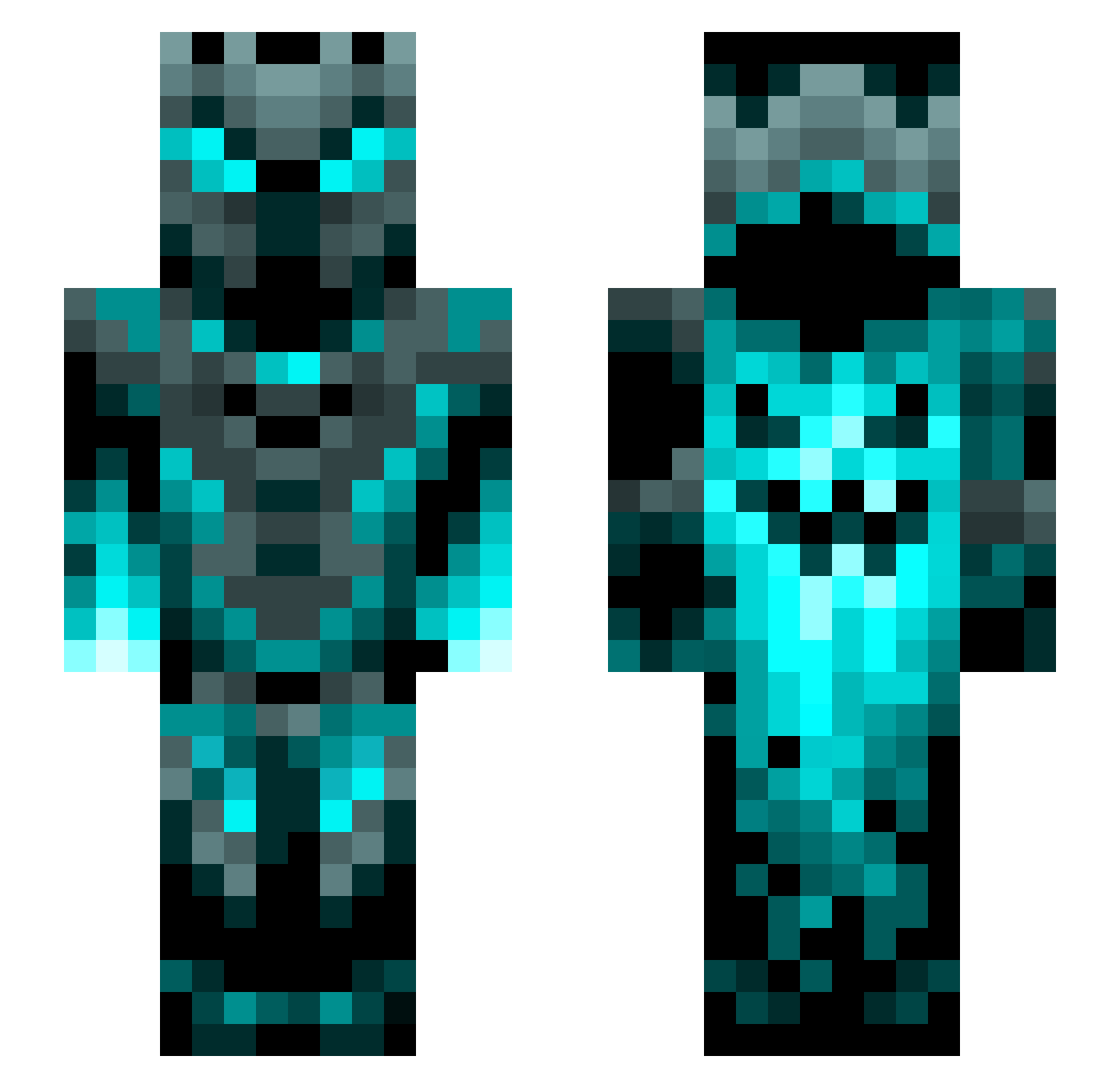
Current Minecraft skin of the player Brave_Wolf09, loaded from the official Mojang API. Rotate the 3D model with your mouse or finger, then download the skin as a PNG file and use it in Minecraft: Bedrock Edition or Java Edition for free. When Brave_Wolf09 changes their skin, this page updates automatically and the old skin stays in the history below.
Other players with this skin (1199)
Brave_Wolf09 was the 106th player we have seen with this skin, first spotted on 02.08.2026. The same skin was seen on these players. Open a nickname to see their current skin and skin history.
 ChipHazards Unlucky1337 SombradeGandalft alejo2908 Pandaman2327 Master_Chef_WDR Schnabber Lxony SerranoChill RCZ24 TNT69420 DaBadApple SwadZopa mathiasls06 SapphirePhantom Rustynipp Antek0389Pro PAZI_GOD KimOverzz jiuzheyang Const24 FenixFil Pecamon pokeystick45 WHY0910 Jasa_stavitel Kimarik LucaPantaleo coco753951 Frannyn17 4rc4de IceyJK NoName762 ManyCampers Ulterath Tepes0909 Photonknight2001 _TomPhantom_ slicknick2727 Gergo2468 Nubhu GreazyWookie ChubbyRhinos Wolfparty89 rrangeronee J0rdanK Klettercarl Botbrainz5 PaulanerSpezi24 dj_lucky ExtremMiner9009 DazTuff AimerBay StealChaos linnepinneZ7 Knorroc Dragran YTAyaanplayz alvarog31 Horrorcow76
More Phantom Minecraft skins
How to install the Brave_Wolf09 skin
- Press the Download button above to save the skin as a PNG file.
- Minecraft: Bedrock Edition (PE): open the Dressing Room from the main menu (or tap your character → Edit Character), go to Classic Skins → Owned, press the + (new skin) button, choose the downloaded PNG and pick the Slim (Alex) model. Works on PC and mobile; consoles cannot import custom skins.
- Minecraft: Java Edition: open the Minecraft Launcher, go to the Skins tab, click New Skin, load the PNG, pick the Slim (Alex) model and press Save & Use. You can also upload it at minecraft.net → Profile → Change Skin.
The skin does not show up after import - what should I do?
Restart Minecraft and open the Dressing Room again - imported skins sometimes appear only after a restart. Also make sure you selected the imported skin and picked the Slim (Alex) model.
Which model should I choose, Classic or Slim?
This skin is designed for the Slim (Alex) model. If you pick the wrong model, the arms of the skin will look stretched or squeezed.
Is the skin of Brave_Wolf09 free to download?
Yes. Press Download, save the PNG file and use it in Minecraft: Bedrock Edition or Java Edition - no payment or registration needed. The skin also works on multiplayer servers and Realms.
More skins
Looking for more? Go back to all Minecraft skins and check the top skins of the week, month and all time, or find any player's skin by nickname.