
Braindamageed - Minecraft Skins & Skin History
Current Minecraft skin of the player Braindamageed, loaded from the official Mojang API. Rotate the 3D model with your mouse or finger, then download the skin as a PNG file and use it in Minecraft: Bedrock Edition or Java Edition for free. When Braindamageed changes their skin, this page updates automatically and the old skin stays in the history below.
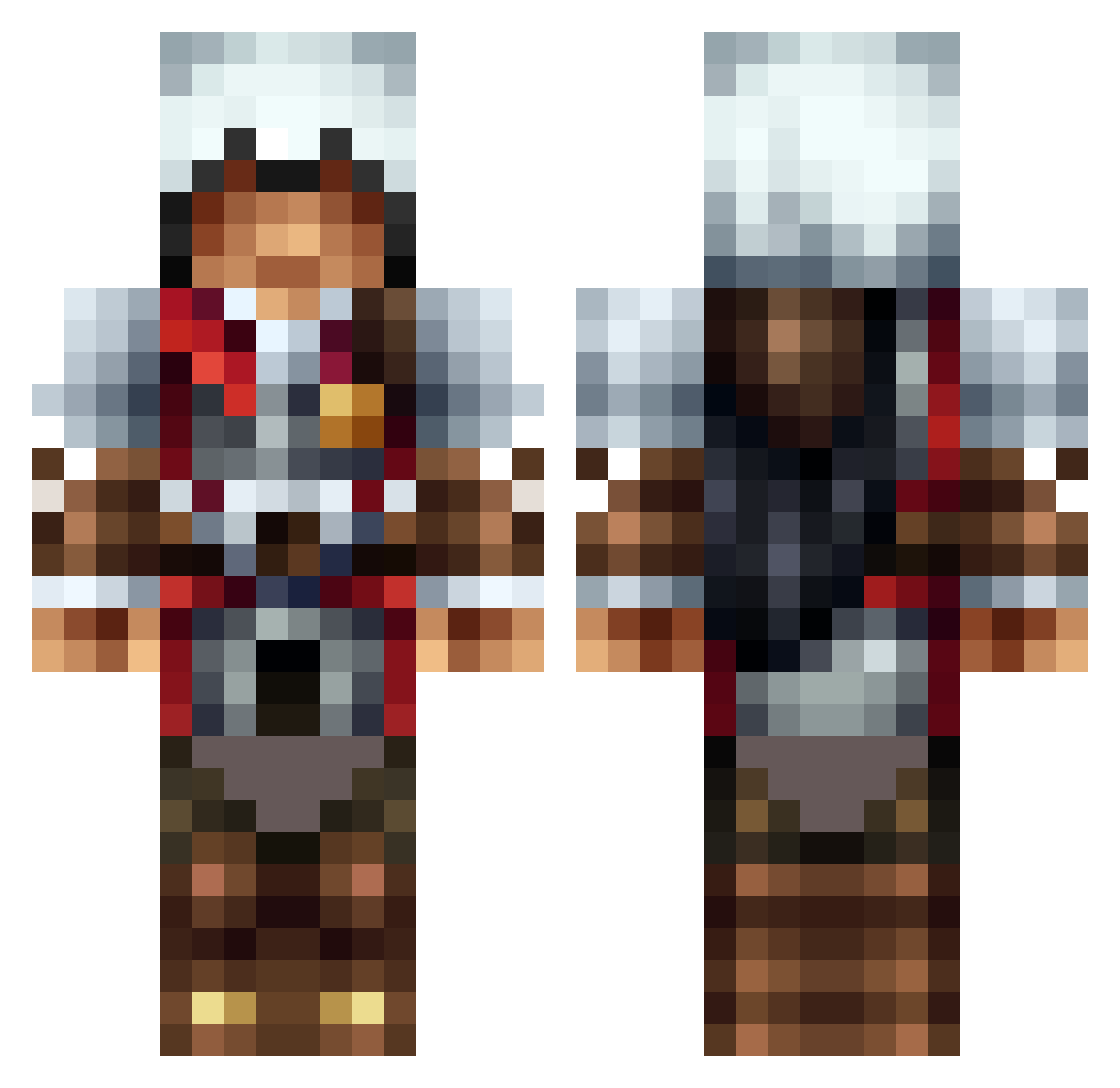
Other players with this skin (1311)
Braindamageed was the 987th player we have seen with this skin, first spotted on 12.10.2026. The same skin was seen on these players. Open a nickname to see their current skin and skin history.
 KrossPlaysMC LiTtlEK_ Bowerbird Fr0gG0rl Pham_ly Fletcher198 ikesal DownSoft ShadowCheyn67 MrAwesome972 Bim_Bam97 Doughboychris84 JackHarry1999 Cpt_NTG_PRICE jelleebean _murphpog_ JarlLR nikarnhold jds2001 Charles85125 Where_Is_Husky Green_Samus Aykutboi Adrew421 Stealsolid Dannyandmags timatho51 Kradddyyy sonymon14 calvinJ2005 CaptNathan DN_Ryuk HoloMaster79 nathaninja4 benzo12121 gOoZzeE Deathstriders diamondminer523 Shr3ktHappy Blackdeath31 DubLai callumgamper Maori15 CommKidd StriperNamedDave lukey5678 Takroud SpaceQuips Whispora snifix14 TyriusTheUndead Dav667 blnc9949 victor9k DeusJr Erokk01 SammyGee9 Muffins_mannen kenjmsig Spartacus3711
More Altair Minecraft skins
How to install the Braindamageed skin
- Press the Download button above to save the skin as a PNG file.
- Minecraft: Bedrock Edition (PE): open the Dressing Room from the main menu (or tap your character → Edit Character), go to Classic Skins → Owned, press the + (new skin) button, choose the downloaded PNG and pick the Classic (Steve) model. Works on PC and mobile; consoles cannot import custom skins.
- Minecraft: Java Edition: open the Minecraft Launcher, go to the Skins tab, click New Skin, load the PNG, pick the Classic (Steve) model and press Save & Use. You can also upload it at minecraft.net → Profile → Change Skin.
The skin does not show up after import - what should I do?
Restart Minecraft and open the Dressing Room again - imported skins sometimes appear only after a restart. Also make sure you selected the imported skin and picked the Classic (Steve) model.
Which model should I choose, Classic or Slim?
This skin is designed for the Classic (Steve) model. If you pick the wrong model, the arms of the skin will look stretched or squeezed.
Is the skin of Braindamageed free to download?
Yes. Press Download, save the PNG file and use it in Minecraft: Bedrock Edition or Java Edition - no payment or registration needed. The skin also works on multiplayer servers and Realms.
More skins
Looking for more? Go back to all Minecraft skins and check the top skins of the week, month and all time, or find any player's skin by nickname.