
Braelynna - Minecraft Skins & Skin History
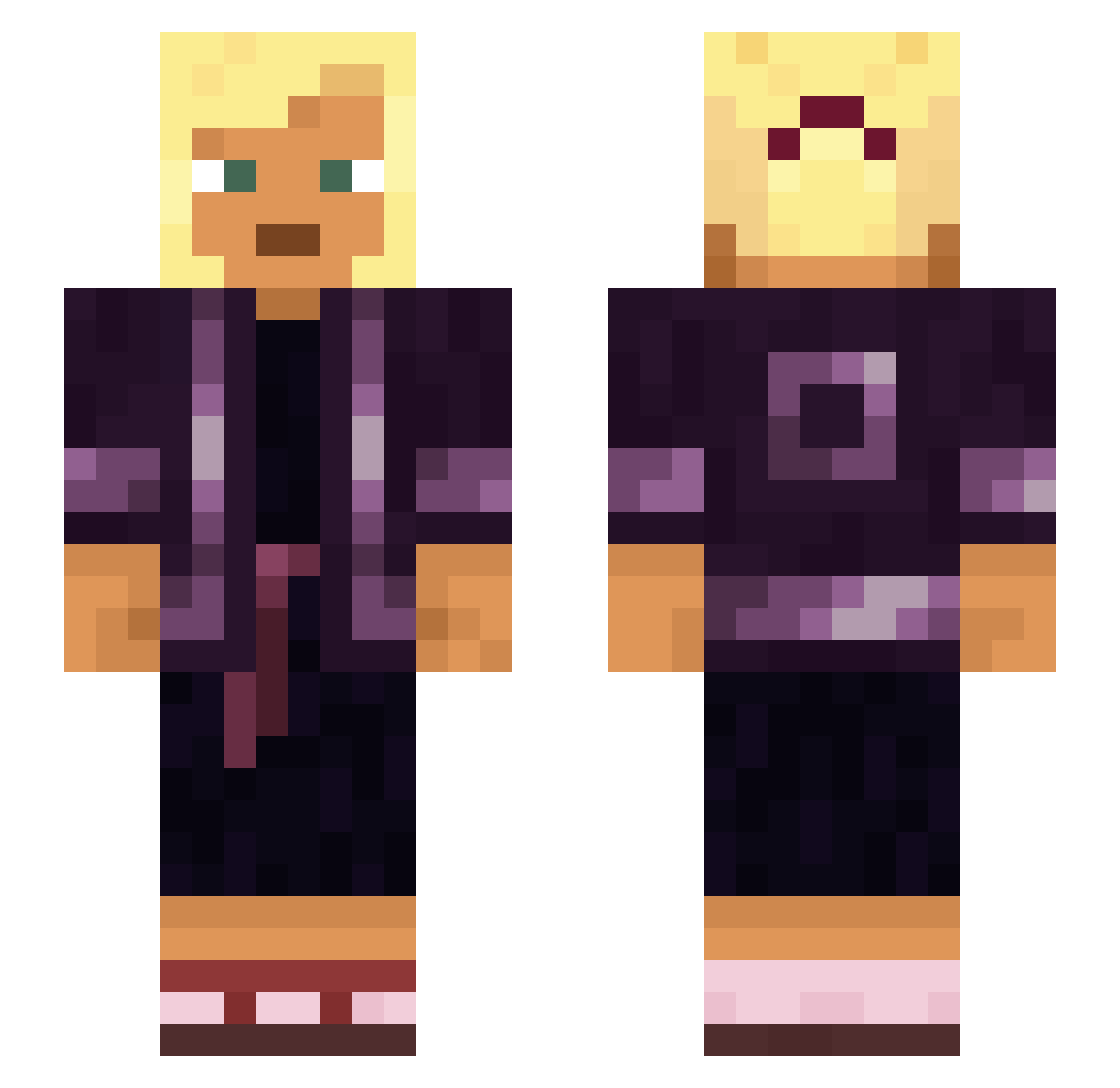
Current Minecraft skin of the player Braelynna, loaded from the official Mojang API. Rotate the 3D model with your mouse or finger, then download the skin as a PNG file and use it in Minecraft: Bedrock Edition or Java Edition for free. When Braelynna changes their skin, this page updates automatically and the old skin stays in the history below.
Other players with this skin (930)
Braelynna was the 168th player we have seen with this skin, first spotted on 12.08.2026. The same skin was seen on these players. Open a nickname to see their current skin and skin history.
 _Smoothiii_ Y8xSH JohnPorkYngfella backwoodsman meatcutter murkier i3estZ3D Viggo_gang Ulua Highbird_ zCrxZyx pennons Helot Ivan Watermarked Redirection xanthoprotein Ah_oggy Hibachis SpyBot Wafflez13 H43V Lizzie_Y Underlook
 smith01_ Hugy locomote Aquino Tripel poopertrooper91 Myxstrix biggig123 Royer123 Dementedly Westy Kyroneax FilipPejooo Phasmida Dragger Mayoress Dockmaster togawise schismatics Rasul Caink99 Pythias hakone_ Israelillo14 Mycetozoa hirofumi Ana1nyt3rror synodical dustychainsaw GHV__ MrAlejandro5097 Artemision StableMan Aguamiel HaremFactor_69 imaginal
More Asian Minecraft skins
How to install the Braelynna skin
- Press the Download button above to save the skin as a PNG file.
- Minecraft: Bedrock Edition (PE): open the Dressing Room from the main menu (or tap your character → Edit Character), go to Classic Skins → Owned, press the + (new skin) button, choose the downloaded PNG and pick the Slim (Alex) model. Works on PC and mobile; consoles cannot import custom skins.
- Minecraft: Java Edition: open the Minecraft Launcher, go to the Skins tab, click New Skin, load the PNG, pick the Slim (Alex) model and press Save & Use. You can also upload it at minecraft.net → Profile → Change Skin.
The skin does not show up after import - what should I do?
Restart Minecraft and open the Dressing Room again - imported skins sometimes appear only after a restart. Also make sure you selected the imported skin and picked the Slim (Alex) model.
Which model should I choose, Classic or Slim?
This skin is designed for the Slim (Alex) model. If you pick the wrong model, the arms of the skin will look stretched or squeezed.
Is the skin of Braelynna free to download?
Yes. Press Download, save the PNG file and use it in Minecraft: Bedrock Edition or Java Edition - no payment or registration needed. The skin also works on multiplayer servers and Realms.
More skins
Looking for more? Go back to all Minecraft skins and check the top skins of the week, month and all time, or find any player's skin by nickname.