
Boydeh - Minecraft Skins & Skin History
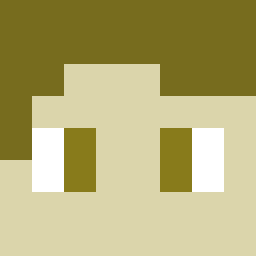
Current Minecraft skin of the player Boydeh, loaded from the official Mojang API. Rotate the 3D model with your mouse or finger, then download the skin as a PNG file and use it in Minecraft: Bedrock Edition or Java Edition for free. When Boydeh changes their skin, this page updates automatically and the old skin stays in the history below.

Other players with this skin (4113)
Boydeh was the 1399th player we have seen with this skin, first spotted on 27.08.2026. The same skin was seen on these players. Open a nickname to see their current skin and skin history.
 EelBoat Gorpo LegitimateLarry Guog ShockPT EveAlt soungs Timo00032 Love_990_LR JimKnee Roldoi1911 OsamaNinjaHA mrpopo14 Jonathanx02 EfeTufaaaN Badr_ Sburandran Beadman ArkAngel69 KashOnCrack Sumosaurus YujiItadoris 0jt 10DIABLO10 kokopy xMrGam3rotax bigblue6 DeathlyFall Aelsong whatisakm mbh95 chulpa Cirkulis taku1115 itsMartytime IncelEdits Vergunning
 Pinguincraft7 Webber34 IRTASEREAN ZyaChan_ Xerotes my_life_meh Fmv10 _Jaakko_ Vanishhh_ npppf7 bareforhud Jul9902 AmachadoEDU Elsinki temperfi sloneketters OfficialTable Cloudtop_City PanhandlePossum BMWM2 FrazerTheGamer arrowgod46 Madara77
How to install the Boydeh skin
- Press the Download button above to save the skin as a PNG file.
- Minecraft: Bedrock Edition (PE): open the Dressing Room from the main menu (or tap your character → Edit Character), go to Classic Skins → Owned, press the + (new skin) button, choose the downloaded PNG and pick the Classic (Steve) model. Works on PC and mobile; consoles cannot import custom skins.
- Minecraft: Java Edition: open the Minecraft Launcher, go to the Skins tab, click New Skin, load the PNG, pick the Classic (Steve) model and press Save & Use. You can also upload it at minecraft.net → Profile → Change Skin.
The skin does not show up after import - what should I do?
Restart Minecraft and open the Dressing Room again - imported skins sometimes appear only after a restart. Also make sure you selected the imported skin and picked the Classic (Steve) model.
Which model should I choose, Classic or Slim?
This skin is designed for the Classic (Steve) model. If you pick the wrong model, the arms of the skin will look stretched or squeezed.
Is the skin of Boydeh free to download?
Yes. Press Download, save the PNG file and use it in Minecraft: Bedrock Edition or Java Edition - no payment or registration needed. The skin also works on multiplayer servers and Realms.
More skins
Looking for more? Go back to all Minecraft skins and check the top skins of the week, month and all time, or find any player's skin by nickname.