
Botak131 - Minecraft Skins & Skin History
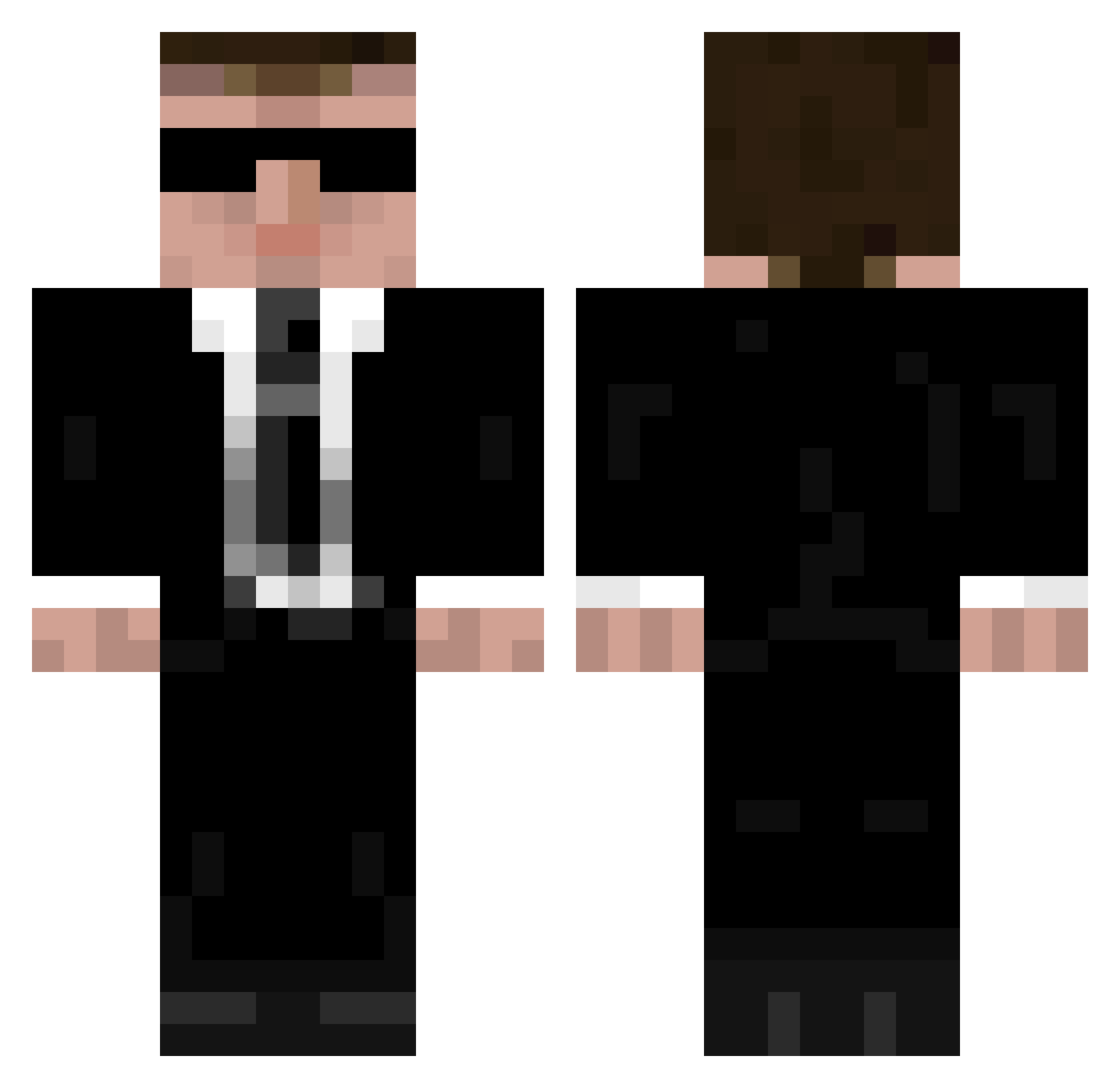
Current Minecraft skin of the player Botak131, loaded from the official Mojang API. Rotate the 3D model with your mouse or finger, then download the skin as a PNG file and use it in Minecraft: Bedrock Edition or Java Edition for free. When Botak131 changes their skin, this page updates automatically and the old skin stays in the history below.
Other players with this skin (946)
Botak131 was the 848th player we have seen with this skin, first spotted on 14.10.2026. The same skin was seen on these players. Open a nickname to see their current skin and skin history.
 acidpastor2 Vexeen0 Dekens ayocaine golen88 Bearking666 deafmonkey_555 shepherdx11 xbomber360 Castiel_Dracarys msterbuilder152 sfrmuc MushbedeBUG JohnFrewin WaffleSmoothies ByakkoVN Marknk robinson1128 Ivimasu BlottoG aka5sun Dustud cawa99 krex10 Killer_block13 tnfbone57 BlitzSpiel hey3000 kevin24447 MagicalChicken03 Maxxx03 Major_Bad darock150 King_of_madness1 EXPmds asvpxtgod tman1964 2bbluto Naule DatOtherGuy _Retrox_ 11bkrain Pirheas Dirty_Cinema FF2001 ryilow DutchRazer Streewy QuestForGlory Klinke shon1216 apachewarrior16 Erlendmon Rabid_Duck_ Ryder16 foloed CreepyUncleJimmy brorogoves PXLE09 jimbob303
More Agent 47 Minecraft skins
How to install the Botak131 skin
- Press the Download button above to save the skin as a PNG file.
- Minecraft: Bedrock Edition (PE): open the Dressing Room from the main menu (or tap your character → Edit Character), go to Classic Skins → Owned, press the + (new skin) button, choose the downloaded PNG and pick the Classic (Steve) model. Works on PC and mobile; consoles cannot import custom skins.
- Minecraft: Java Edition: open the Minecraft Launcher, go to the Skins tab, click New Skin, load the PNG, pick the Classic (Steve) model and press Save & Use. You can also upload it at minecraft.net → Profile → Change Skin.
The skin does not show up after import - what should I do?
Restart Minecraft and open the Dressing Room again - imported skins sometimes appear only after a restart. Also make sure you selected the imported skin and picked the Classic (Steve) model.
Which model should I choose, Classic or Slim?
This skin is designed for the Classic (Steve) model. If you pick the wrong model, the arms of the skin will look stretched or squeezed.
Is the skin of Botak131 free to download?
Yes. Press Download, save the PNG file and use it in Minecraft: Bedrock Edition or Java Edition - no payment or registration needed. The skin also works on multiplayer servers and Realms.
More skins
Looking for more? Go back to all Minecraft skins and check the top skins of the week, month and all time, or find any player's skin by nickname.