
Bosher - Minecraft Skins & Skin History
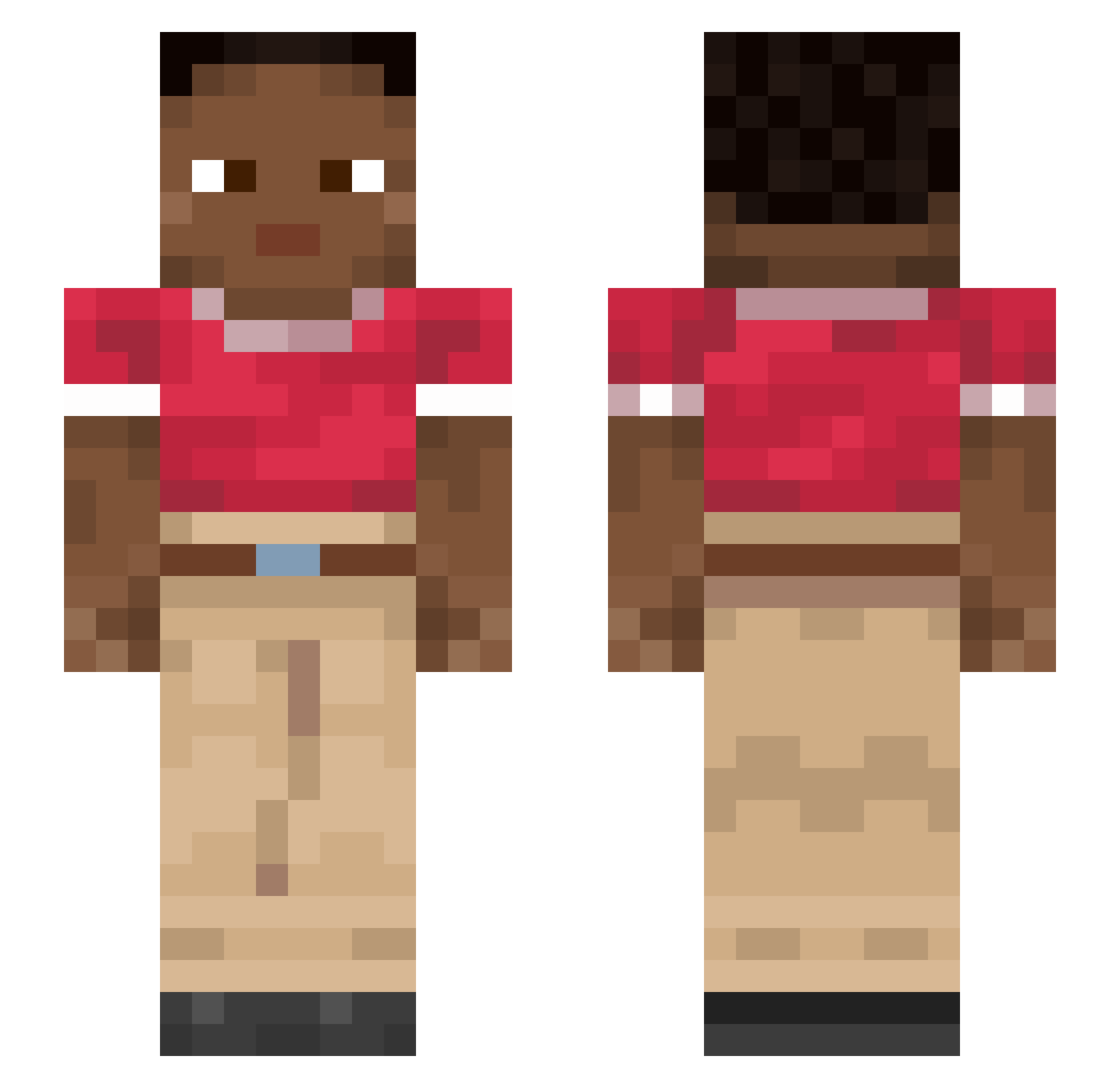
Current Minecraft skin of the player Bosher, loaded from the official Mojang API. Rotate the 3D model with your mouse or finger, then download the skin as a PNG file and use it in Minecraft: Bedrock Edition or Java Edition for free. When Bosher changes their skin, this page updates automatically and the old skin stays in the history below.
Other players with this skin (915)
Bosher was the 457th player we have seen with this skin, first spotted on 18.09.2026. The same skin was seen on these players. Open a nickname to see their current skin and skin history.
 solidish Methodless Electronvolt Sensual Wanessa61 Lanza7 incurrable unbeaming GibDeinElo DemiMark burrish greeter TriiSmeHIHI Adumbrate Simpletons Byroad iKerossios bandon PlayerVan Bowdlerize verdi deurmat749 Withery heigh imponderous gunster ben02q33 benzonitrile Enclaves PinkGames seamas Rubbadubdubdub thejimbles sunjeet Sudsier Funambulist jgkyuui999 loiters brindle JoHeiTec carcan Josomar__1234 gentrice Yazano4 Nihilistically Rye1994 Kapuka mizzenmast Millirem Kay_Jnssn Mumming heartwumbo CCCCPanda Dimension23 anakes Rissle wosl Utilising wonder_02 Precautions
How to install the Bosher skin
- Press the Download button above to save the skin as a PNG file.
- Minecraft: Bedrock Edition (PE): open the Dressing Room from the main menu (or tap your character → Edit Character), go to Classic Skins → Owned, press the + (new skin) button, choose the downloaded PNG and pick the Slim (Alex) model. Works on PC and mobile; consoles cannot import custom skins.
- Minecraft: Java Edition: open the Minecraft Launcher, go to the Skins tab, click New Skin, load the PNG, pick the Slim (Alex) model and press Save & Use. You can also upload it at minecraft.net → Profile → Change Skin.
The skin does not show up after import - what should I do?
Restart Minecraft and open the Dressing Room again - imported skins sometimes appear only after a restart. Also make sure you selected the imported skin and picked the Slim (Alex) model.
Which model should I choose, Classic or Slim?
This skin is designed for the Slim (Alex) model. If you pick the wrong model, the arms of the skin will look stretched or squeezed.
Is the skin of Bosher free to download?
Yes. Press Download, save the PNG file and use it in Minecraft: Bedrock Edition or Java Edition - no payment or registration needed. The skin also works on multiplayer servers and Realms.
More skins
Looking for more? Go back to all Minecraft skins and check the top skins of the week, month and all time, or find any player's skin by nickname.