
Borimer - Minecraft Skins & Skin History
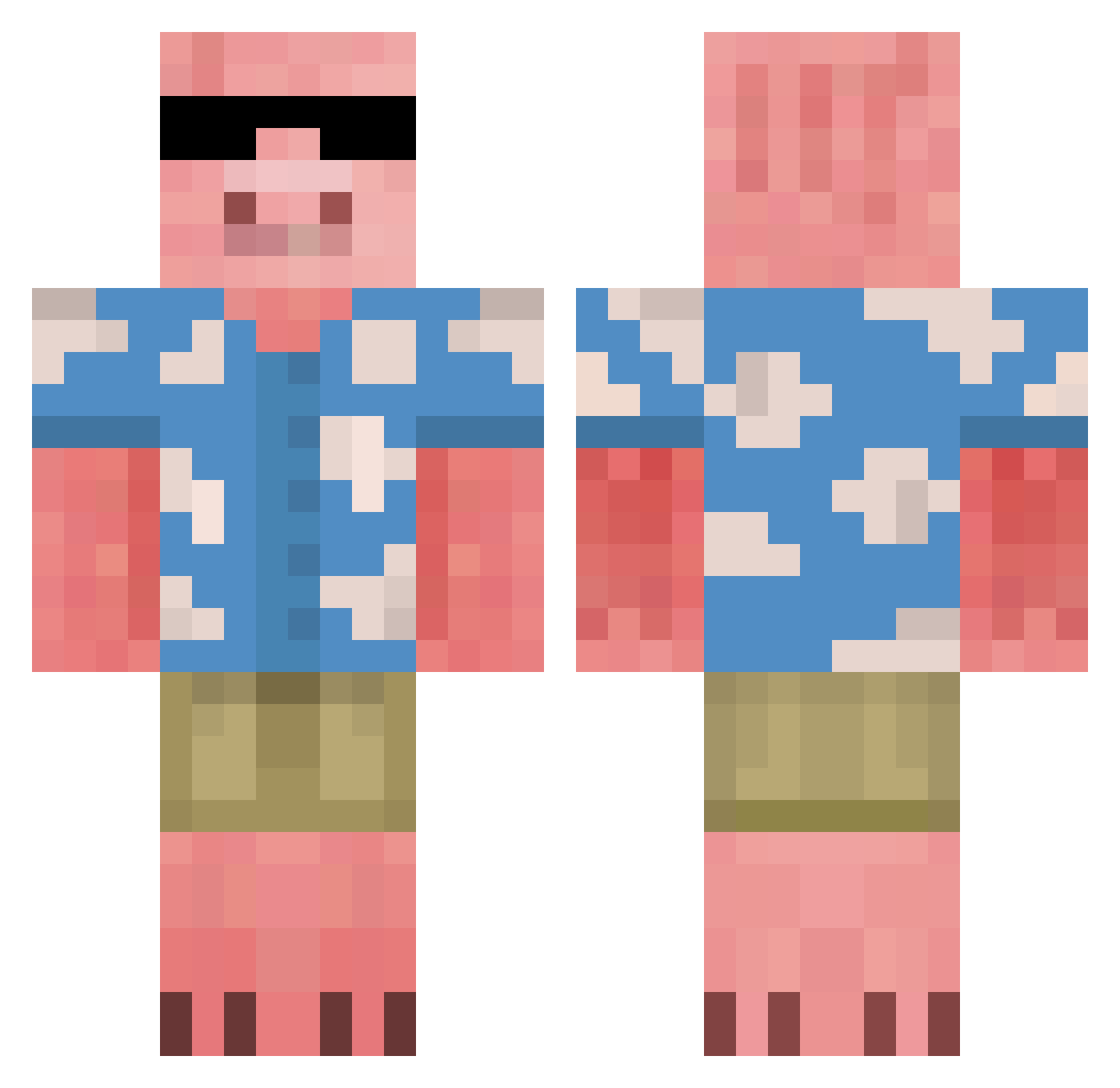
Current Minecraft skin of the player Borimer, loaded from the official Mojang API. Rotate the 3D model with your mouse or finger, then download the skin as a PNG file and use it in Minecraft: Bedrock Edition or Java Edition for free. When Borimer changes their skin, this page updates automatically and the old skin stays in the history below.
Other players with this skin (816)
Borimer was the 803rd player we have seen with this skin, first spotted on 17.11.2026. The same skin was seen on these players. Open a nickname to see their current skin and skin history.
 Corn12 AXxuuu HonzikR33 ZZYYKK00 Meiis777 Wurstbrot6401 KingHogger Giechi mattshallow Kubajzator Rodriew Jensen_xnx F812 Agfntwan Artem_Svin Marneus11 mboller_04 Nooisyy cardboard456 TFKaiser lpodZero YaBoiAussie NicePhant0m sky_xiaopi RicoRatzler Ravyravy XmasudasX rubyballs VinhQ KrypticZeus Garlor_G sungtube73 akainu19 Dyluder ppeedrro toMad_Flow Nikko249 DescentII RANGABANGA31 Keltxi Murpho2224999 alehxf3 jkings14 Ablos Tapeciarz779 ganten17 gavnasty7 Elpablo3 minseokheuug Funnytoas CunningAtom B_ugm Chieze Leoma_2020 Thundrrlight Cruzd6 Nixtarma_ Sem0nza HippieGoose Aaronl23
More Piglin Minecraft skins
How to install the Borimer skin
- Press the Download button above to save the skin as a PNG file.
- Minecraft: Bedrock Edition (PE): open the Dressing Room from the main menu (or tap your character → Edit Character), go to Classic Skins → Owned, press the + (new skin) button, choose the downloaded PNG and pick the Classic (Steve) model. Works on PC and mobile; consoles cannot import custom skins.
- Minecraft: Java Edition: open the Minecraft Launcher, go to the Skins tab, click New Skin, load the PNG, pick the Classic (Steve) model and press Save & Use. You can also upload it at minecraft.net → Profile → Change Skin.
The skin does not show up after import - what should I do?
Restart Minecraft and open the Dressing Room again - imported skins sometimes appear only after a restart. Also make sure you selected the imported skin and picked the Classic (Steve) model.
Which model should I choose, Classic or Slim?
This skin is designed for the Classic (Steve) model. If you pick the wrong model, the arms of the skin will look stretched or squeezed.
Is the skin of Borimer free to download?
Yes. Press Download, save the PNG file and use it in Minecraft: Bedrock Edition or Java Edition - no payment or registration needed. The skin also works on multiplayer servers and Realms.
More skins
Looking for more? Go back to all Minecraft skins and check the top skins of the week, month and all time, or find any player's skin by nickname.