
Borga31 - Minecraft Skins & Skin History
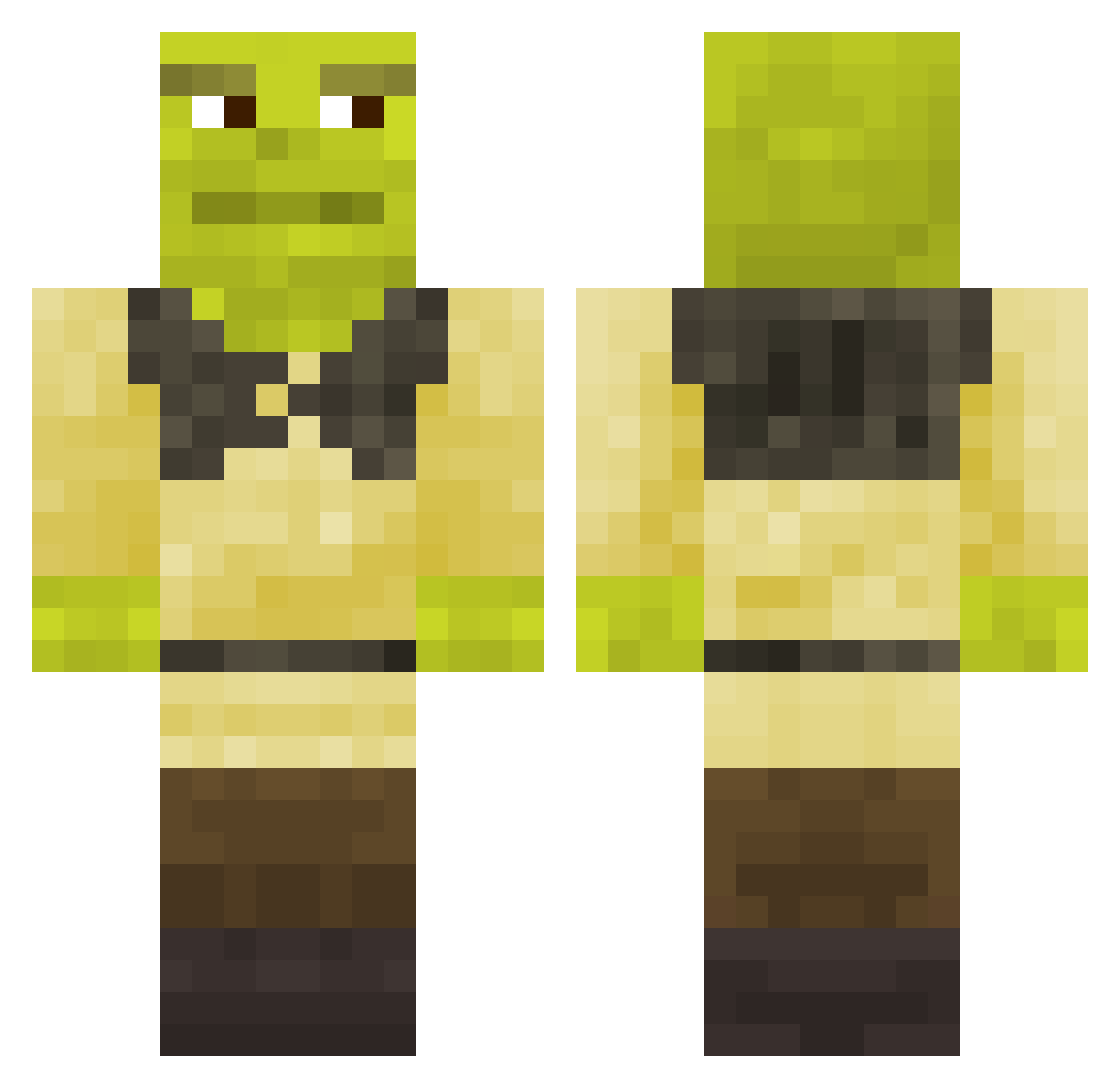
Current Minecraft skin of the player Borga31, loaded from the official Mojang API. Rotate the 3D model with your mouse or finger, then download the skin as a PNG file and use it in Minecraft: Bedrock Edition or Java Edition for free. When Borga31 changes their skin, this page updates automatically and the old skin stays in the history below.
Other players with this skin (672)
Borga31 was the 97th player we have seen with this skin, first spotted on 09.08.2026. The same skin was seen on these players. Open a nickname to see their current skin and skin history.
 minioneq2115 HenryL33t PvpPro6503 veronimnrl A7LAZ Hippo7020 Ajazxcs LeLeG funny_monkey808 samuis77 kelvyloo Nodrac01 __fel
 ImXavik benturkuz Ach_du_shrek KirbyDaGamer XsweatyX InfinityFlyer MrFlaster SergitoLP44 Duonyte skywhydippp MrKewineQ PuRiiT SLINKY__14 joshywoshy347 ErNi97 LekkerWorsie Basta Galdrogas Rokan2 elchuek_HD CANKUTUM minatra Elyes_S ZannaPollo lavalgreninja Byteblock giuulsc iaVaniaa Sandgrift staceynotfound Poyoyo3000 rafaelespada12
 vicas24 JaigerHunter Rize_Merkz21 Spewnikorn eldraggan NinjadiTrieste Elsoon SalmonSlipper IceLan123 TupTupson Frietkandel verywarmsyrup FraWard1 Viktor_Tolhuizen Davide1805_
More Shrek Minecraft skins
How to install the Borga31 skin
- Press the Download button above to save the skin as a PNG file.
- Minecraft: Bedrock Edition (PE): open the Dressing Room from the main menu (or tap your character → Edit Character), go to Classic Skins → Owned, press the + (new skin) button, choose the downloaded PNG and pick the Classic (Steve) model. Works on PC and mobile; consoles cannot import custom skins.
- Minecraft: Java Edition: open the Minecraft Launcher, go to the Skins tab, click New Skin, load the PNG, pick the Classic (Steve) model and press Save & Use. You can also upload it at minecraft.net → Profile → Change Skin.
The skin does not show up after import - what should I do?
Restart Minecraft and open the Dressing Room again - imported skins sometimes appear only after a restart. Also make sure you selected the imported skin and picked the Classic (Steve) model.
Which model should I choose, Classic or Slim?
This skin is designed for the Classic (Steve) model. If you pick the wrong model, the arms of the skin will look stretched or squeezed.
Is the skin of Borga31 free to download?
Yes. Press Download, save the PNG file and use it in Minecraft: Bedrock Edition or Java Edition - no payment or registration needed. The skin also works on multiplayer servers and Realms.
More skins
Looking for more? Go back to all Minecraft skins and check the top skins of the week, month and all time, or find any player's skin by nickname.