
BoredomSeth - Minecraft Skins & Skin History
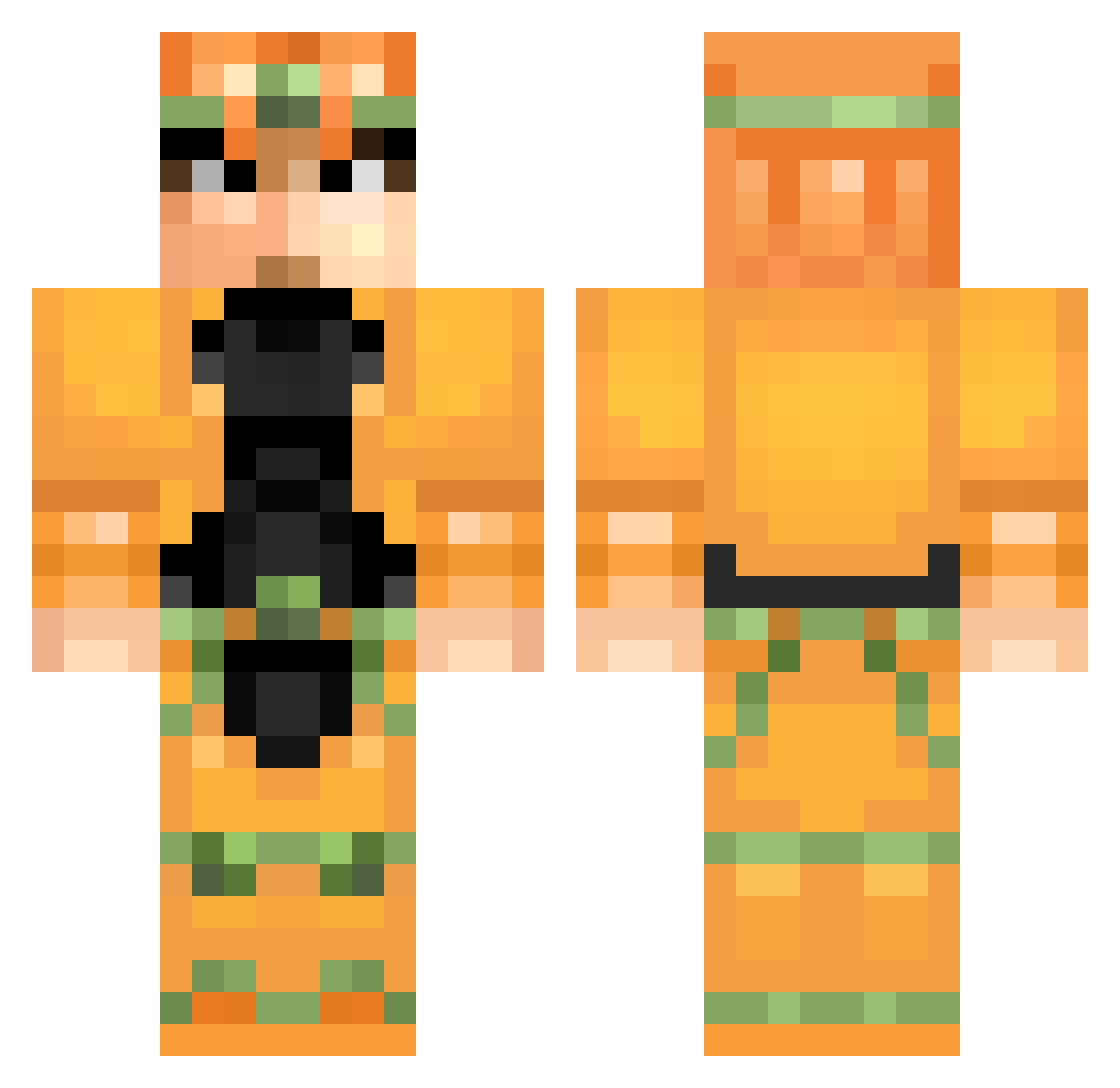
Current Minecraft skin of the player BoredomSeth, loaded from the official Mojang API. Rotate the 3D model with your mouse or finger, then download the skin as a PNG file and use it in Minecraft: Bedrock Edition or Java Edition for free. When BoredomSeth changes their skin, this page updates automatically and the old skin stays in the history below.
Other players with this skin (133)
BoredomSeth was the 103rd player we have seen with this skin, first spotted on 07.10.2026. The same skin was seen on these players. Open a nickname to see their current skin and skin history.
 Gabrileon123 Xibal kaima_13 ForceAnimations RNGesusApostle TKLO Mini_Jooo TrueDrNoob SniperLord1 Hillarin interweb_gamer Octo_Caboose G9208 TAKOSU29 Jewrittosupreme needfriendos BungusB0y Tyr0nius_Maximus Sanghai_Jo AndrejaSM VWRJunior2 kekCrimson ZedsDead13 Endrylrm Ruuuud HomestarRunner65 EverydayCrusader Wryyy_ JuiceeBiscuit Robhor94 MewthreeX45 XAndreChanX jairoxd3301xd XVMEWR OMEGALULMAN WRYYYYYYYYYYYYY_ Drollthe1st Mosels95 yijinyali Yaichiki Minemaster1901 bussydestroyer6 Blades199 zakkydx Contrail007 NadaMas turquiche nesumaz Jennhlynn AkuangStar JoshTheAwesomer McKibblesDribbs DarthHoodini Jdubshusbandito5 coolman125123 Lunarfox75 Beehaku ray1607 xTriggerBoi kazugaia15
More Dio Brando Minecraft skins
How to install the BoredomSeth skin
- Press the Download button above to save the skin as a PNG file.
- Minecraft: Bedrock Edition (PE): open the Dressing Room from the main menu (or tap your character → Edit Character), go to Classic Skins → Owned, press the + (new skin) button, choose the downloaded PNG and pick the Classic (Steve) model. Works on PC and mobile; consoles cannot import custom skins.
- Minecraft: Java Edition: open the Minecraft Launcher, go to the Skins tab, click New Skin, load the PNG, pick the Classic (Steve) model and press Save & Use. You can also upload it at minecraft.net → Profile → Change Skin.
The skin does not show up after import - what should I do?
Restart Minecraft and open the Dressing Room again - imported skins sometimes appear only after a restart. Also make sure you selected the imported skin and picked the Classic (Steve) model.
Which model should I choose, Classic or Slim?
This skin is designed for the Classic (Steve) model. If you pick the wrong model, the arms of the skin will look stretched or squeezed.
Is the skin of BoredomSeth free to download?
Yes. Press Download, save the PNG file and use it in Minecraft: Bedrock Edition or Java Edition - no payment or registration needed. The skin also works on multiplayer servers and Realms.
More skins
Looking for more? Go back to all Minecraft skins and check the top skins of the week, month and all time, or find any player's skin by nickname.