
Boomypage - Minecraft Skins & Skin History
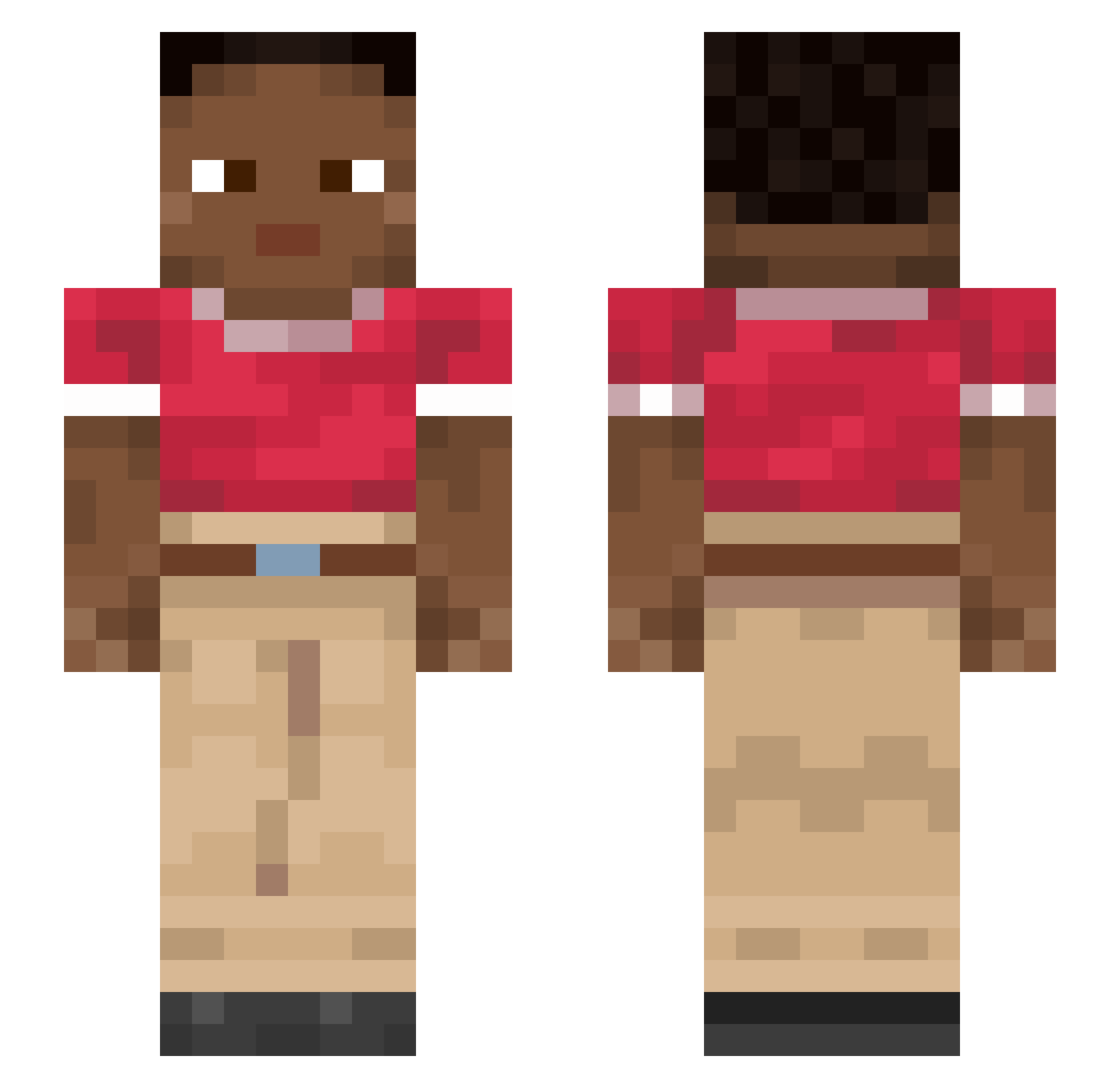
Current Minecraft skin of the player Boomypage, loaded from the official Mojang API. Rotate the 3D model with your mouse or finger, then download the skin as a PNG file and use it in Minecraft: Bedrock Edition or Java Edition for free. When Boomypage changes their skin, this page updates automatically and the old skin stays in the history below.
Other players with this skin (915)
Boomypage was the 845th player we have seen with this skin, first spotted on 28.10.2026. The same skin was seen on these players. Open a nickname to see their current skin and skin history.
 sagai glassworm GIULIXXX Aerobium AT5 deezdog63 pingos nuNce Mateusz_K99 fouxmisterr Erzcabez JDI__ Harquebuse TyPal KxmChii Dest2806royer Sacarin Athwave trujoli2311 Nox3r_SS WaraDox Translators Teotihuacan ootid Squintzs Zetakareta Subrogation tangoreceptor faharht whee cakewithfrosting Corineus Kipperer GrisJr supergayboi perflexy Drahke siggi18 undergear Commissariat ElChuy27 RazShadow apar Skits SplafeIsCool Anybody Calciums Lacca ayham1 janvi boza PlayBoiNeth_ shot skillaura_22 OzScorp Smoothbore spectrometer Kacpir Cabezon aZoTDydy
How to install the Boomypage skin
- Press the Download button above to save the skin as a PNG file.
- Minecraft: Bedrock Edition (PE): open the Dressing Room from the main menu (or tap your character → Edit Character), go to Classic Skins → Owned, press the + (new skin) button, choose the downloaded PNG and pick the Slim (Alex) model. Works on PC and mobile; consoles cannot import custom skins.
- Minecraft: Java Edition: open the Minecraft Launcher, go to the Skins tab, click New Skin, load the PNG, pick the Slim (Alex) model and press Save & Use. You can also upload it at minecraft.net → Profile → Change Skin.
The skin does not show up after import - what should I do?
Restart Minecraft and open the Dressing Room again - imported skins sometimes appear only after a restart. Also make sure you selected the imported skin and picked the Slim (Alex) model.
Which model should I choose, Classic or Slim?
This skin is designed for the Slim (Alex) model. If you pick the wrong model, the arms of the skin will look stretched or squeezed.
Is the skin of Boomypage free to download?
Yes. Press Download, save the PNG file and use it in Minecraft: Bedrock Edition or Java Edition - no payment or registration needed. The skin also works on multiplayer servers and Realms.
More skins
Looking for more? Go back to all Minecraft skins and check the top skins of the week, month and all time, or find any player's skin by nickname.