
Bonexz - Minecraft Skins & Skin History
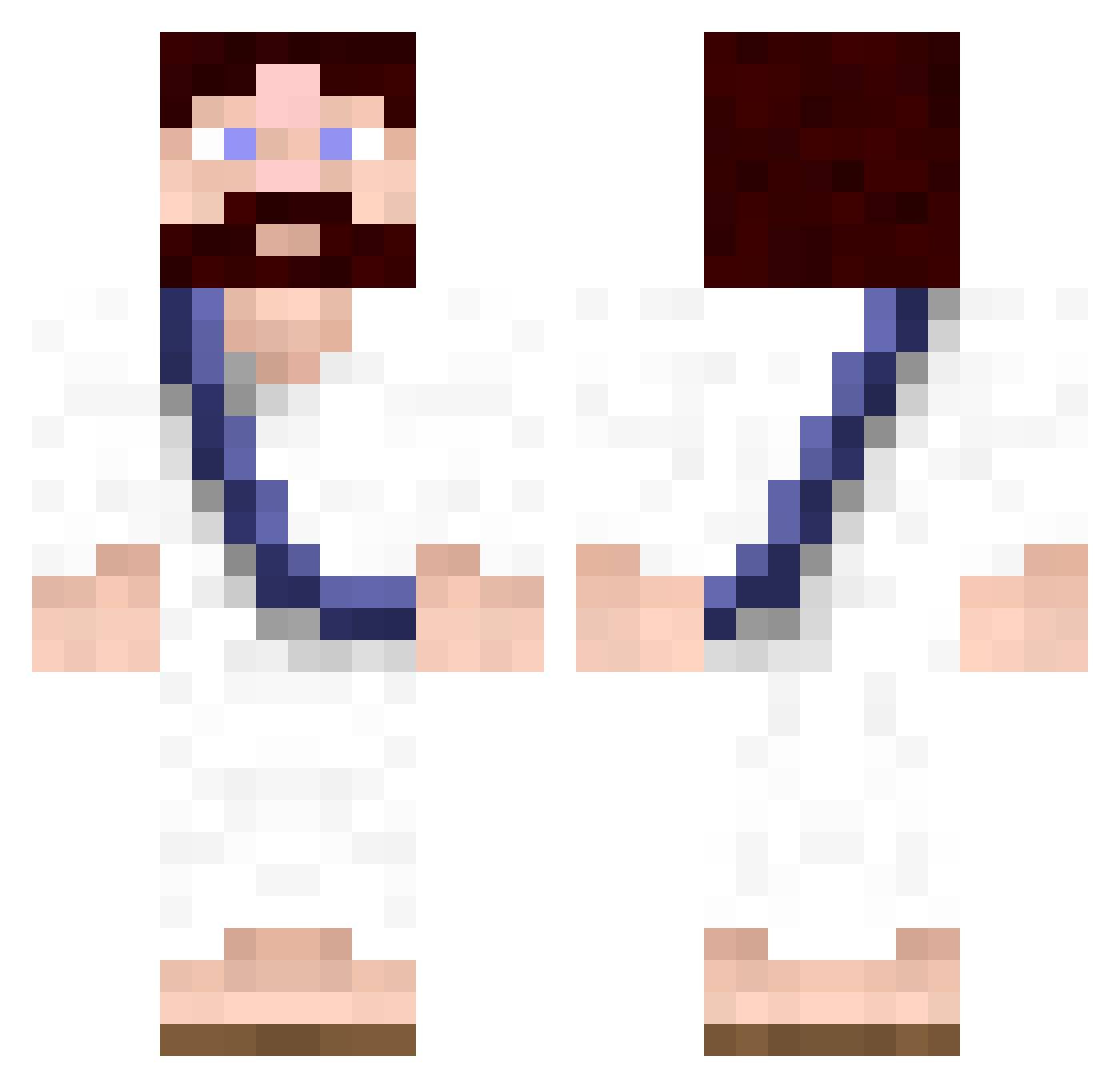
Current Minecraft skin of the player Bonexz, loaded from the official Mojang API. Rotate the 3D model with your mouse or finger, then download the skin as a PNG file and use it in Minecraft: Bedrock Edition or Java Edition for free. When Bonexz changes their skin, this page updates automatically and the old skin stays in the history below.
Other players with this skin (620)
Bonexz was the 362nd player we have seen with this skin, first spotted on 24.09.2026. The same skin was seen on these players. Open a nickname to see their current skin and skin history.
 cameronwilding soskito Markathin chuckallstarz MrGrimmy Poulp MrCasto Rhysen7 Capone LithiumIon Twerp1010 MrEmmy whiteyy24 Nussiehunter RainbowNinja017 JozyCruz SweatyGuy Falwn L_BACCAN ziziTW chriis3001 Lukaskn_ Cyber49 Sir_Sunzi MarcusPwn Camdee genjixkan pierotech fatswaller Helmersen neo1zero milpro842 NixonFTW Trevsmoody NotQuiteIrish Bobthestick Vidablo spondo adgun123 Gikkman moellemann Sound_Velocity Zinidane God_Finger raggamuffinMC mani549 SuperEggHead CaptainEmil GamerMusician Heimtime05 jeebuzcrist certifythat aday_net_au imbacile VerdantMile chronic696 kodman000 travisrcool stewartkid Bartxdark
More Bible Minecraft skins
How to install the Bonexz skin
- Press the Download button above to save the skin as a PNG file.
- Minecraft: Bedrock Edition (PE): open the Dressing Room from the main menu (or tap your character → Edit Character), go to Classic Skins → Owned, press the + (new skin) button, choose the downloaded PNG and pick the Classic (Steve) model. Works on PC and mobile; consoles cannot import custom skins.
- Minecraft: Java Edition: open the Minecraft Launcher, go to the Skins tab, click New Skin, load the PNG, pick the Classic (Steve) model and press Save & Use. You can also upload it at minecraft.net → Profile → Change Skin.
The skin does not show up after import - what should I do?
Restart Minecraft and open the Dressing Room again - imported skins sometimes appear only after a restart. Also make sure you selected the imported skin and picked the Classic (Steve) model.
Which model should I choose, Classic or Slim?
This skin is designed for the Classic (Steve) model. If you pick the wrong model, the arms of the skin will look stretched or squeezed.
Is the skin of Bonexz free to download?
Yes. Press Download, save the PNG file and use it in Minecraft: Bedrock Edition or Java Edition - no payment or registration needed. The skin also works on multiplayer servers and Realms.
More skins
Looking for more? Go back to all Minecraft skins and check the top skins of the week, month and all time, or find any player's skin by nickname.