
BoiledTree - Minecraft Skins & Skin History
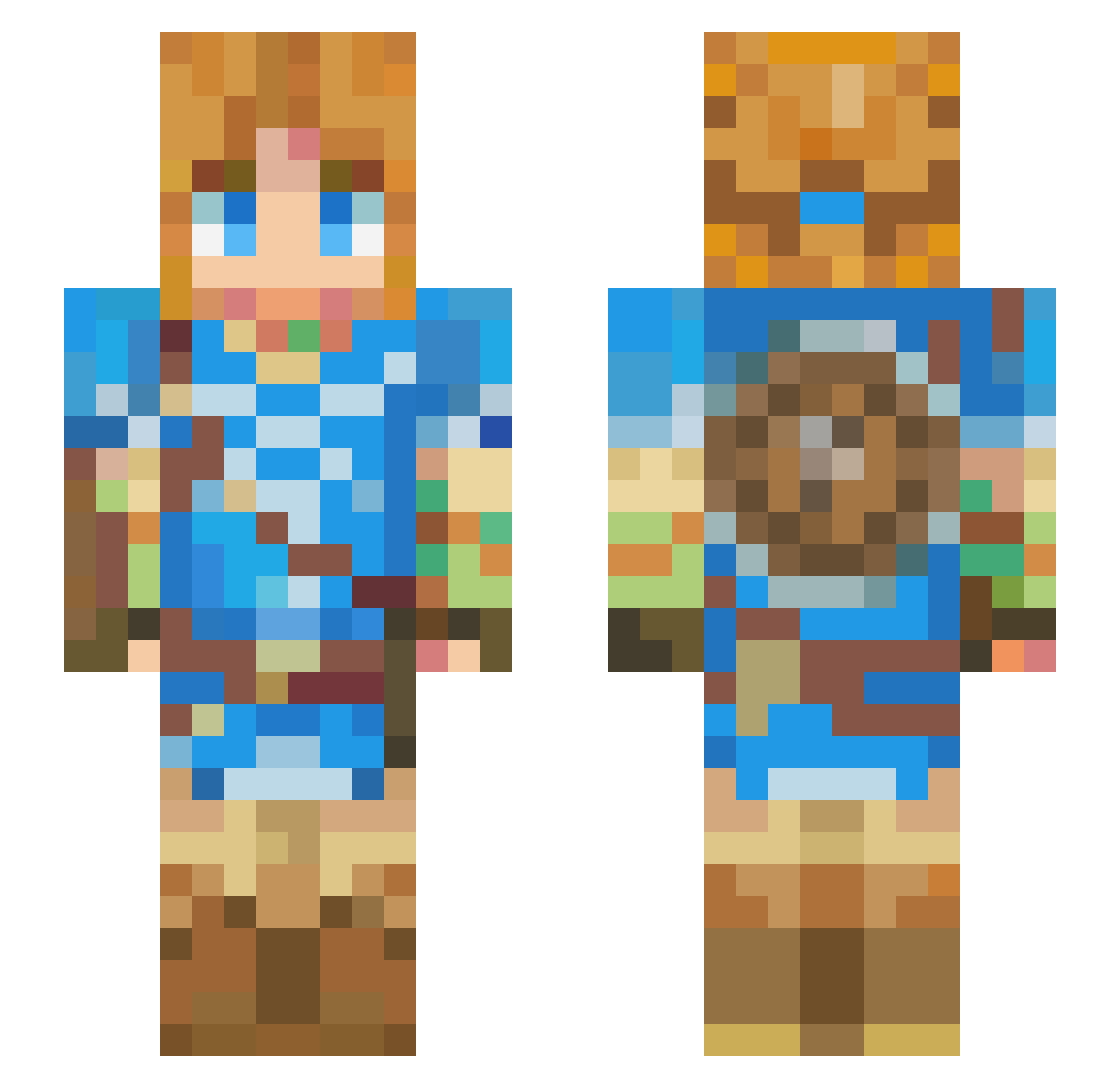
Current Minecraft skin of the player BoiledTree, loaded from the official Mojang API. Rotate the 3D model with your mouse or finger, then download the skin as a PNG file and use it in Minecraft: Bedrock Edition or Java Edition for free. When BoiledTree changes their skin, this page updates automatically and the old skin stays in the history below.
Other players with this skin (426)
BoiledTree was the 382nd player we have seen with this skin, first spotted on 22.10.2026. The same skin was seen on these players. Open a nickname to see their current skin and skin history.
 Sushiko_07 sleepHero22 LawrenZce Waltr_W Pikapiplup14 JokerIsMad Oarc07 nibean UESOGI Mikdonaldzz LuisPsoviet ZIONDKING Shoma0291 MercyThe2nd Ghostbrjk 1typh MahaLabeiy sebassanchezz Slushy03 radjet UnoRocky43 Shikaniru Thunderboy_Senya enarrosf Pdubs62 Daikuren Wynni130 OscarCE kotorigumo DarthPuma19 hamster0926 Sneed_Sinclair Dough_king93 Captainwilds Aceseb13 Rapazola Rekun1 Raccoon0717 pippip_hooray HiddenOreo LINK1379 Syth_games PiratexLulu Xiaoris1403 lDarienl Skibecki Olioreo Diamond___King CQuall Milobergs945 kayammayaa NotBigHeader shenfu123 BirdManYeehaw harpersad Edz87 HypnoMonkey chick0204 HazardousIsaac Purpyie
More Breath Of The Wild Minecraft skins
See all 155 Breath Of The Wild skins
How to install the BoiledTree skin
- Press the Download button above to save the skin as a PNG file.
- Minecraft: Bedrock Edition (PE): open the Dressing Room from the main menu (or tap your character → Edit Character), go to Classic Skins → Owned, press the + (new skin) button, choose the downloaded PNG and pick the Slim (Alex) model. Works on PC and mobile; consoles cannot import custom skins.
- Minecraft: Java Edition: open the Minecraft Launcher, go to the Skins tab, click New Skin, load the PNG, pick the Slim (Alex) model and press Save & Use. You can also upload it at minecraft.net → Profile → Change Skin.
The skin does not show up after import - what should I do?
Restart Minecraft and open the Dressing Room again - imported skins sometimes appear only after a restart. Also make sure you selected the imported skin and picked the Slim (Alex) model.
Which model should I choose, Classic or Slim?
This skin is designed for the Slim (Alex) model. If you pick the wrong model, the arms of the skin will look stretched or squeezed.
Is the skin of BoiledTree free to download?
Yes. Press Download, save the PNG file and use it in Minecraft: Bedrock Edition or Java Edition - no payment or registration needed. The skin also works on multiplayer servers and Realms.
More skins
Looking for more? Go back to all Minecraft skins and check the top skins of the week, month and all time, or find any player's skin by nickname.