
BodyElbody - Minecraft Skins & Skin History
Current Minecraft skin of the player BodyElbody, loaded from the official Mojang API. Rotate the 3D model with your mouse or finger, then download the skin as a PNG file and use it in Minecraft: Bedrock Edition or Java Edition for free. When BodyElbody changes their skin, this page updates automatically and the old skin stays in the history below.
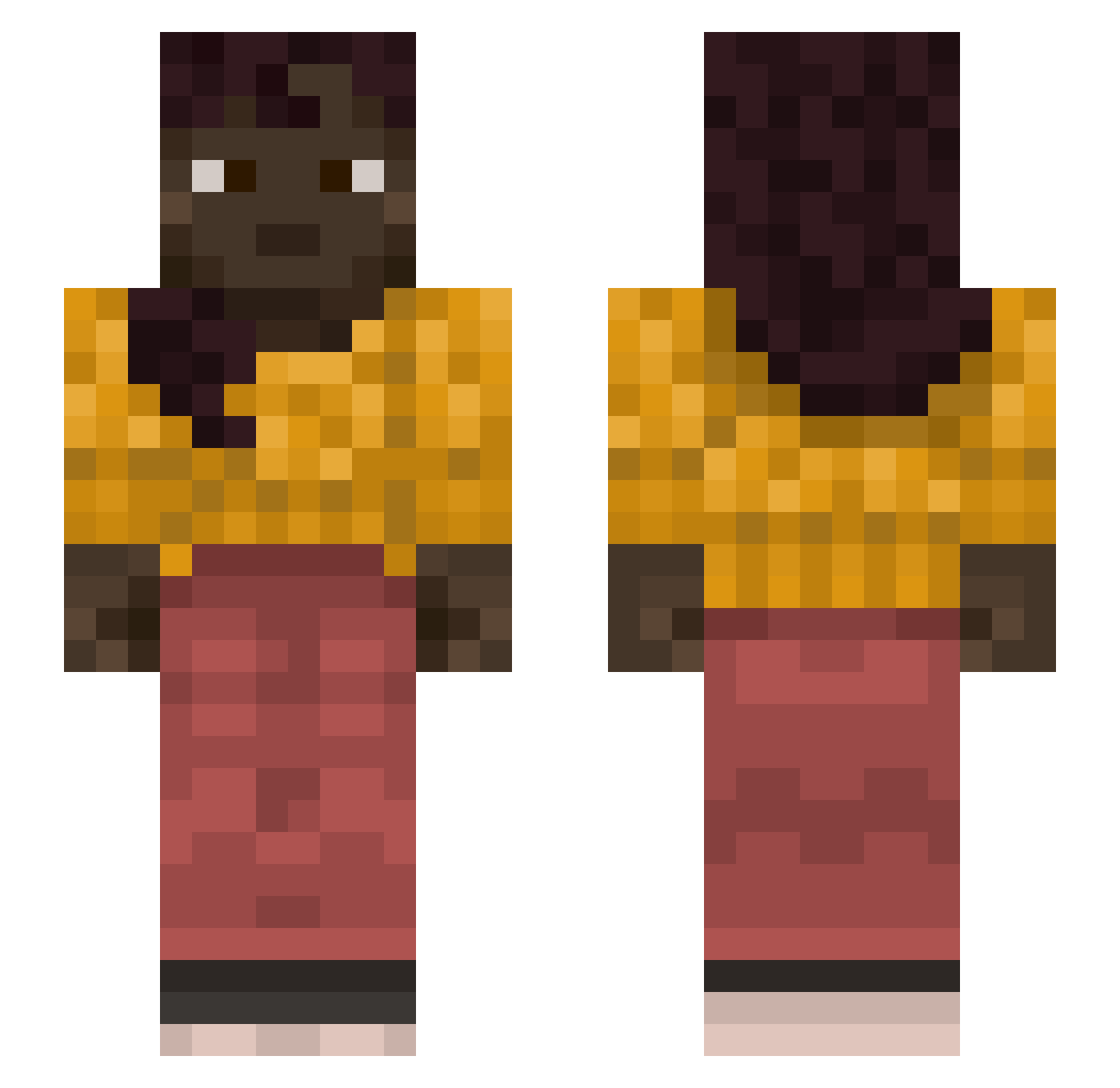
Other players with this skin (1368)
BodyElbody was the 1190th player we have seen with this skin, first spotted on 07.11.2026. The same skin was seen on these players. Open a nickname to see their current skin and skin history.
 wolfberries AceFireFr Henrique333 berrysando Inculcator rikutheminecraf Kgeri006 x3mya cooper2000111 tavs Phrygia musasenpai ArchMessenger Rfa1108 whygrano1a not_reaper84 HotRedCats Vizer1YT flameyt3 castorneytor vladik_pedik slander1111 AnanBabanGG Manurage Mnevis malamute AbruzzoBabes 4Shau ophicleide Army_of_Juan Timbrel AGATHEBAUER BrannManBabu Ylem Plectra Nahantae MetaKinetic Yangmomill miok22 MidHeaven Quaeres Kimmer RDMcrafter ChaDog69 riky1715 Southernwood Almisned_ lelia Tunny Catchie Vampirer3 victorne bo_qui your_dad666 Patan9 Yander ConanNoY TheGameSquadYT snoozed21 kr3tynzgdyni
More Braid Minecraft skins
How to install the BodyElbody skin
- Press the Download button above to save the skin as a PNG file.
- Minecraft: Bedrock Edition (PE): open the Dressing Room from the main menu (or tap your character → Edit Character), go to Classic Skins → Owned, press the + (new skin) button, choose the downloaded PNG and pick the Slim (Alex) model. Works on PC and mobile; consoles cannot import custom skins.
- Minecraft: Java Edition: open the Minecraft Launcher, go to the Skins tab, click New Skin, load the PNG, pick the Slim (Alex) model and press Save & Use. You can also upload it at minecraft.net → Profile → Change Skin.
The skin does not show up after import - what should I do?
Restart Minecraft and open the Dressing Room again - imported skins sometimes appear only after a restart. Also make sure you selected the imported skin and picked the Slim (Alex) model.
Which model should I choose, Classic or Slim?
This skin is designed for the Slim (Alex) model. If you pick the wrong model, the arms of the skin will look stretched or squeezed.
Is the skin of BodyElbody free to download?
Yes. Press Download, save the PNG file and use it in Minecraft: Bedrock Edition or Java Edition - no payment or registration needed. The skin also works on multiplayer servers and Realms.
More skins
Looking for more? Go back to all Minecraft skins and check the top skins of the week, month and all time, or find any player's skin by nickname.