
Bobby8887 - Minecraft Skins & Skin History
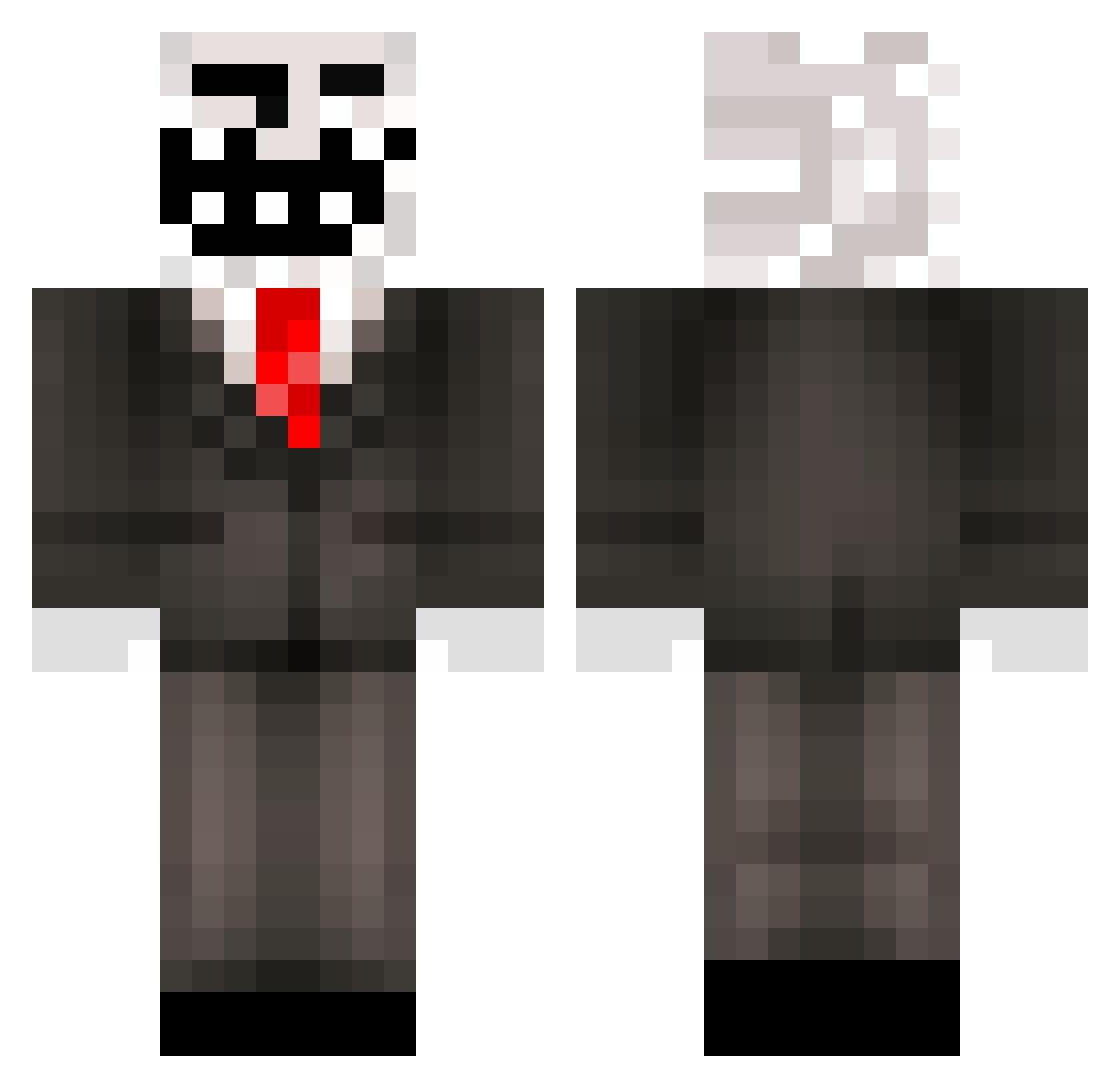
Current Minecraft skin of the player Bobby8887, loaded from the official Mojang API. Rotate the 3D model with your mouse or finger, then download the skin as a PNG file and use it in Minecraft: Bedrock Edition or Java Edition for free. When Bobby8887 changes their skin, this page updates automatically and the old skin stays in the history below.
Other players with this skin (559)
Bobby8887 was the 403rd player we have seen with this skin, first spotted on 23.10.2026. The same skin was seen on these players. Open a nickname to see their current skin and skin history.
 LieutenantMemes MC_Doc5633 PaticataZ x69x420x69x VeletNinja Terrongous ppl123 pie19pie ylPetter Allubbi JANDRITTO josusaurus elllpdp_ Botan_Aga AissaBoss18 yigitaga2006 Dinizfdp CYTRYNKA123 GhostedYT123 cheezycreeper412 nasty_lightning Seb_Voi danspacito Jackpot7z akkikid LucWip Gulos BadVibeInator Alice2019 Pickle_jeff YungHandsomeKing vima hupilainen EL3_90 Nolx7 T0xiC_ghost_ ILikeMin3rs Xsio2115PL Cheboorashk Spurly1215 bowser198577 Baked_Spaghetti CookedBalls PaNdAsAnYa alexzumar alaneq2137 AmayasW evan______ Lkaisme Tchebas sousageblock JamJonVG Marszel25 sg256 Suchhh cbcobo pobberbob erwan_bou 213o12815 Sir_Chud
More Trollface Minecraft skins
How to install the Bobby8887 skin
- Press the Download button above to save the skin as a PNG file.
- Minecraft: Bedrock Edition (PE): open the Dressing Room from the main menu (or tap your character → Edit Character), go to Classic Skins → Owned, press the + (new skin) button, choose the downloaded PNG and pick the Classic (Steve) model. Works on PC and mobile; consoles cannot import custom skins.
- Minecraft: Java Edition: open the Minecraft Launcher, go to the Skins tab, click New Skin, load the PNG, pick the Classic (Steve) model and press Save & Use. You can also upload it at minecraft.net → Profile → Change Skin.
The skin does not show up after import - what should I do?
Restart Minecraft and open the Dressing Room again - imported skins sometimes appear only after a restart. Also make sure you selected the imported skin and picked the Classic (Steve) model.
Which model should I choose, Classic or Slim?
This skin is designed for the Classic (Steve) model. If you pick the wrong model, the arms of the skin will look stretched or squeezed.
Is the skin of Bobby8887 free to download?
Yes. Press Download, save the PNG file and use it in Minecraft: Bedrock Edition or Java Edition - no payment or registration needed. The skin also works on multiplayer servers and Realms.
More skins
Looking for more? Go back to all Minecraft skins and check the top skins of the week, month and all time, or find any player's skin by nickname.