
Bobbolus - Minecraft Skins & Skin History
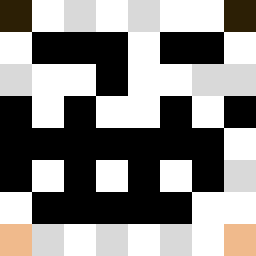
Current Minecraft skin of the player Bobbolus, loaded from the official Mojang API. Rotate the 3D model with your mouse or finger, then download the skin as a PNG file and use it in Minecraft: Bedrock Edition or Java Edition for free. When Bobbolus changes their skin, this page updates automatically and the old skin stays in the history below.

Other players with this skin (4758)
Bobbolus was the 382nd player we have seen with this skin, first spotted on 02.08.2026. The same skin was seen on these players. Open a nickname to see their current skin and skin history.
 ScorpionSousa DrFakeBaxter mc_account_002 SalakauHarambe Taeghial Experient playtime1 Justisenjoona Sheep___10 JAPAVLOGS womandalorian Beachasaurus_ Souichi275 _cassimangoo_ Daimiel BannedFromJapan servranckxa bbuca SkullLp sSpiky jamooooo pengoX2 cycu22 cla_balde Emtzy Weighterpage99 HenrikPortal461 Jos4ke Smurf4eto_YT Ketimin Acquaintanceship Deynos 1_8_9 greyly benben3963 Astrolysis
 5pacial _Fredirok_ groovMaster Shorrtyy DiegoNSWN
 Curselife Odin120 iScxrpixn AWildEagle1 hardworker789 akkii_ Micklyy DolphinGaming2 Rfilip
 bomm__ DiabloElSanto jjaxon draakon98 Lazy64 NC_Hawkeye Daire20lol carl_berg neepit Cerebrates
How to install the Bobbolus skin
- Press the Download button above to save the skin as a PNG file.
- Minecraft: Bedrock Edition (PE): open the Dressing Room from the main menu (or tap your character → Edit Character), go to Classic Skins → Owned, press the + (new skin) button, choose the downloaded PNG and pick the Classic (Steve) model. Works on PC and mobile; consoles cannot import custom skins.
- Minecraft: Java Edition: open the Minecraft Launcher, go to the Skins tab, click New Skin, load the PNG, pick the Classic (Steve) model and press Save & Use. You can also upload it at minecraft.net → Profile → Change Skin.
The skin does not show up after import - what should I do?
Restart Minecraft and open the Dressing Room again - imported skins sometimes appear only after a restart. Also make sure you selected the imported skin and picked the Classic (Steve) model.
Which model should I choose, Classic or Slim?
This skin is designed for the Classic (Steve) model. If you pick the wrong model, the arms of the skin will look stretched or squeezed.
Is the skin of Bobbolus free to download?
Yes. Press Download, save the PNG file and use it in Minecraft: Bedrock Edition or Java Edition - no payment or registration needed. The skin also works on multiplayer servers and Realms.
More skins
Looking for more? Go back to all Minecraft skins and check the top skins of the week, month and all time, or find any player's skin by nickname.