
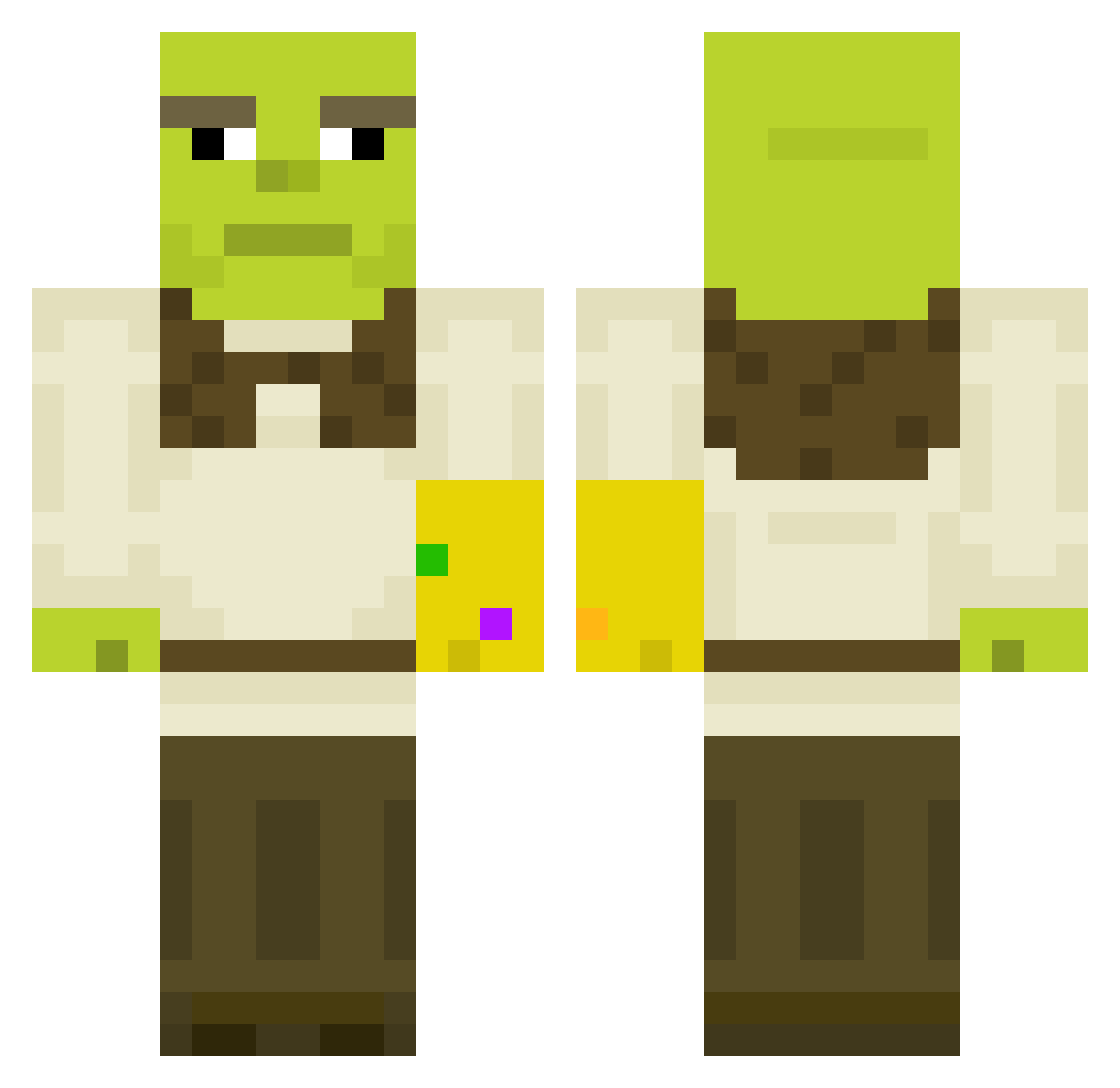
Current Minecraft skin of the player Bobalot39, loaded from the official Mojang API. Rotate the 3D model with your mouse or finger, then download the skin as a PNG file and use it in Minecraft: Bedrock Edition or Java Edition for free. When Bobalot39 changes their skin, this page updates automatically and the old skin stays in the history below.
Other players with this skin (396)
Bobalot39 was the 173rd player we have seen with this skin, first spotted on 30.08.2026. The same skin was seen on these players. Open a nickname to see their current skin and skin history.
 Polarized_Cube Mylkymusic mr_snoozlzzz cecilieoj PlayCraft88 lars90 LisYaj LimberCypress FunkyJabroni Hagun Marmax974 CuzMustard renkias LoL_Refugee HedgeHopper94 Andrezoid MunchMeister9 ReeseGregory rangabanga21 policy368 InCreIbLeXx MrAfro13 depressieagent antivaxxxx HectorHermit Ture_Bruce06 EwiGG FridolinSperling Vasiliygr BenjaminSniper69 Squidwhisperer69 LeoSchreck montyskater Gobairge SoprenZ Mixinz69 butternutcake2 imEvony GARRYtheGOON 14mondeau_j Jelly_cube16 LPfeffer zzAudi Icheins Snoopgoogle julidercooli Yazghard Danlav1 NateHiggers_69 Austin_Lima JoungJa Fa1lure JovenMC desertwanderer3 McLovin735 Hesskie Swanchez Sawse_ Jorgedlacalle kasvihuone
More Thanos Minecraft skins
How to install the Bobalot39 skin
- Press the Download button above to save the skin as a PNG file.
- Minecraft: Bedrock Edition (PE): open the Dressing Room from the main menu (or tap your character → Edit Character), go to Classic Skins → Owned, press the + (new skin) button, choose the downloaded PNG and pick the Classic (Steve) model. Works on PC and mobile; consoles cannot import custom skins.
- Minecraft: Java Edition: open the Minecraft Launcher, go to the Skins tab, click New Skin, load the PNG, pick the Classic (Steve) model and press Save & Use. You can also upload it at minecraft.net → Profile → Change Skin.
The skin does not show up after import - what should I do?
Restart Minecraft and open the Dressing Room again - imported skins sometimes appear only after a restart. Also make sure you selected the imported skin and picked the Classic (Steve) model.
Which model should I choose, Classic or Slim?
This skin is designed for the Classic (Steve) model. If you pick the wrong model, the arms of the skin will look stretched or squeezed.
Is the skin of Bobalot39 free to download?
Yes. Press Download, save the PNG file and use it in Minecraft: Bedrock Edition or Java Edition - no payment or registration needed. The skin also works on multiplayer servers and Realms.
More skins
Looking for more? Go back to all Minecraft skins and check the top skins of the week, month and all time, or find any player's skin by nickname.