
Bob_Marley69 - Minecraft Skins & Skin History
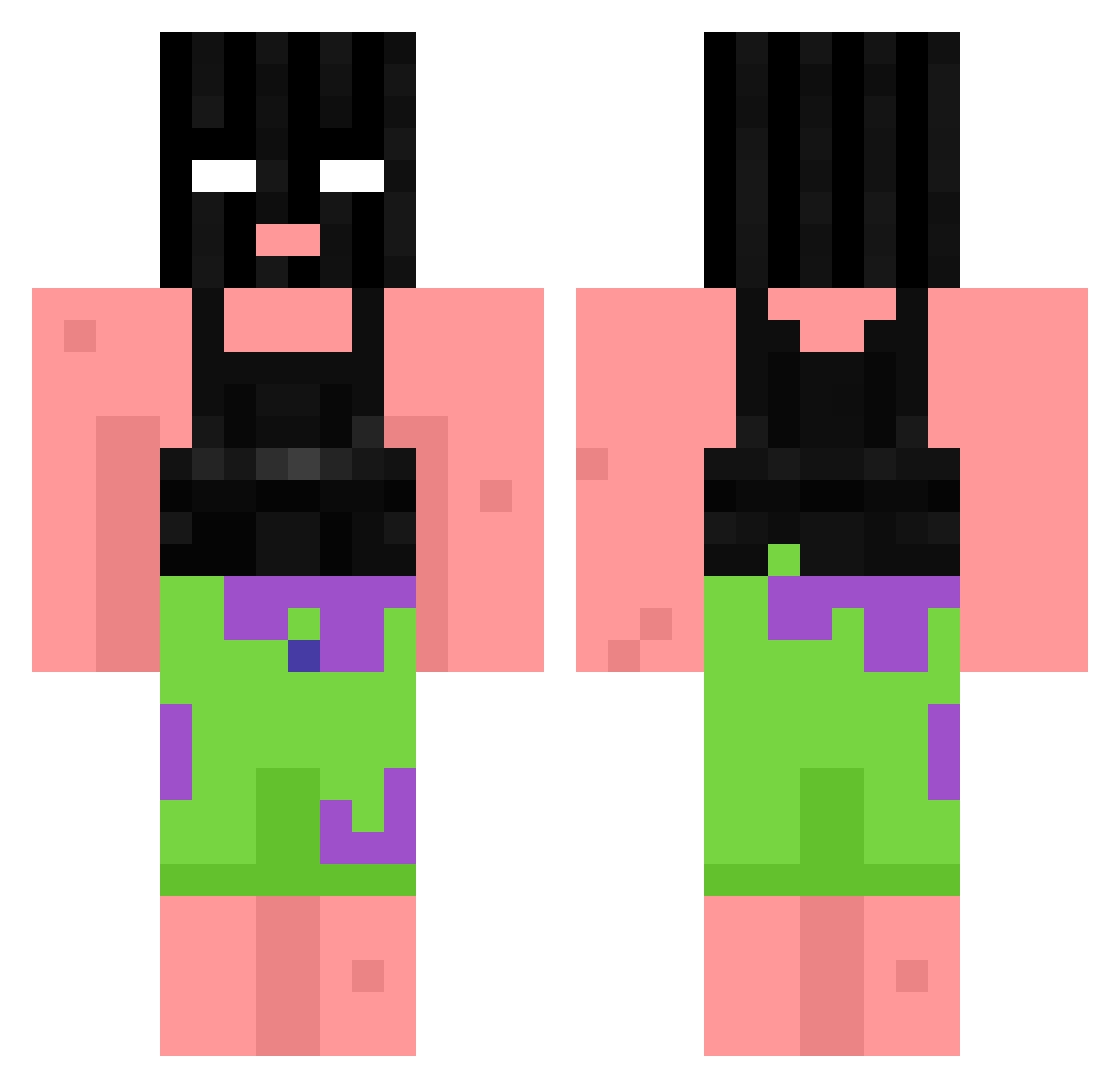
Current Minecraft skin of the player Bob_Marley69, loaded from the official Mojang API. Rotate the 3D model with your mouse or finger, then download the skin as a PNG file and use it in Minecraft: Bedrock Edition or Java Edition for free. When Bob_Marley69 changes their skin, this page updates automatically and the old skin stays in the history below.
Other players with this skin (868)
Bob_Marley69 was the 611th player we have seen with this skin, first spotted on 07.10.2026. The same skin was seen on these players. Open a nickname to see their current skin and skin history.
 S_DOO_III gabby33 DaviT420 Grxpejelly13 TRANQUILOOO ddragon61 Lone_li Paragem_Cerebral Tiniizy TweakZeeee TwinTowers Xoil626 ggdomi1 vHxpnotic42 SpyingSeth06 DiamondEagle16 PLmeowPL JM3RKY DeliSlicers FBusie _Anime_Junkies AnttaresZ sxcribble Kekkers Uncharted07 HUNA112 lodeOnkel79 Kaitsubr kosmakks Castime gartarzin NCeakto_ Sixel260 actualtrash1264 Jnot17 ZombiCrafter rule365 Isla29 Snoddie Awful0_0 NastynSweaty Zorise SwiftyX2 Mayht vishant101 Thunderblunt6900 Sloseal05 wodinator J1ll3s P3anutButter SEMPAAI04 Pvjaco mbappe7799 alexontheflex Lubaca AnRan_1987 _Mandalore Bulloff Antek_828 JSHiesty1
More Ski Mask Minecraft skins
How to install the Bob_Marley69 skin
- Press the Download button above to save the skin as a PNG file.
- Minecraft: Bedrock Edition (PE): open the Dressing Room from the main menu (or tap your character → Edit Character), go to Classic Skins → Owned, press the + (new skin) button, choose the downloaded PNG and pick the Classic (Steve) model. Works on PC and mobile; consoles cannot import custom skins.
- Minecraft: Java Edition: open the Minecraft Launcher, go to the Skins tab, click New Skin, load the PNG, pick the Classic (Steve) model and press Save & Use. You can also upload it at minecraft.net → Profile → Change Skin.
The skin does not show up after import - what should I do?
Restart Minecraft and open the Dressing Room again - imported skins sometimes appear only after a restart. Also make sure you selected the imported skin and picked the Classic (Steve) model.
Which model should I choose, Classic or Slim?
This skin is designed for the Classic (Steve) model. If you pick the wrong model, the arms of the skin will look stretched or squeezed.
Is the skin of Bob_Marley69 free to download?
Yes. Press Download, save the PNG file and use it in Minecraft: Bedrock Edition or Java Edition - no payment or registration needed. The skin also works on multiplayer servers and Realms.
More skins
Looking for more? Go back to all Minecraft skins and check the top skins of the week, month and all time, or find any player's skin by nickname.