
BluntedBrother - Minecraft Skins & Skin History
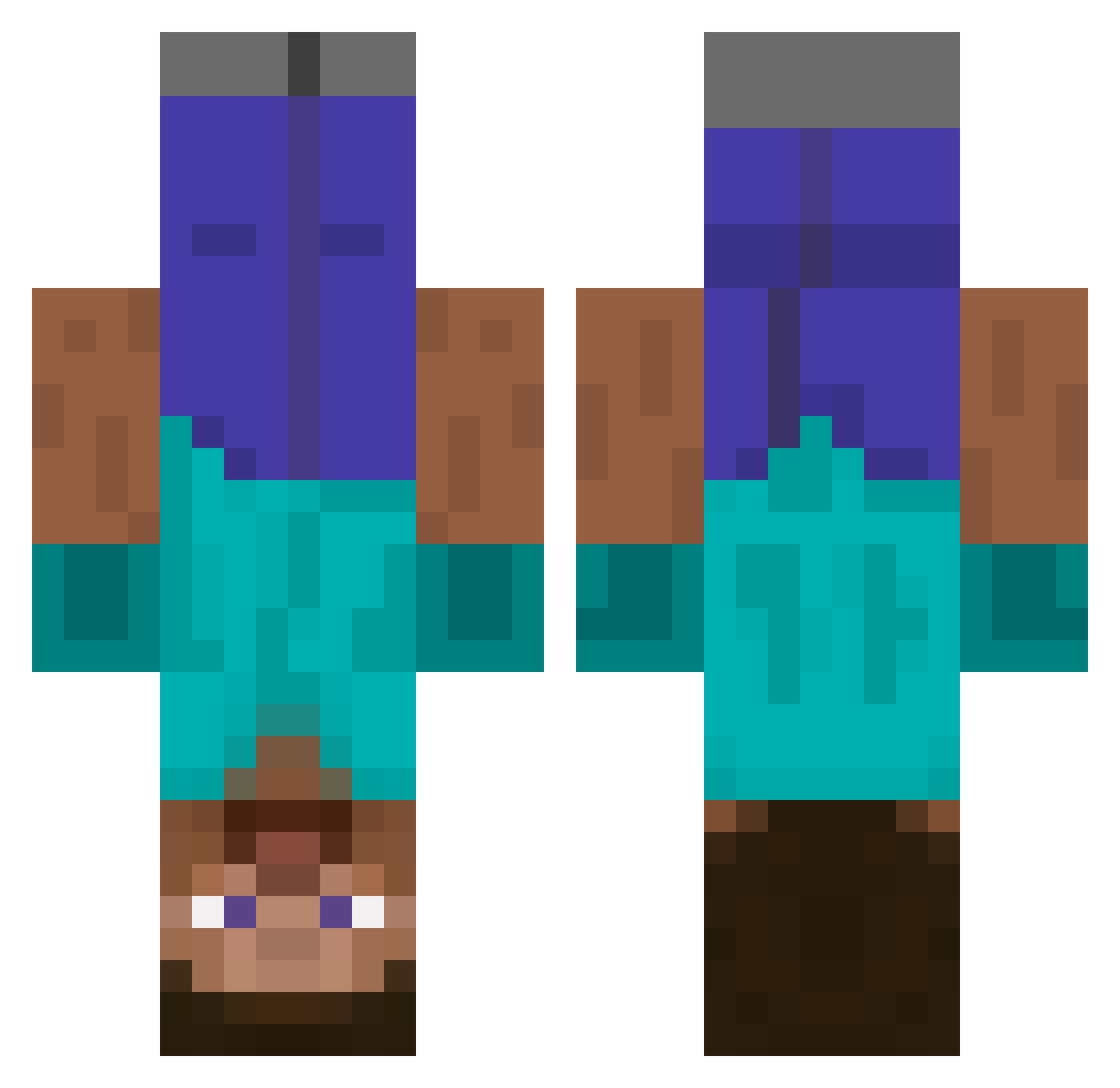
Current Minecraft skin of the player BluntedBrother, loaded from the official Mojang API. Rotate the 3D model with your mouse or finger, then download the skin as a PNG file and use it in Minecraft: Bedrock Edition or Java Edition for free. When BluntedBrother changes their skin, this page updates automatically and the old skin stays in the history below.
Other players with this skin (522)
BluntedBrother was the 84th player we have seen with this skin, first spotted on 07.08.2026. The same skin was seen on these players. Open a nickname to see their current skin and skin history.
 pinor_lalligator jordan_yoong_1 MariusPedersen0 TheSaneLunatic Radbouncybear tunalatte Apple_pie233 LevKiev baubau2469 solyarik_ lasagnasd KeK_Nine Declinedkilr PerhapsJew micropukich CKcheeseboy RaveTeacher Duck__In__Space JaeminBBQ butler528 Lonkmegalul SleezyDirtbag Ra226 BlockKI4 StarPlatinum256 Wendi1312 hb0nes ChrisMyrvold Guunntar Garbo50101 SamueleXPlay starwarsmoose Attilyo AxasAxas pak_engnaja thichchoccho kxwxn_ Lukester097 7sl1 M1M1c time_lag kevind7008 _cr9_ Kruzuer Calerina benitrox27 MisterF08 BalloonJazz scr3wdriver jeikob06 coldfix SVP_X kolobokek bigb0idom
 ByeongMan_ sheepda502 Lata_Narcia FastAndrew123 AAAPRG amia123
More Dinnerbone Minecraft skins
How to install the BluntedBrother skin
- Press the Download button above to save the skin as a PNG file.
- Minecraft: Bedrock Edition (PE): open the Dressing Room from the main menu (or tap your character → Edit Character), go to Classic Skins → Owned, press the + (new skin) button, choose the downloaded PNG and pick the Classic (Steve) model. Works on PC and mobile; consoles cannot import custom skins.
- Minecraft: Java Edition: open the Minecraft Launcher, go to the Skins tab, click New Skin, load the PNG, pick the Classic (Steve) model and press Save & Use. You can also upload it at minecraft.net → Profile → Change Skin.
The skin does not show up after import - what should I do?
Restart Minecraft and open the Dressing Room again - imported skins sometimes appear only after a restart. Also make sure you selected the imported skin and picked the Classic (Steve) model.
Which model should I choose, Classic or Slim?
This skin is designed for the Classic (Steve) model. If you pick the wrong model, the arms of the skin will look stretched or squeezed.
Is the skin of BluntedBrother free to download?
Yes. Press Download, save the PNG file and use it in Minecraft: Bedrock Edition or Java Edition - no payment or registration needed. The skin also works on multiplayer servers and Realms.
More skins
Looking for more? Go back to all Minecraft skins and check the top skins of the week, month and all time, or find any player's skin by nickname.