
BlueCrxwn - Minecraft Skins & Skin History
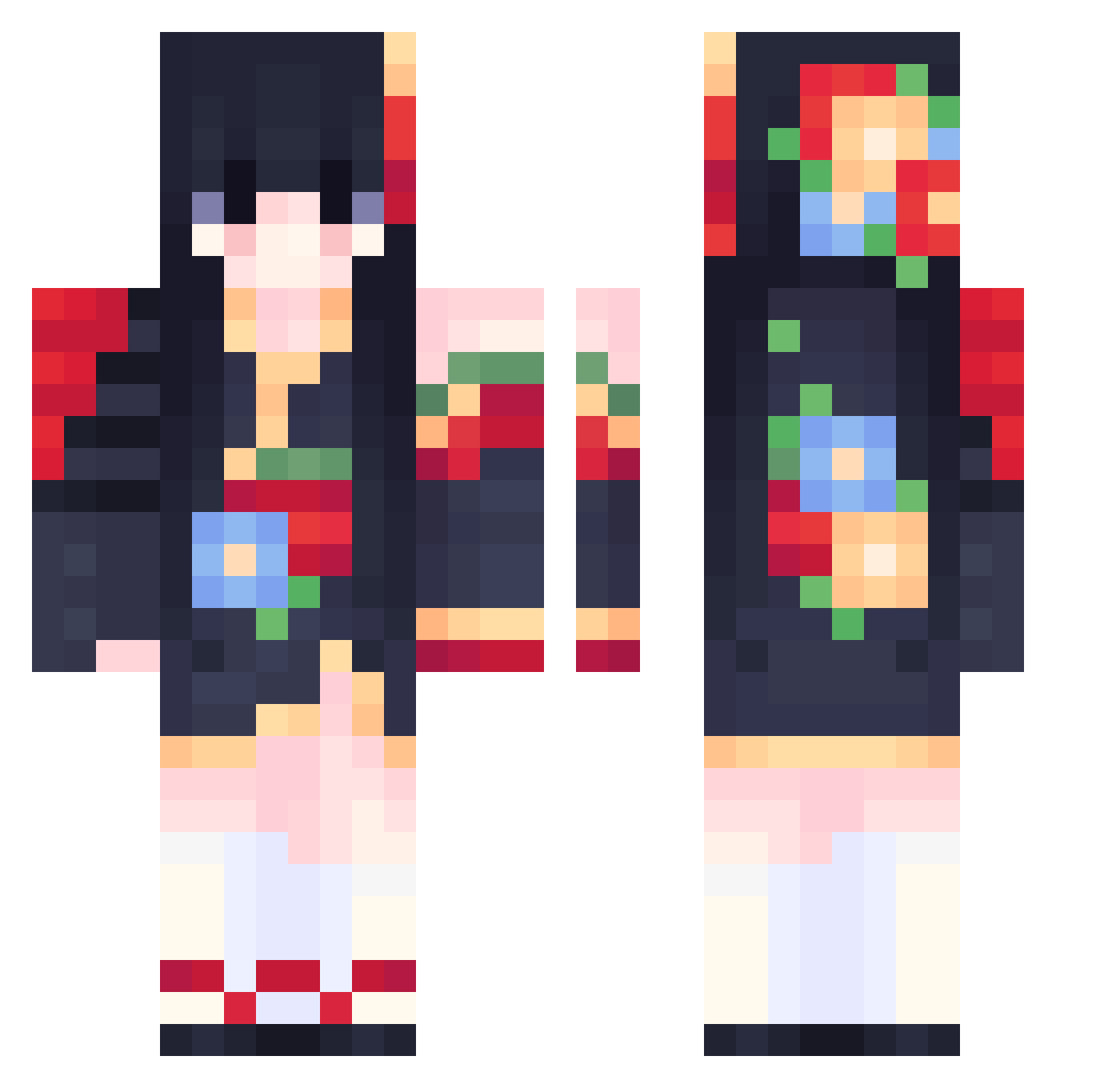
Current Minecraft skin of the player BlueCrxwn, loaded from the official Mojang API. Rotate the 3D model with your mouse or finger, then download the skin as a PNG file and use it in Minecraft: Bedrock Edition or Java Edition for free. When BlueCrxwn changes their skin, this page updates automatically and the old skin stays in the history below.
Other players with this skin (645)
BlueCrxwn was the 575th player we have seen with this skin, first spotted on 07.11.2026. The same skin was seen on these players. Open a nickname to see their current skin and skin history.
 AlyssaKohaku Endless___summer YTCL1XY Jelane Imperialgames123 saki0408 nivissh Akinamyth YshisuiY JennaSmiley WONSHIII WOSHIXINSHUO JShootingstar11 ysj9683 SIRBOTCHEK Sesemie GamesIPlay7127 Frh__ Niskihori Historiqal Raith4076 9ukiiii GabiiG7627 amfisbaena sunshinebread1 Idragonne kopitsa lalamaus zory248 mudust1994 GretSuprema tatsuzaki_ ripxmadi Avery_16 bolaberry saonima666 BAIBAIYA2 Kettzz donut005 Amy_Wendy_Carter Anka8 angeliqu ShiqiKo Vyskara yeobi1005 thythythy Ukiyo JOKER521 Reizu021 KKdrift Crobi12345 Liumirai UchihaIzumi TachibanaSakura Hempclothes C_C_Z BoyozCanavarii MrChuJiu MrHydrogenperoxi inoma1
More Floral Minecraft skins
How to install the BlueCrxwn skin
- Press the Download button above to save the skin as a PNG file.
- Minecraft: Bedrock Edition (PE): open the Dressing Room from the main menu (or tap your character → Edit Character), go to Classic Skins → Owned, press the + (new skin) button, choose the downloaded PNG and pick the Classic (Steve) model. Works on PC and mobile; consoles cannot import custom skins.
- Minecraft: Java Edition: open the Minecraft Launcher, go to the Skins tab, click New Skin, load the PNG, pick the Classic (Steve) model and press Save & Use. You can also upload it at minecraft.net → Profile → Change Skin.
The skin does not show up after import - what should I do?
Restart Minecraft and open the Dressing Room again - imported skins sometimes appear only after a restart. Also make sure you selected the imported skin and picked the Classic (Steve) model.
Which model should I choose, Classic or Slim?
This skin is designed for the Classic (Steve) model. If you pick the wrong model, the arms of the skin will look stretched or squeezed.
Is the skin of BlueCrxwn free to download?
Yes. Press Download, save the PNG file and use it in Minecraft: Bedrock Edition or Java Edition - no payment or registration needed. The skin also works on multiplayer servers and Realms.
More skins
Looking for more? Go back to all Minecraft skins and check the top skins of the week, month and all time, or find any player's skin by nickname.