
Bloodper - Minecraft Skins & Skin History
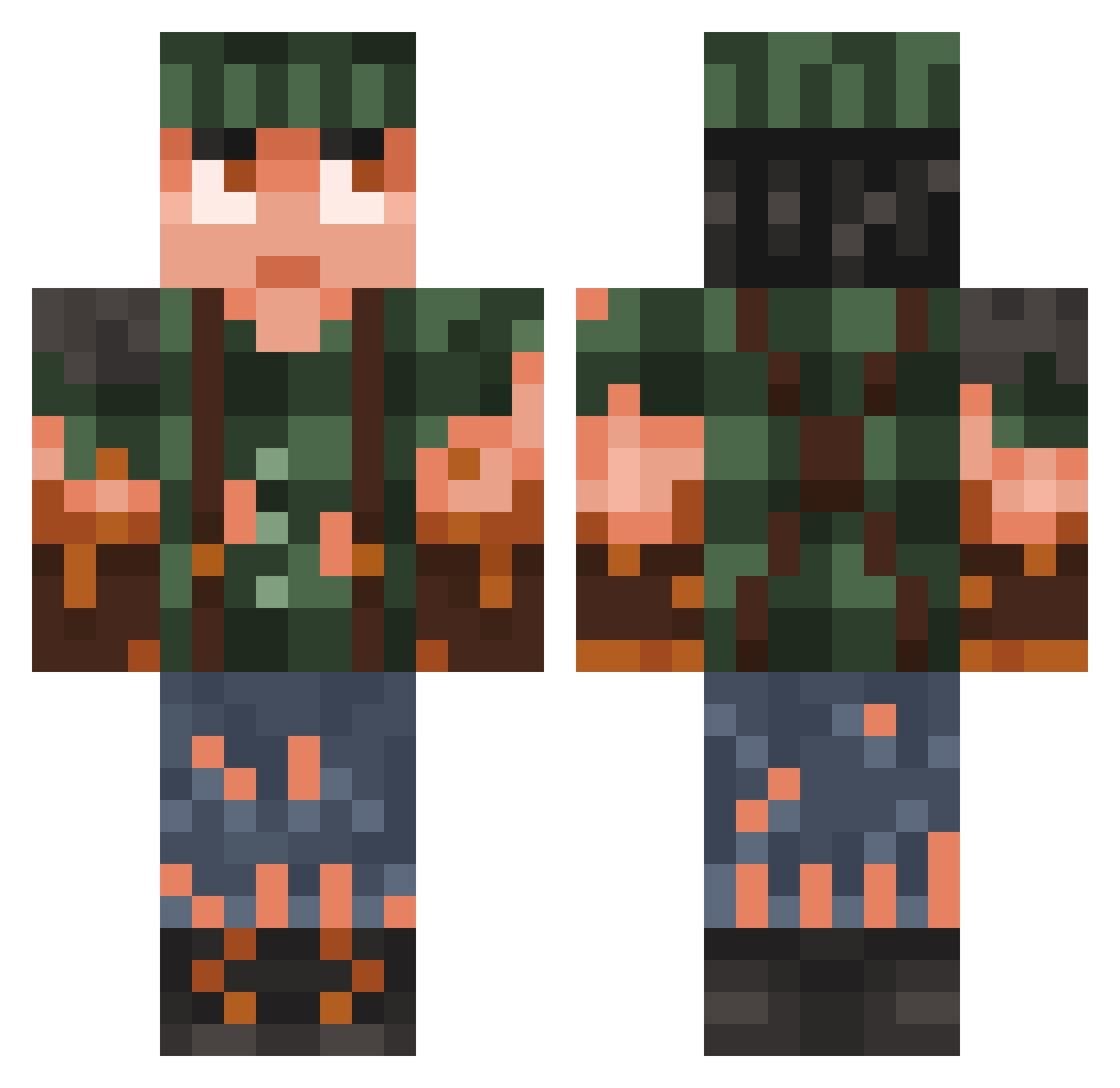
Current Minecraft skin of the player Bloodper, loaded from the official Mojang API. Rotate the 3D model with your mouse or finger, then download the skin as a PNG file and use it in Minecraft: Bedrock Edition or Java Edition for free. When Bloodper changes their skin, this page updates automatically and the old skin stays in the history below.
Other players with this skin (781)
Bloodper was the 63rd player we have seen with this skin, first spotted on 01.08.2026. The same skin was seen on these players. Open a nickname to see their current skin and skin history.
 ChickNFoot Billy9974 ehTmars Joarppp TwistedReverse Fussel12 Loockzie CustomFunk AbdulKadir18 zharieen
 heartzj GingerMeggs MaXX193 EldenWrath Elmikel05 HIHISH007 NarcelioNS DoleHorris Nuggetmike Bjork_stale56 Yeeeeeehaa DMTBoofer Ewers13 PavelMal Saszin
 VanilaGames RebornJoker17 Laorux Wolf243 Federico_dimaira pro123rox PopcornKid77 Davy16487 saileHD TheRGOK SouppieG TableTennisEnez
 PHILIPPEtesla TheCraftingFox02 Homunculus11 Totostammge Wilde_Hilde69
 Spendik1 Feras_a LuBraBu
 pener13 Lasse_02 KingMatchew69
 LightSpook turbo_47 mosca0 Ivrop Herobrn xigmaboy xalexotic JaEwok_1st theswank64 V8ncent Ziriem yokoyuta22
More Survivor Minecraft skins
How to install the Bloodper skin
- Press the Download button above to save the skin as a PNG file.
- Minecraft: Bedrock Edition (PE): open the Dressing Room from the main menu (or tap your character → Edit Character), go to Classic Skins → Owned, press the + (new skin) button, choose the downloaded PNG and pick the Classic (Steve) model. Works on PC and mobile; consoles cannot import custom skins.
- Minecraft: Java Edition: open the Minecraft Launcher, go to the Skins tab, click New Skin, load the PNG, pick the Classic (Steve) model and press Save & Use. You can also upload it at minecraft.net → Profile → Change Skin.
The skin does not show up after import - what should I do?
Restart Minecraft and open the Dressing Room again - imported skins sometimes appear only after a restart. Also make sure you selected the imported skin and picked the Classic (Steve) model.
Which model should I choose, Classic or Slim?
This skin is designed for the Classic (Steve) model. If you pick the wrong model, the arms of the skin will look stretched or squeezed.
Is the skin of Bloodper free to download?
Yes. Press Download, save the PNG file and use it in Minecraft: Bedrock Edition or Java Edition - no payment or registration needed. The skin also works on multiplayer servers and Realms.
More skins
Looking for more? Go back to all Minecraft skins and check the top skins of the week, month and all time, or find any player's skin by nickname.