
BloodSuspect - Minecraft Skins & Skin History
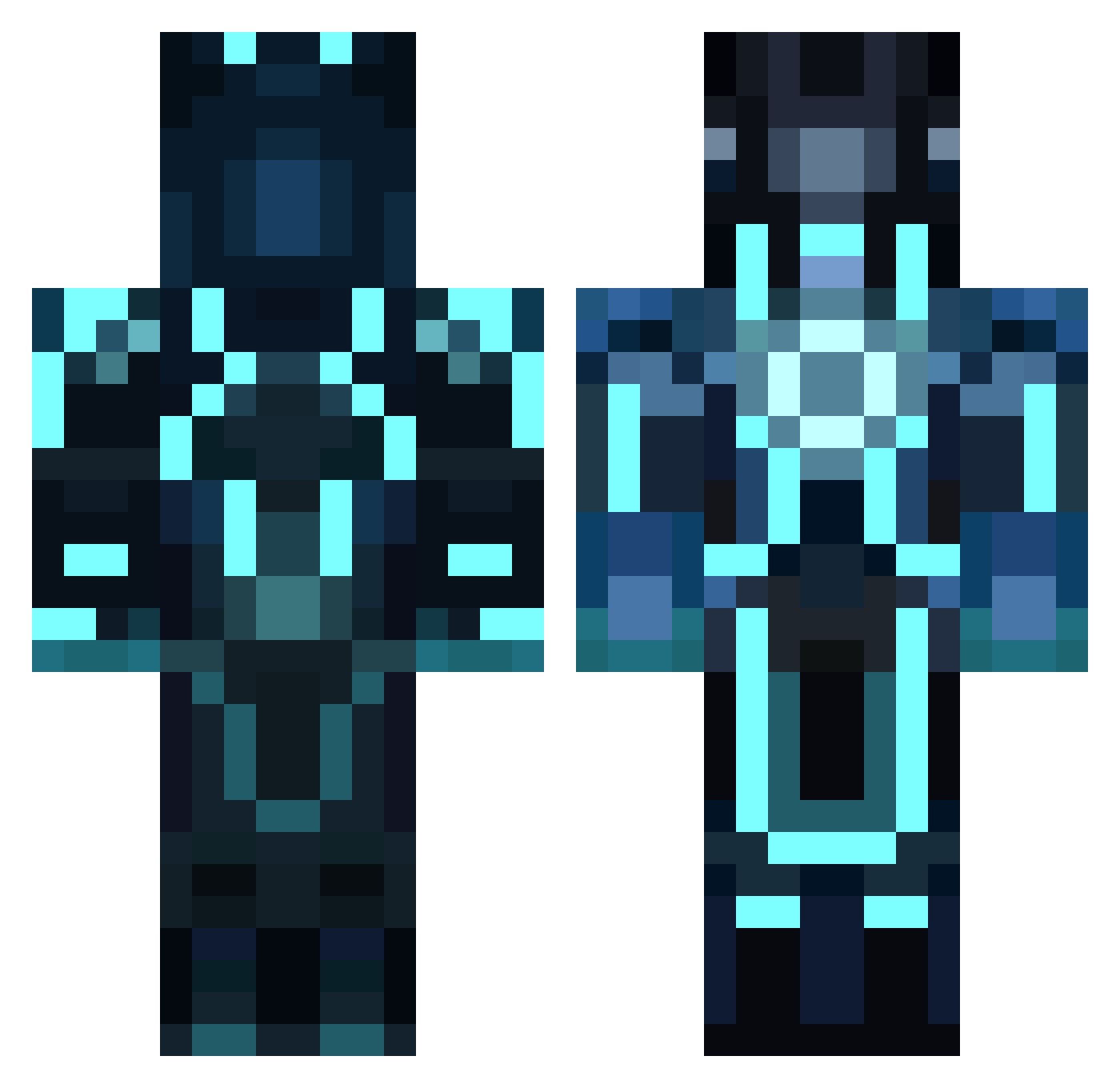
Current Minecraft skin of the player BloodSuspect, loaded from the official Mojang API. Rotate the 3D model with your mouse or finger, then download the skin as a PNG file and use it in Minecraft: Bedrock Edition or Java Edition for free. When BloodSuspect changes their skin, this page updates automatically and the old skin stays in the history below.
Other players with this skin (142)
BloodSuspect was the 99th player we have seen with this skin, first spotted on 14.10.2026. The same skin was seen on these players. Open a nickname to see their current skin and skin history.
 Titanium_31 TR0Ntos DaSwinister greenbox67 Gnomekid Leon030900 Skysec Sybertron Suryansh13 Alelilolu Shredderman6421 Jason_Wei0 DilbertNM TDR_233 TevaITao NICODEMUSS Bwt5 NotGeilePflaume BatOfSteel azn785 ShadowDude9918 OutlandishOutset FranticJester951 38Kola o0O629 Pellizam coldback15 Bryan_A_L linzisf Yuzane jaister CJDoops OnlyTurbines HereToServer Isolity spymargod Matigacer Cere4lz MaggyFFM Xing_Lang Tusourd bigggboiiiii doyoulikehodo axlemunshine PSGorrden Antoine_Le_Grand haaplaus123 GIUPI02 GreyFoxV1 iceyboi20 Psyche_Havoc DKsoul94 actually_jc JesJes2002 Schariff Chomiss Delarq falabi DeltaEpsilon_ mimismimix
More Neon Lights Minecraft skins
How to install the BloodSuspect skin
- Press the Download button above to save the skin as a PNG file.
- Minecraft: Bedrock Edition (PE): open the Dressing Room from the main menu (or tap your character → Edit Character), go to Classic Skins → Owned, press the + (new skin) button, choose the downloaded PNG and pick the Classic (Steve) model. Works on PC and mobile; consoles cannot import custom skins.
- Minecraft: Java Edition: open the Minecraft Launcher, go to the Skins tab, click New Skin, load the PNG, pick the Classic (Steve) model and press Save & Use. You can also upload it at minecraft.net → Profile → Change Skin.
The skin does not show up after import - what should I do?
Restart Minecraft and open the Dressing Room again - imported skins sometimes appear only after a restart. Also make sure you selected the imported skin and picked the Classic (Steve) model.
Which model should I choose, Classic or Slim?
This skin is designed for the Classic (Steve) model. If you pick the wrong model, the arms of the skin will look stretched or squeezed.
Is the skin of BloodSuspect free to download?
Yes. Press Download, save the PNG file and use it in Minecraft: Bedrock Edition or Java Edition - no payment or registration needed. The skin also works on multiplayer servers and Realms.
More skins
Looking for more? Go back to all Minecraft skins and check the top skins of the week, month and all time, or find any player's skin by nickname.