
BlizzardDC - Minecraft Skins & Skin History
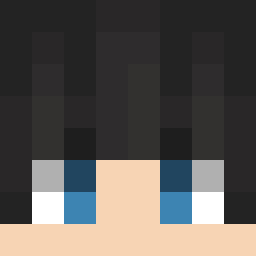
Current Minecraft skin of the player BlizzardDC, loaded from the official Mojang API. Rotate the 3D model with your mouse or finger, then download the skin as a PNG file and use it in Minecraft: Bedrock Edition or Java Edition for free. When BlizzardDC changes their skin, this page updates automatically and the old skin stays in the history below.

Other players with this skin (208)
BlizzardDC was the 86th player we have seen with this skin, first spotted on 12.09.2026. The same skin was seen on these players. Open a nickname to see their current skin and skin history.
 Mytic2330 song520 l4ir HLG678 kimjonson o_oZZzz Kuma_goo Alpaca10 Kimey2 Foehn_E Bumsuk8 min070123 Ha_Joon_04 IN_NY Esencia4529 vitoccii Seonung SpaceSARU ishmaru Quuill jyeolyu Hamoni_Harp celinehildre Guggar Gama_man supermegabox MegaPhoenix LEMON_HEAD0525 saaxmaster _XetoX_ haru0161 Stoid Lam6erczak laityace Fightin4food Ecens Boom050505 idamock AlwaysFreezy baobatree No_t_Chi y1ruu YongZPig amteunnan_anim Temptingg Grondum KarsF1 moran266 Ah_MoLang LINalric HUGGI2213 Vikandros OSMR MMdeplay yAngels1 Shaidz Jamppi_
 shiryu_u Lsw4025 Bria_
How to install the BlizzardDC skin
- Press the Download button above to save the skin as a PNG file.
- Minecraft: Bedrock Edition (PE): open the Dressing Room from the main menu (or tap your character → Edit Character), go to Classic Skins → Owned, press the + (new skin) button, choose the downloaded PNG and pick the Slim (Alex) model. Works on PC and mobile; consoles cannot import custom skins.
- Minecraft: Java Edition: open the Minecraft Launcher, go to the Skins tab, click New Skin, load the PNG, pick the Slim (Alex) model and press Save & Use. You can also upload it at minecraft.net → Profile → Change Skin.
The skin does not show up after import - what should I do?
Restart Minecraft and open the Dressing Room again - imported skins sometimes appear only after a restart. Also make sure you selected the imported skin and picked the Slim (Alex) model.
Which model should I choose, Classic or Slim?
This skin is designed for the Slim (Alex) model. If you pick the wrong model, the arms of the skin will look stretched or squeezed.
Is the skin of BlizzardDC free to download?
Yes. Press Download, save the PNG file and use it in Minecraft: Bedrock Edition or Java Edition - no payment or registration needed. The skin also works on multiplayer servers and Realms.
More skins
Looking for more? Go back to all Minecraft skins and check the top skins of the week, month and all time, or find any player's skin by nickname.