
Blazey78 - Minecraft Skins & Skin History
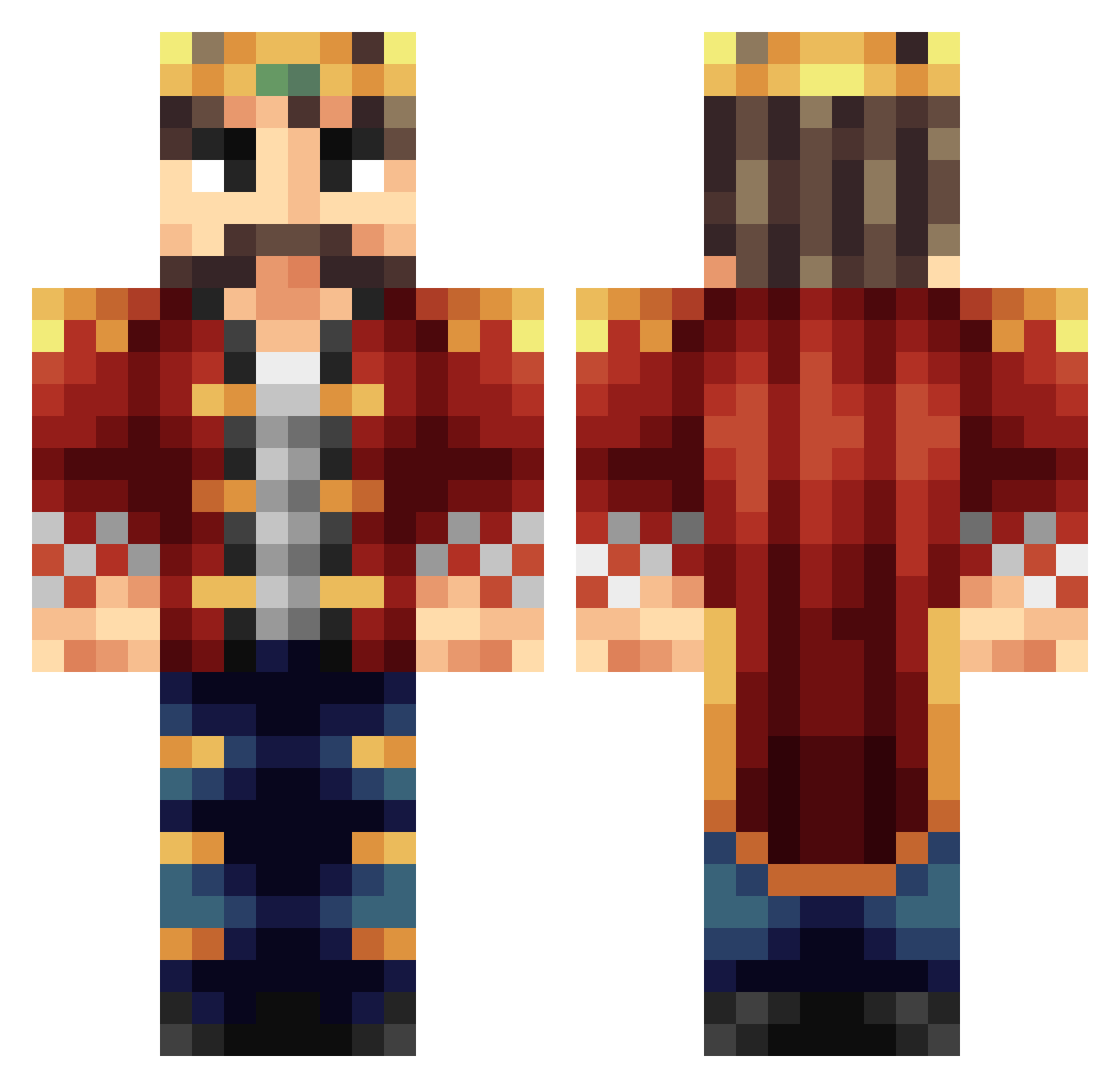
Current Minecraft skin of the player Blazey78, loaded from the official Mojang API. Rotate the 3D model with your mouse or finger, then download the skin as a PNG file and use it in Minecraft: Bedrock Edition or Java Edition for free. When Blazey78 changes their skin, this page updates automatically and the old skin stays in the history below.
Other players with this skin (65)
Blazey78 was the 27th player we have seen with this skin, first spotted on 02.09.2026. The same skin was seen on these players. Open a nickname to see their current skin and skin history.
 Ashen_King 34210 Thibeau11 cooldoolcola BenchRails XxVipMonsterxX Aubz86 brotholopithicus g00mie__ Captain_CTB423 H3vanlyAngl3 DioBrando0130 THEBuilderKing TrollerXD_MC King_Meliodas_I Damaraphe Gvidas09 Zorok TheRobhellspawn
 dylanthevillager RainMan_Schulze Worgenman82 Columbusthefirst GettoViking nikola008 JustinGarrix Lor9z Catakliz Baron_von_Aue thibeau8 ambotukum Wombiator Vermillionxix yunikashi Shapelier Zntrvm_ AppRinglord PalSecam JaMarquez99 MP607 DefeatedGlue sanderdroid009 BlackDevel95 MeisterJ Daxh641 crutchfieldt IML_356 Jerry_Silverman TurkKahvesi PhoneCase Perepelka1 Vwayne Gyeyang Xixis07 KotRado TDY_Clan DragonSlayer2169 Breakhyper Kleaw AlbusAlpha
More Captain Sparkles Minecraft skins
See all 7 Captain Sparkles skins
How to install the Blazey78 skin
- Press the Download button above to save the skin as a PNG file.
- Minecraft: Bedrock Edition (PE): open the Dressing Room from the main menu (or tap your character → Edit Character), go to Classic Skins → Owned, press the + (new skin) button, choose the downloaded PNG and pick the Classic (Steve) model. Works on PC and mobile; consoles cannot import custom skins.
- Minecraft: Java Edition: open the Minecraft Launcher, go to the Skins tab, click New Skin, load the PNG, pick the Classic (Steve) model and press Save & Use. You can also upload it at minecraft.net → Profile → Change Skin.
The skin does not show up after import - what should I do?
Restart Minecraft and open the Dressing Room again - imported skins sometimes appear only after a restart. Also make sure you selected the imported skin and picked the Classic (Steve) model.
Which model should I choose, Classic or Slim?
This skin is designed for the Classic (Steve) model. If you pick the wrong model, the arms of the skin will look stretched or squeezed.
Is the skin of Blazey78 free to download?
Yes. Press Download, save the PNG file and use it in Minecraft: Bedrock Edition or Java Edition - no payment or registration needed. The skin also works on multiplayer servers and Realms.
More skins
Looking for more? Go back to all Minecraft skins and check the top skins of the week, month and all time, or find any player's skin by nickname.