
Blagva - Minecraft Skins & Skin History
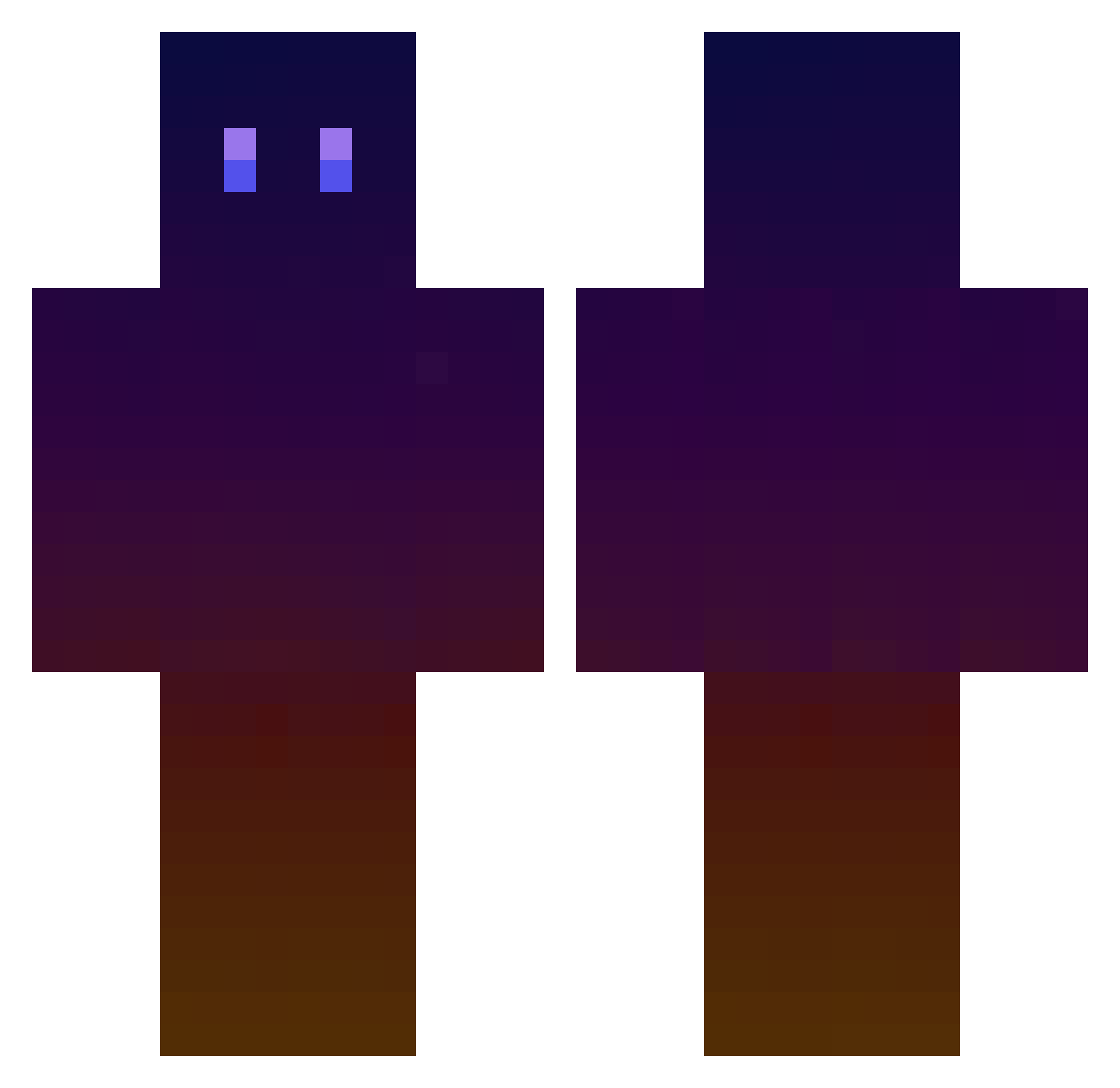
Current Minecraft skin of the player Blagva, loaded from the official Mojang API. Rotate the 3D model with your mouse or finger, then download the skin as a PNG file and use it in Minecraft: Bedrock Edition or Java Edition for free. When Blagva changes their skin, this page updates automatically and the old skin stays in the history below.
Other players with this skin (757)
Blagva was the 142nd player we have seen with this skin, first spotted on 18.08.2026. The same skin was seen on these players. Open a nickname to see their current skin and skin history.
 EnragedBull Bibi944 El_Mr Matthwae Elioxiss Stevie4201 LurkingSpirit Ewldms TehCaesar macba2 Ardvarcus Midao_13 _CUTIESEUNGM1N_ P1PKA ScoobyBooh samosn09 greerk Dirtboy811 iVenex mucchan_1110 shinyhawke Ariopi crsanchez98 chimp12564 BaltHa101 amane622 macondooo lhg2243 UNK_now Glitzar scythe02 ymo9973 K0MIM Browno__ Cetiner Ho2huhe bl7dee Solaire_xz Bobydam Nutbuster640 Elbora LeeLx Hoongreat123 BlackStratox Icarion_ Assizz OrranStar Jean_Pierre69 DProducer ichien0101 Pachuc Saucissesage lambadasch_ Euphorbius Giant_Echo _kk666 MenVsWild StyxLord010 AZERTYX0405 SkinniMiner
How to install the Blagva skin
- Press the Download button above to save the skin as a PNG file.
- Minecraft: Bedrock Edition (PE): open the Dressing Room from the main menu (or tap your character → Edit Character), go to Classic Skins → Owned, press the + (new skin) button, choose the downloaded PNG and pick the Classic (Steve) model. Works on PC and mobile; consoles cannot import custom skins.
- Minecraft: Java Edition: open the Minecraft Launcher, go to the Skins tab, click New Skin, load the PNG, pick the Classic (Steve) model and press Save & Use. You can also upload it at minecraft.net → Profile → Change Skin.
The skin does not show up after import - what should I do?
Restart Minecraft and open the Dressing Room again - imported skins sometimes appear only after a restart. Also make sure you selected the imported skin and picked the Classic (Steve) model.
Which model should I choose, Classic or Slim?
This skin is designed for the Classic (Steve) model. If you pick the wrong model, the arms of the skin will look stretched or squeezed.
Is the skin of Blagva free to download?
Yes. Press Download, save the PNG file and use it in Minecraft: Bedrock Edition or Java Edition - no payment or registration needed. The skin also works on multiplayer servers and Realms.
More skins
Looking for more? Go back to all Minecraft skins and check the top skins of the week, month and all time, or find any player's skin by nickname.