
Blackout_66 - Minecraft Skins & Skin History
Current Minecraft skin of the player Blackout_66, loaded from the official Mojang API. Rotate the 3D model with your mouse or finger, then download the skin as a PNG file and use it in Minecraft: Bedrock Edition or Java Edition for free. When Blackout_66 changes their skin, this page updates automatically and the old skin stays in the history below.
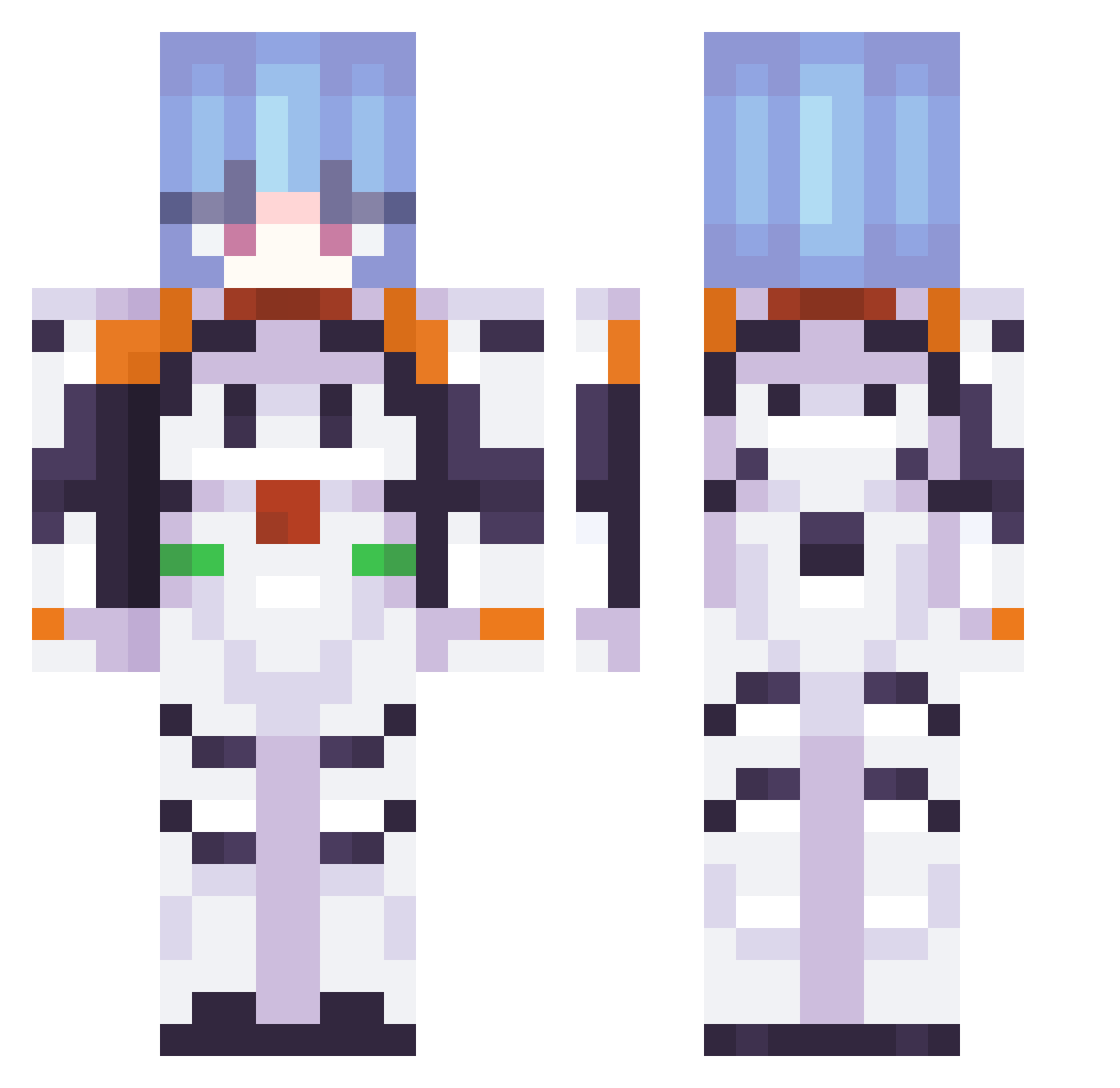
Other players with this skin (337)
Blackout_66 was the 56th player we have seen with this skin, first spotted on 13.08.2026. The same skin was seen on these players. Open a nickname to see their current skin and skin history.
 dufkxva ThatOneMyth itsxbella zappal0908 lfism Elhenryscz Yuuka_owo Tom_And_Pikachu evi_lbeer astridc1 gwhittyy Z0LAR1S
 somjetxdd Miinazukiii izzycoded Pocu_ kianmchugh xMxxnlight chris_tmash picturesofyou vertizzzz prestoneast3 ToMMY55316 anysielito CyanStudent
 commrad nicsix
 Angelizing Neltya Foione A_rxy JaneKO1 diositowest KING1563 TubOfGlue69 mariajiji kuraiazusa Kujo_01 Artecel HuntFrio iamhuggieh daymionn Vkleinehexe666 aandreaaacb AyanamiRei_04 b1ngus09 Pokimanefan2099 Muffingum yaboymd Evitosik Nerak25 TimmGG XadasX 0_Yuno_0 dreamwalker__au Blocknoob_233 Jambonfrites Zagovori mina_030_ Yeomra1
More Plugsuit Minecraft skins
How to install the Blackout_66 skin
- Press the Download button above to save the skin as a PNG file.
- Minecraft: Bedrock Edition (PE): open the Dressing Room from the main menu (or tap your character → Edit Character), go to Classic Skins → Owned, press the + (new skin) button, choose the downloaded PNG and pick the Classic (Steve) model. Works on PC and mobile; consoles cannot import custom skins.
- Minecraft: Java Edition: open the Minecraft Launcher, go to the Skins tab, click New Skin, load the PNG, pick the Classic (Steve) model and press Save & Use. You can also upload it at minecraft.net → Profile → Change Skin.
The skin does not show up after import - what should I do?
Restart Minecraft and open the Dressing Room again - imported skins sometimes appear only after a restart. Also make sure you selected the imported skin and picked the Classic (Steve) model.
Which model should I choose, Classic or Slim?
This skin is designed for the Classic (Steve) model. If you pick the wrong model, the arms of the skin will look stretched or squeezed.
Is the skin of Blackout_66 free to download?
Yes. Press Download, save the PNG file and use it in Minecraft: Bedrock Edition or Java Edition - no payment or registration needed. The skin also works on multiplayer servers and Realms.
More skins
Looking for more? Go back to all Minecraft skins and check the top skins of the week, month and all time, or find any player's skin by nickname.