
Black_8848 - Minecraft Skins & Skin History
Current Minecraft skin of the player Black_8848, loaded from the official Mojang API. Rotate the 3D model with your mouse or finger, then download the skin as a PNG file and use it in Minecraft: Bedrock Edition or Java Edition for free. When Black_8848 changes their skin, this page updates automatically and the old skin stays in the history below.
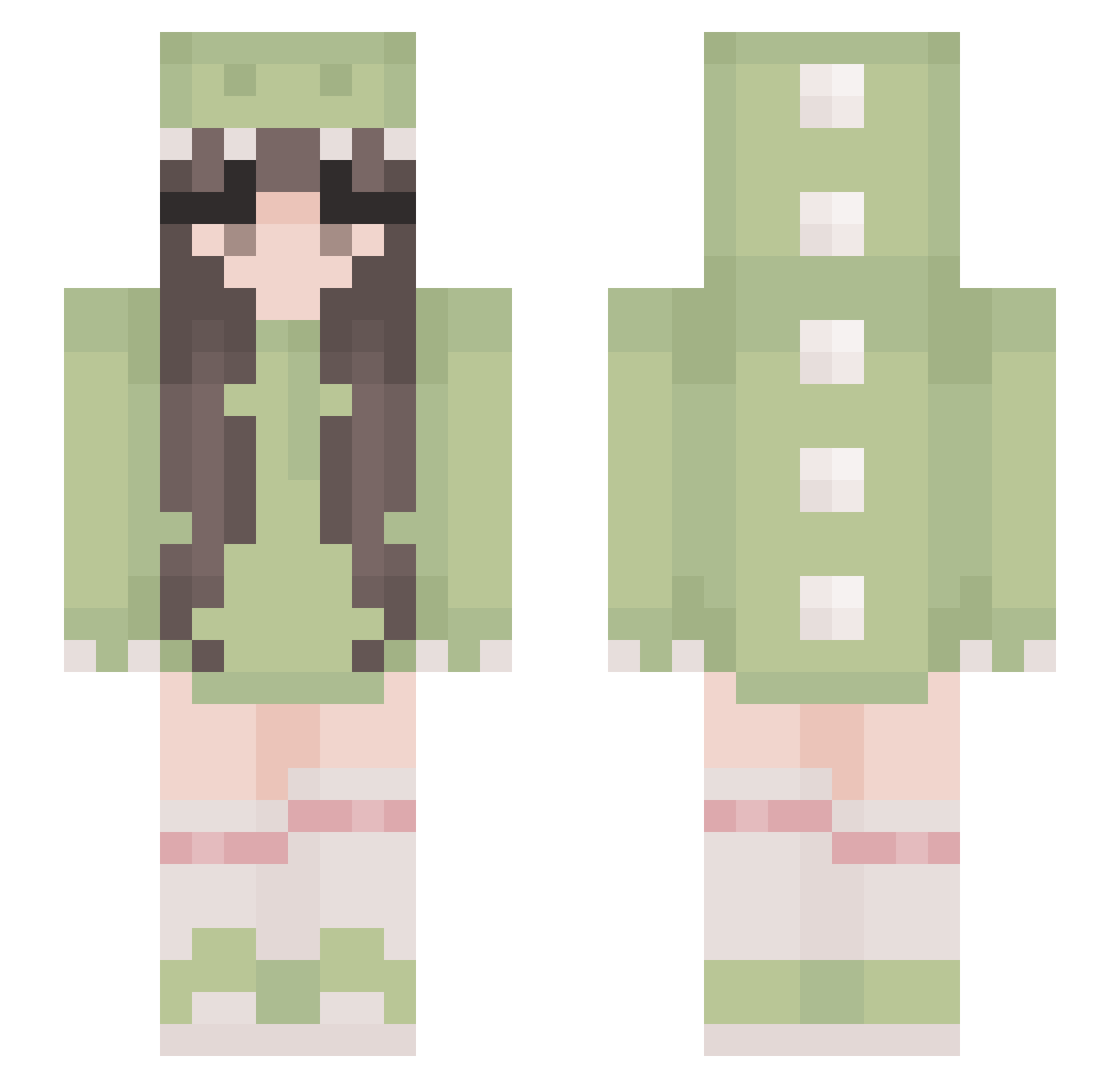
Other players with this skin (529)
Black_8848 was the 14th player we have seen with this skin, first spotted on 27.07.2026. The same skin was seen on these players. Open a nickname to see their current skin and skin history.
 LdShadowlady161 lynatica_dunkin saccomaru daddysenpai2001 Sennacann meganriehm JellyDucky rosenkoenigin Jane_Sunflower PlinkyGirl13 hhhawk JacksonWhitworth joycey SecuredByBreak wildflower24 Beli224 cmda Ajvara NebiEX httpsveux Magurong rustlxr Stellix201 Millifluous Daegyun1108 Poppy40403 angstyang ValPaws lipstains _Ive_04 tiltednia aster_horn chesecakee wheelgirl25 kotaro0o Lazurita ara9th Brenda213B XBrooke1124
 Naeveh AlohaMeda DXXI_ RubyTheLegend ItsMeLizz_ anabel5 Sylvan018 lonagan ajsavampire Jewels_YT Murgz Amanda_lapro FrostedDonuts3 DebraChewy Tarka56 Aseyux nonvioce mugimoosh LilSxndra 1Marshell Criseida
More Cute Minecraft skins
How to install the Black_8848 skin
- Press the Download button above to save the skin as a PNG file.
- Minecraft: Bedrock Edition (PE): open the Dressing Room from the main menu (or tap your character → Edit Character), go to Classic Skins → Owned, press the + (new skin) button, choose the downloaded PNG and pick the Slim (Alex) model. Works on PC and mobile; consoles cannot import custom skins.
- Minecraft: Java Edition: open the Minecraft Launcher, go to the Skins tab, click New Skin, load the PNG, pick the Slim (Alex) model and press Save & Use. You can also upload it at minecraft.net → Profile → Change Skin.
The skin does not show up after import - what should I do?
Restart Minecraft and open the Dressing Room again - imported skins sometimes appear only after a restart. Also make sure you selected the imported skin and picked the Slim (Alex) model.
Which model should I choose, Classic or Slim?
This skin is designed for the Slim (Alex) model. If you pick the wrong model, the arms of the skin will look stretched or squeezed.
Is the skin of Black_8848 free to download?
Yes. Press Download, save the PNG file and use it in Minecraft: Bedrock Edition or Java Edition - no payment or registration needed. The skin also works on multiplayer servers and Realms.
More skins
Looking for more? Go back to all Minecraft skins and check the top skins of the week, month and all time, or find any player's skin by nickname.