
BlackNigro_ - Minecraft Skins & Skin History
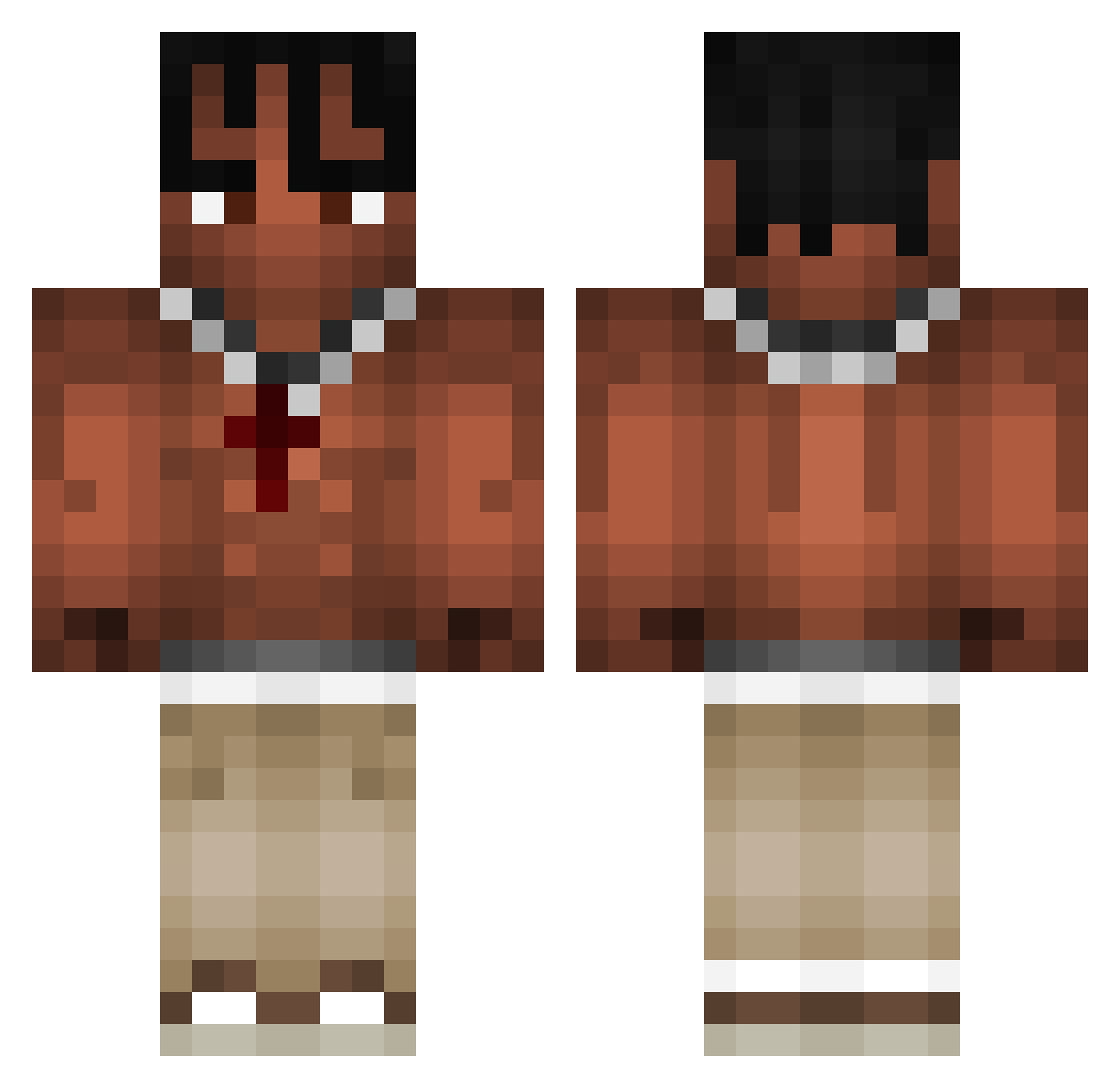
Current Minecraft skin of the player BlackNigro_, loaded from the official Mojang API. Rotate the 3D model with your mouse or finger, then download the skin as a PNG file and use it in Minecraft: Bedrock Edition or Java Edition for free. When BlackNigro_ changes their skin, this page updates automatically and the old skin stays in the history below.
Other players with this skin (971)
BlackNigro_ was the 641st player we have seen with this skin, first spotted on 03.10.2026. The same skin was seen on these players. Open a nickname to see their current skin and skin history.
 Entdecker TALPINOO danvoy _Rotarsky_ Sabinnn milesarcher10 BL0MSE LuvOdz uLeozin_ szlamifnuu FDric samhortin zeeezeeeee Galee23 XXDDXDXDXDXDXD RenzoPityJava Eli_dove Xx_Makalister_xX Reaper464327 Kiliii Eclipse7737 croud7 __wattsup__ rayricefan meowmeowboy1 agkouris876 moxyyyyy hovis98 LIlCartiKid Gabcharlie beancan05 Steezsurb ICKE257 martinfrok vtr1 Kadlec_ Y22r Qarkufka maxderlolly L_E0_ zorvex34 Rrraaash Piotreq1312 JasaNine1 Stagonikkk fggrasor Reanzfnbr Adamec_ CroMarino Txcciaa GurkeAufCrack batonbounty T_dot_a Charlevoix_ nicords Raabinho ocenathan 7_sins117 cacobaco slaypie
More Xxxtentacion Minecraft skins
See all 407 Xxxtentacion skins
How to install the BlackNigro_ skin
- Press the Download button above to save the skin as a PNG file.
- Minecraft: Bedrock Edition (PE): open the Dressing Room from the main menu (or tap your character → Edit Character), go to Classic Skins → Owned, press the + (new skin) button, choose the downloaded PNG and pick the Classic (Steve) model. Works on PC and mobile; consoles cannot import custom skins.
- Minecraft: Java Edition: open the Minecraft Launcher, go to the Skins tab, click New Skin, load the PNG, pick the Classic (Steve) model and press Save & Use. You can also upload it at minecraft.net → Profile → Change Skin.
The skin does not show up after import - what should I do?
Restart Minecraft and open the Dressing Room again - imported skins sometimes appear only after a restart. Also make sure you selected the imported skin and picked the Classic (Steve) model.
Which model should I choose, Classic or Slim?
This skin is designed for the Classic (Steve) model. If you pick the wrong model, the arms of the skin will look stretched or squeezed.
Is the skin of BlackNigro_ free to download?
Yes. Press Download, save the PNG file and use it in Minecraft: Bedrock Edition or Java Edition - no payment or registration needed. The skin also works on multiplayer servers and Realms.
More skins
Looking for more? Go back to all Minecraft skins and check the top skins of the week, month and all time, or find any player's skin by nickname.