
BlackMonster405 - Minecraft Skins & Skin History
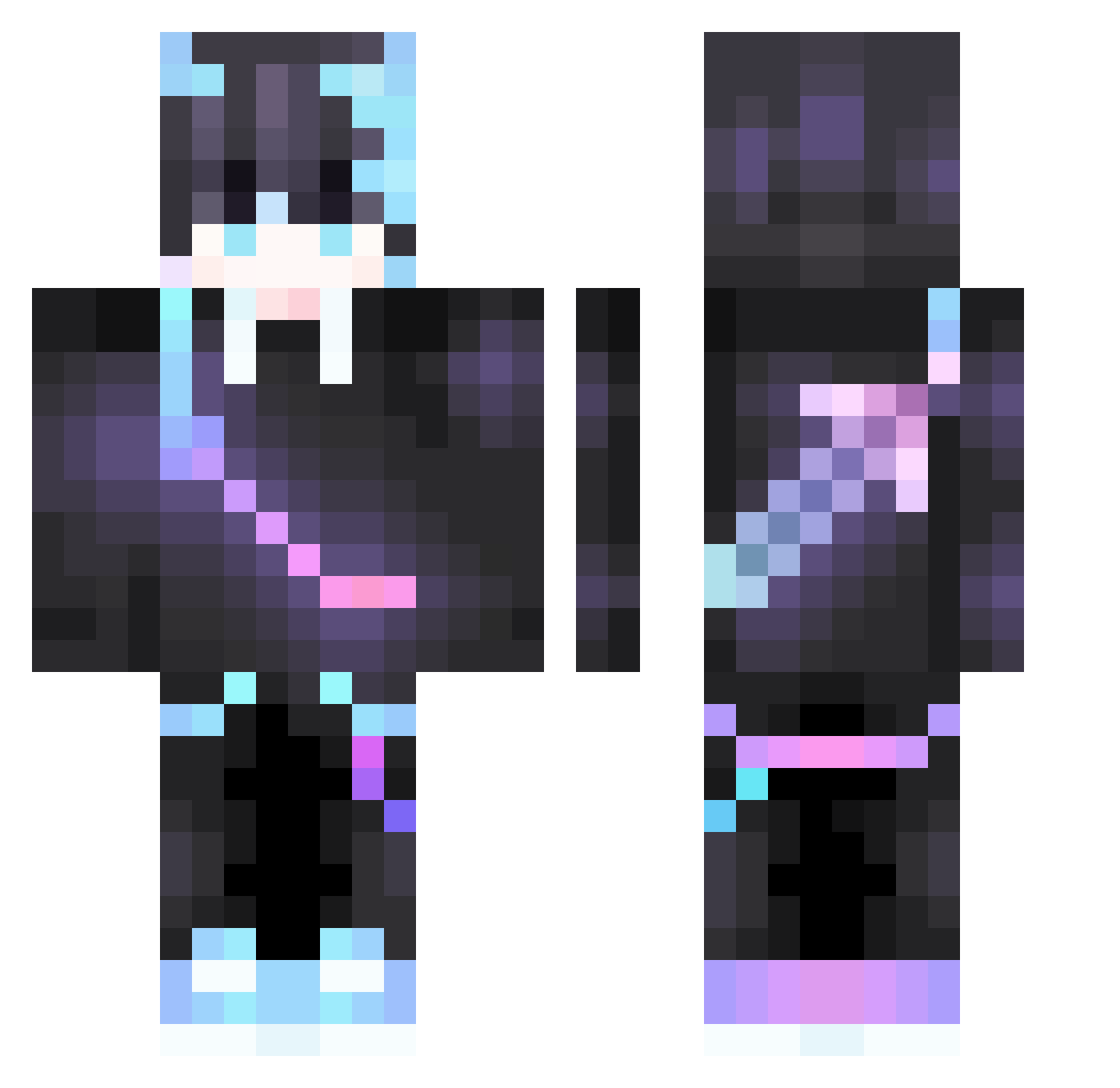
Current Minecraft skin of the player BlackMonster405, loaded from the official Mojang API. Rotate the 3D model with your mouse or finger, then download the skin as a PNG file and use it in Minecraft: Bedrock Edition or Java Edition for free. When BlackMonster405 changes their skin, this page updates automatically and the old skin stays in the history below.
Other players with this skin (378)
BlackMonster405 was the 138th player we have seen with this skin, first spotted on 29.08.2026. The same skin was seen on these players. Open a nickname to see their current skin and skin history.
 stanley69469 LordScarG ImDarkv Ssadd32 Ang31M4 ga1axy11 daxin722 Angels_Relic NMSMSHS AcidicNightmare The_Bounty_Man Guai_Wu_Max BadPigula Ravexx_ dks008 chengxiya HighAF_Dome Rengar_kd Azarel016 iLife_YT Enterprise029 KingGlacier ItzeMehMario2008 JayTheObsolete jilizhen SnowzBorn He_Xjn HRyo02 Razaile1605 zlhui uelumeow Azberck liangcha233 agarion224 Sunghwai fch207689 Lilobast petkop4412 hehuan233 Goose9316 LittleJo7809 Epic__Nut Moluxz Mateiiiiiii MizuMeza JinDommm No_Creation Dank_Kat93 SKD520 baoguoguo Cheechuu_13 SinThesizeC0metX NebulaGrey black_iab wumimiao Ghost1917 hy1122 XthesaymonX sejun9231 salted_fish_jun
More Sword On Back Minecraft skins
See all 238 Sword On Back skins
How to install the BlackMonster405 skin
- Press the Download button above to save the skin as a PNG file.
- Minecraft: Bedrock Edition (PE): open the Dressing Room from the main menu (or tap your character → Edit Character), go to Classic Skins → Owned, press the + (new skin) button, choose the downloaded PNG and pick the Classic (Steve) model. Works on PC and mobile; consoles cannot import custom skins.
- Minecraft: Java Edition: open the Minecraft Launcher, go to the Skins tab, click New Skin, load the PNG, pick the Classic (Steve) model and press Save & Use. You can also upload it at minecraft.net → Profile → Change Skin.
The skin does not show up after import - what should I do?
Restart Minecraft and open the Dressing Room again - imported skins sometimes appear only after a restart. Also make sure you selected the imported skin and picked the Classic (Steve) model.
Which model should I choose, Classic or Slim?
This skin is designed for the Classic (Steve) model. If you pick the wrong model, the arms of the skin will look stretched or squeezed.
Is the skin of BlackMonster405 free to download?
Yes. Press Download, save the PNG file and use it in Minecraft: Bedrock Edition or Java Edition - no payment or registration needed. The skin also works on multiplayer servers and Realms.
More skins
Looking for more? Go back to all Minecraft skins and check the top skins of the week, month and all time, or find any player's skin by nickname.