
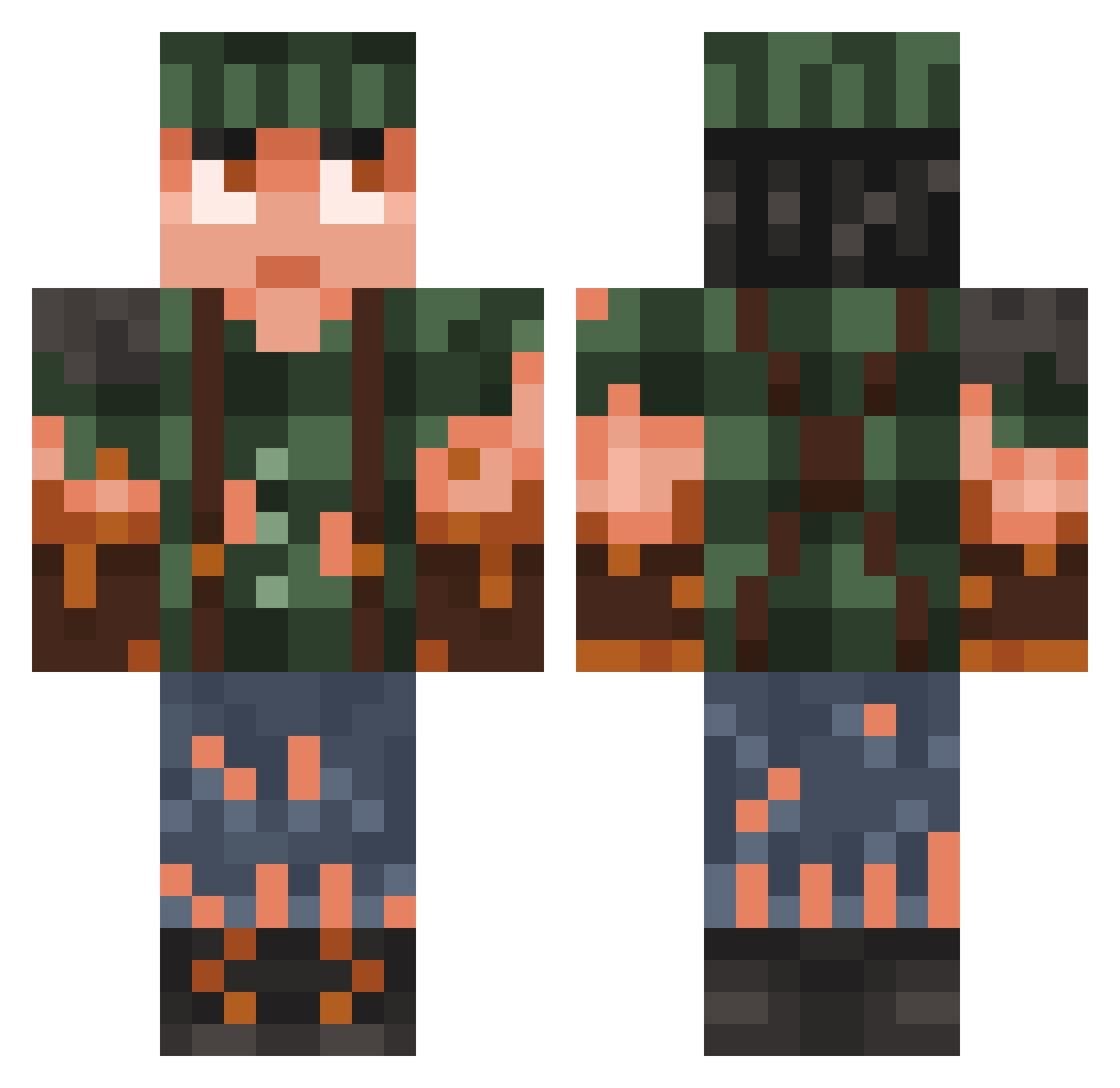
Current Minecraft skin of the player Bl1nkyb1IL, loaded from the official Mojang API. Rotate the 3D model with your mouse or finger, then download the skin as a PNG file and use it in Minecraft: Bedrock Edition or Java Edition for free. When Bl1nkyb1IL changes their skin, this page updates automatically and the old skin stays in the history below.
Other players with this skin (728)
Bl1nkyb1IL was the 640th player we have seen with this skin, first spotted on 07.10.2026. The same skin was seen on these players. Open a nickname to see their current skin and skin history.
 GhostUrquijo Call_Me_Lucas Jannes1234567 Big_Cheif98 DerpStorm VeThor Deigann Bielmars dibii212 ArisGoico DrizzyDrist Pixcasso LorddBusiness Sangdal08 porschiiii Micbrod Mynusk BankrollBarnhart seven_cube Proteom Gremen Karmelowa67 Niklaus0909 altrax222 C_continuum_H ColdSandals p1et13 Treemansam34 edubeja FerGuzman xApashe gabbarr RememberThe90s Wijk_agent MakelloserBboss RIBBLETT TiredBirdNerd J0uIe Georgecm19 JsYetti co42 TheDerpyDino818 Quickhands77 shadoor oscarin00 robotbartender25 Wizkusx Dr_Berat Botrelo Vinicius_ggwp GreenHunter17 diamondsr4eve13 Johann5560 Razex_mc blazinguns13 vl1ix Grizknife minime0819 SGT555 forukozo
More Survivor Minecraft skins
How to install the Bl1nkyb1IL skin
- Press the Download button above to save the skin as a PNG file.
- Minecraft: Bedrock Edition (PE): open the Dressing Room from the main menu (or tap your character → Edit Character), go to Classic Skins → Owned, press the + (new skin) button, choose the downloaded PNG and pick the Classic (Steve) model. Works on PC and mobile; consoles cannot import custom skins.
- Minecraft: Java Edition: open the Minecraft Launcher, go to the Skins tab, click New Skin, load the PNG, pick the Classic (Steve) model and press Save & Use. You can also upload it at minecraft.net → Profile → Change Skin.
The skin does not show up after import - what should I do?
Restart Minecraft and open the Dressing Room again - imported skins sometimes appear only after a restart. Also make sure you selected the imported skin and picked the Classic (Steve) model.
Which model should I choose, Classic or Slim?
This skin is designed for the Classic (Steve) model. If you pick the wrong model, the arms of the skin will look stretched or squeezed.
Is the skin of Bl1nkyb1IL free to download?
Yes. Press Download, save the PNG file and use it in Minecraft: Bedrock Edition or Java Edition - no payment or registration needed. The skin also works on multiplayer servers and Realms.
More skins
Looking for more? Go back to all Minecraft skins and check the top skins of the week, month and all time, or find any player's skin by nickname.