
BirdLikeU - Minecraft Skins & Skin History
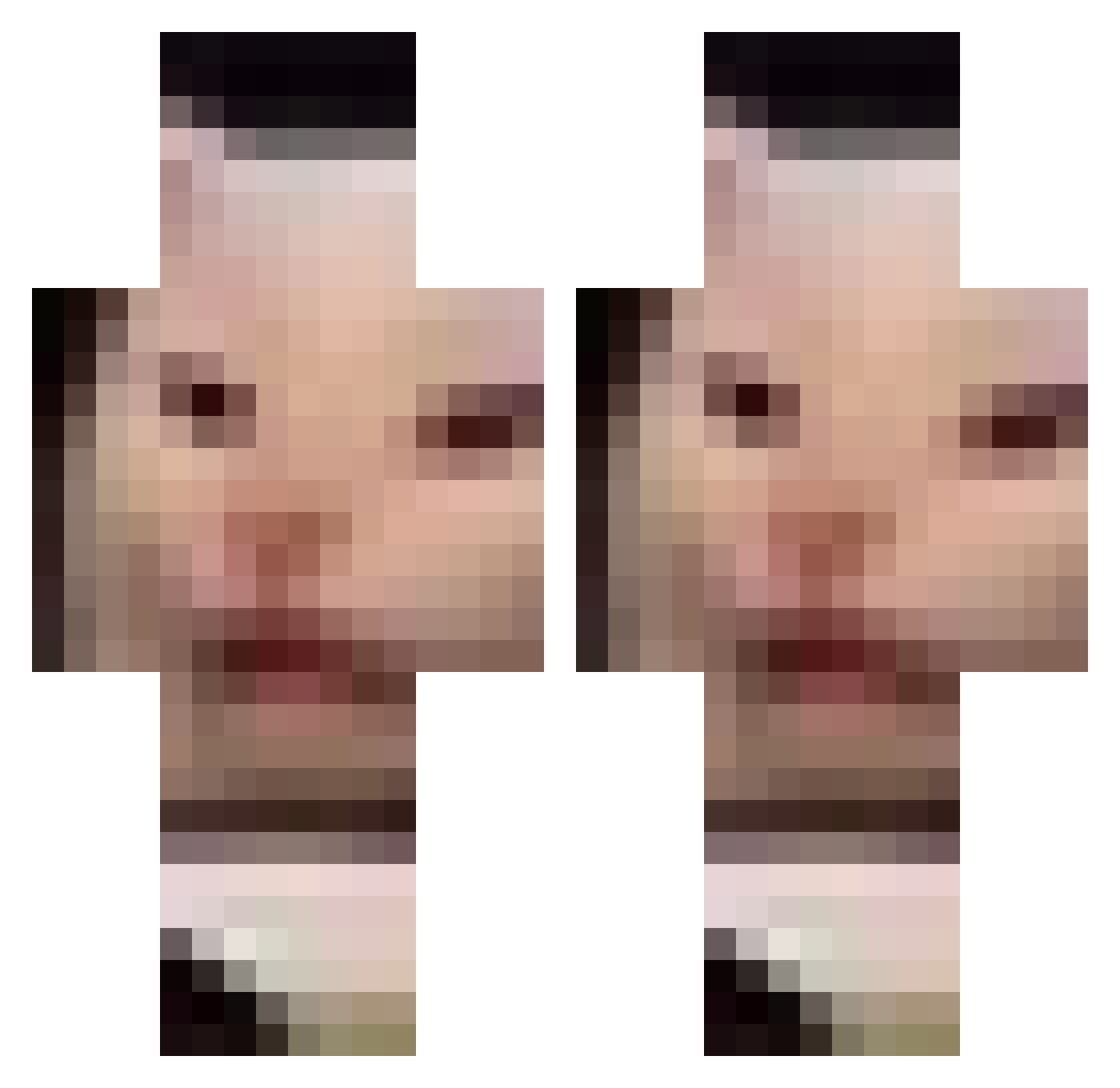
Current Minecraft skin of the player BirdLikeU, loaded from the official Mojang API. Rotate the 3D model with your mouse or finger, then download the skin as a PNG file and use it in Minecraft: Bedrock Edition or Java Edition for free. When BirdLikeU changes their skin, this page updates automatically and the old skin stays in the history below.
Other players with this skin (126)
BirdLikeU was the 40th player we have seen with this skin, first spotted on 24.08.2026. The same skin was seen on these players. Open a nickname to see their current skin and skin history.
 ChadMcThundercoc EatTidePod_ DiMarkHA tayparadox sarvap toptopillen alejandro1701 FMW_APOLLO Chazbumble mystyyyyyyy_ Whool14 hdc6_ allebarimm foundAnew choochie_mania Erdbeerchen_ NobodyInSpecific MoonshinPig PRAT33K MrStealUrFridge SapphireStorm99 BananaFruct zeusoi sneakzlmao MiraaaaSP Drink_Me zXNxck croissant_63 VenomHadez Haaz59 justaddwateridk BlisterFister Pat0xUwU yougartman DeuS3107 ProDetornator_ TinyTitan201_ FerOJ_ Exodus11__ FalconicHD YoYoWhatsUp123 LlucBri Toubitoub Lnbjors ImTooUncreative Mxnch steakquesadilla its_Ryuga Kejzoou LugixMineJ piaz__ Hortho15 SpicyLongRat Worbus hokoneko yojongdo12y5 BaBaBoiiiiiiiii Barbi2009 5hhh pluhhhh
More Meme Cat Minecraft skins
How to install the BirdLikeU skin
- Press the Download button above to save the skin as a PNG file.
- Minecraft: Bedrock Edition (PE): open the Dressing Room from the main menu (or tap your character → Edit Character), go to Classic Skins → Owned, press the + (new skin) button, choose the downloaded PNG and pick the Classic (Steve) model. Works on PC and mobile; consoles cannot import custom skins.
- Minecraft: Java Edition: open the Minecraft Launcher, go to the Skins tab, click New Skin, load the PNG, pick the Classic (Steve) model and press Save & Use. You can also upload it at minecraft.net → Profile → Change Skin.
The skin does not show up after import - what should I do?
Restart Minecraft and open the Dressing Room again - imported skins sometimes appear only after a restart. Also make sure you selected the imported skin and picked the Classic (Steve) model.
Which model should I choose, Classic or Slim?
This skin is designed for the Classic (Steve) model. If you pick the wrong model, the arms of the skin will look stretched or squeezed.
Is the skin of BirdLikeU free to download?
Yes. Press Download, save the PNG file and use it in Minecraft: Bedrock Edition or Java Edition - no payment or registration needed. The skin also works on multiplayer servers and Realms.
More skins
Looking for more? Go back to all Minecraft skins and check the top skins of the week, month and all time, or find any player's skin by nickname.