
Biolysis - Minecraft Skins & Skin History
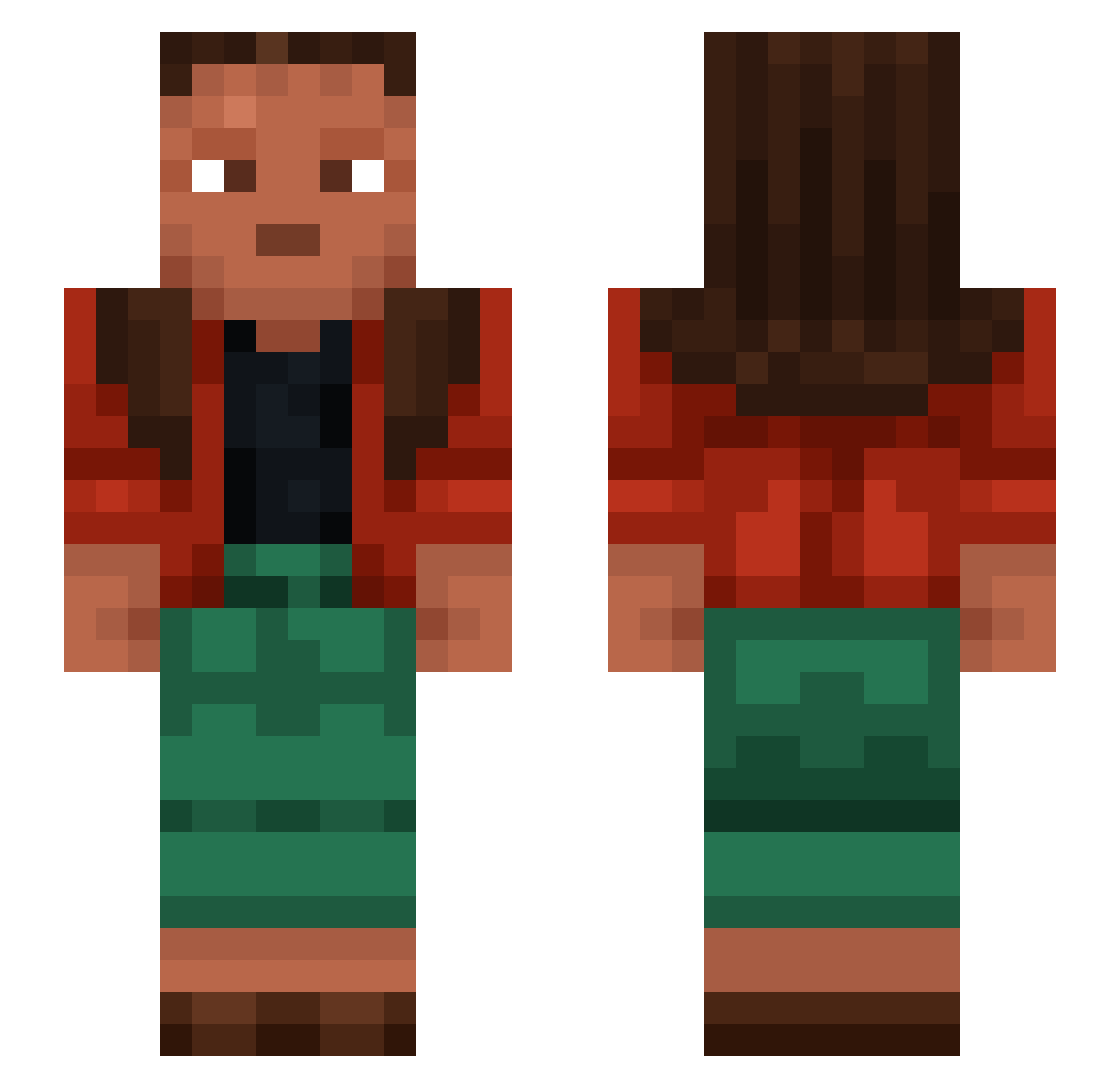
Current Minecraft skin of the player Biolysis, loaded from the official Mojang API. Rotate the 3D model with your mouse or finger, then download the skin as a PNG file and use it in Minecraft: Bedrock Edition or Java Edition for free. When Biolysis changes their skin, this page updates automatically and the old skin stays in the history below.
Other players with this skin (1074)
Biolysis was the 187th player we have seen with this skin, first spotted on 11.08.2026. The same skin was seen on these players. Open a nickname to see their current skin and skin history.
 GUGGZYY Aright Harryblum Tortias AloneJesus Saguran umeexe Count PG_Anes Manthr Bombay_10 BuilderBob3 MOOZABI_CRONG Thimbled Egemenito
 Puzon1k mrtqt
 dddarkio Viamaster TeoSi IDK_name2005 canieko Rippet NotAlob Tholes Epochally Christoneo Billiken s1eepy_ducks Baxxii delineated Alfreithr BlazingEntree MithicWolfe PeterHyballade AMD1927 AnticPvP TheNachoChip Baconburgare Intubate mello_OF ESS_YALA
 eiscreme77 Alphavinicius6 blemish Flayxi wetyoxx GMK00 partable blende cexemperor RAMSTEAD pinacotheca Hohenstaufen girlbossmay BL9
 supergovernment Swag9er kylanzer Eosinophile
How to install the Biolysis skin
- Press the Download button above to save the skin as a PNG file.
- Minecraft: Bedrock Edition (PE): open the Dressing Room from the main menu (or tap your character → Edit Character), go to Classic Skins → Owned, press the + (new skin) button, choose the downloaded PNG and pick the Slim (Alex) model. Works on PC and mobile; consoles cannot import custom skins.
- Minecraft: Java Edition: open the Minecraft Launcher, go to the Skins tab, click New Skin, load the PNG, pick the Slim (Alex) model and press Save & Use. You can also upload it at minecraft.net → Profile → Change Skin.
The skin does not show up after import - what should I do?
Restart Minecraft and open the Dressing Room again - imported skins sometimes appear only after a restart. Also make sure you selected the imported skin and picked the Slim (Alex) model.
Which model should I choose, Classic or Slim?
This skin is designed for the Slim (Alex) model. If you pick the wrong model, the arms of the skin will look stretched or squeezed.
Is the skin of Biolysis free to download?
Yes. Press Download, save the PNG file and use it in Minecraft: Bedrock Edition or Java Edition - no payment or registration needed. The skin also works on multiplayer servers and Realms.
More skins
Looking for more? Go back to all Minecraft skins and check the top skins of the week, month and all time, or find any player's skin by nickname.