
Bilovisnake - Minecraft Skins & Skin History
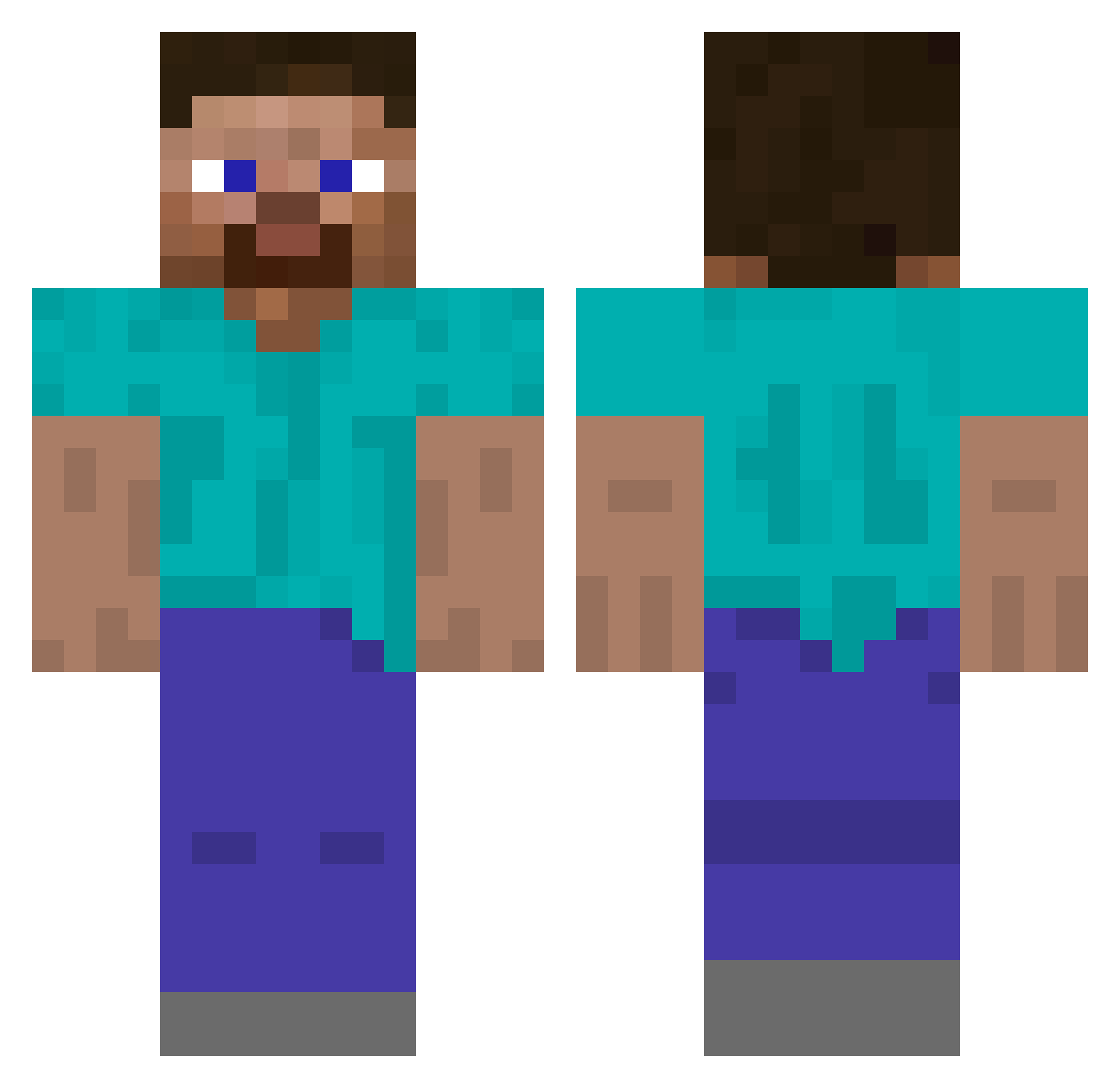
Current Minecraft skin of the player Bilovisnake, loaded from the official Mojang API. Rotate the 3D model with your mouse or finger, then download the skin as a PNG file and use it in Minecraft: Bedrock Edition or Java Edition for free. When Bilovisnake changes their skin, this page updates automatically and the old skin stays in the history below.
Other players with this skin (602)
Bilovisnake was the 516th player we have seen with this skin, first spotted on 06.11.2026. The same skin was seen on these players. Open a nickname to see their current skin and skin history.
 NerdSki05 StormRanger227 joe16666 Ward258 ErenJaegar Omega_F CoolUncleEpstein Angelo795 superpatriots12 WhatUpBBG OGBruh2010 LargeMan321 Anl_Cem Whiteskinapu PetyaTheGreat Luisica422 AlmondGuide9991 Monzster1 ChampAbdul Puszek29 UN1D3NT1F13D Huhn1424 Meatpukk jbekedam17 obiser rowdylollar BumBumBaBumBum Jdpho99 Dakota2552 kittyparty420 Sr_SuS BC_Tian ZaqlJr Ed3ardo brucebob cement7 maskeddreams laherj79 oreomilker987 Lypf MaximumRaven m0neybot Click1005 sulianna69 Jaysari24 AwesomeSheep48 DenDenMa kermvito cammy18 rapsk Ghoulmew mc_snickerdoodle CerealChopsticks someone1239 Dannysons Patyk131 20mine02 Karikoha lEEEleeee DevMcLovin
How to install the Bilovisnake skin
- Press the Download button above to save the skin as a PNG file.
- Minecraft: Bedrock Edition (PE): open the Dressing Room from the main menu (or tap your character → Edit Character), go to Classic Skins → Owned, press the + (new skin) button, choose the downloaded PNG and pick the Classic (Steve) model. Works on PC and mobile; consoles cannot import custom skins.
- Minecraft: Java Edition: open the Minecraft Launcher, go to the Skins tab, click New Skin, load the PNG, pick the Classic (Steve) model and press Save & Use. You can also upload it at minecraft.net → Profile → Change Skin.
The skin does not show up after import - what should I do?
Restart Minecraft and open the Dressing Room again - imported skins sometimes appear only after a restart. Also make sure you selected the imported skin and picked the Classic (Steve) model.
Which model should I choose, Classic or Slim?
This skin is designed for the Classic (Steve) model. If you pick the wrong model, the arms of the skin will look stretched or squeezed.
Is the skin of Bilovisnake free to download?
Yes. Press Download, save the PNG file and use it in Minecraft: Bedrock Edition or Java Edition - no payment or registration needed. The skin also works on multiplayer servers and Realms.
More skins
Looking for more? Go back to all Minecraft skins and check the top skins of the week, month and all time, or find any player's skin by nickname.