
BillNye_GamerGuy - Minecraft Skins & Skin History
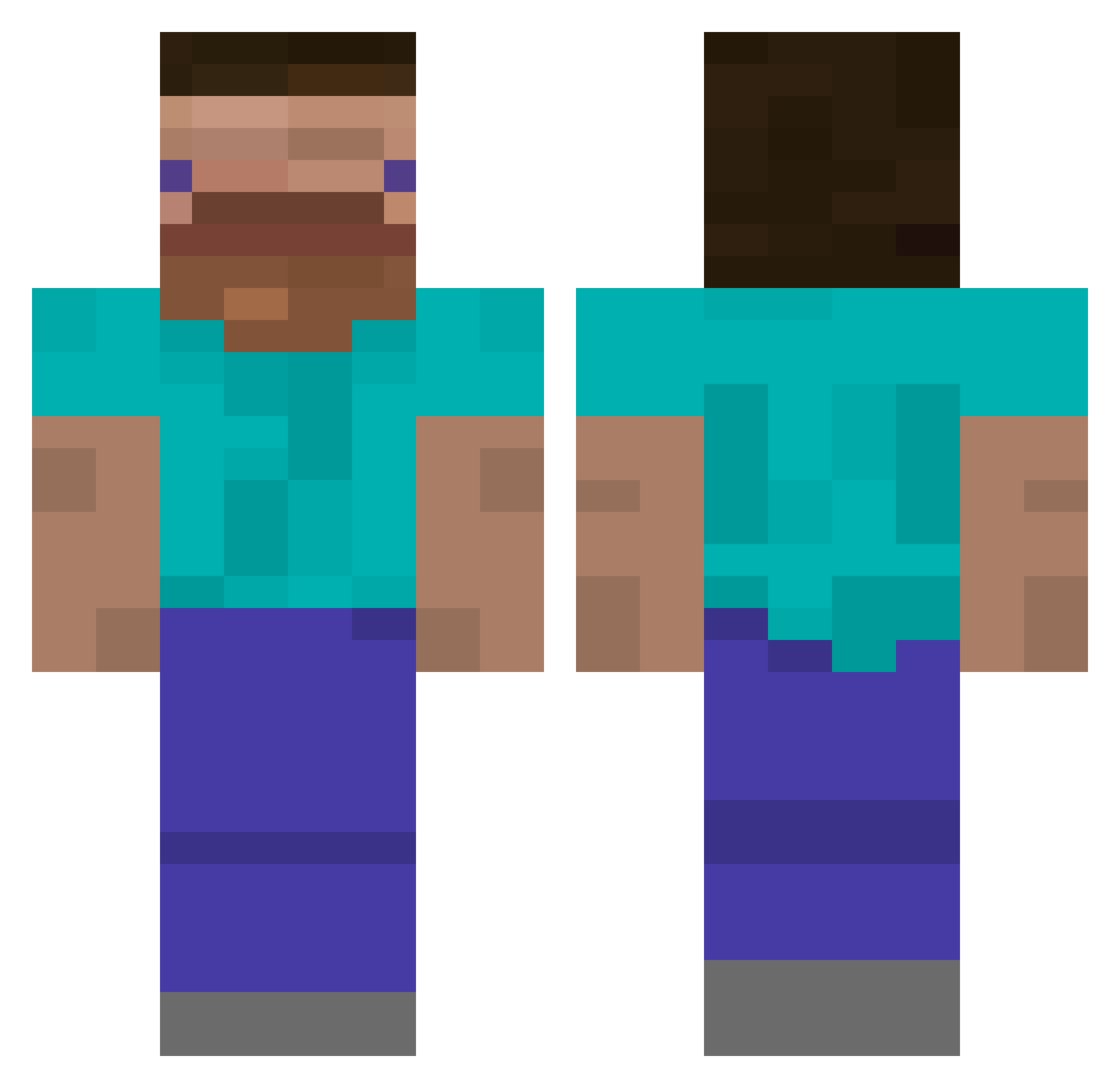
Current Minecraft skin of the player BillNye_GamerGuy, loaded from the official Mojang API. Rotate the 3D model with your mouse or finger, then download the skin as a PNG file and use it in Minecraft: Bedrock Edition or Java Edition for free. When BillNye_GamerGuy changes their skin, this page updates automatically and the old skin stays in the history below.
Other players with this skin (385)
BillNye_GamerGuy was the 175th player we have seen with this skin, first spotted on 03.09.2026. The same skin was seen on these players. Open a nickname to see their current skin and skin history.
 jpolina Fenii223 beferull myungine unchinen dmvgam JeanMax18 _Lab_Cat ShieldedBeard _Azgeda_ Neotuberosum mavioff 2zzang ASHEone DvG1k YeetYeetYeet ZanderGG2701 Zepbound zPEPzlnwZa Mr_eColaa Kilthan_ DLASSY WIN_KLE Aidsweenz BTCbitcoin acauan08 dudghks11 Mint_choco793 Henrifilter FaxerMoth SiebeEatsWater Yo_Zoink blue__tie Vollstrecker425 Deituhr Invincidude jellyboy205 deliok Vanman1717 JLC_bg iluvchromeheartz MisterMaster1118 GH1234567 ZaKari0 XxPoutredu69xX GLAMISH ZedTic
 CostZx McBeethoven12 oz_wid N0tCl0ud Hads616thanatos el_papu6958 Pollypojken haoxiang76 ZeroRedz Allola990 F3nce33 utaryo DustyDinosaur
How to install the BillNye_GamerGuy skin
- Press the Download button above to save the skin as a PNG file.
- Minecraft: Bedrock Edition (PE): open the Dressing Room from the main menu (or tap your character → Edit Character), go to Classic Skins → Owned, press the + (new skin) button, choose the downloaded PNG and pick the Classic (Steve) model. Works on PC and mobile; consoles cannot import custom skins.
- Minecraft: Java Edition: open the Minecraft Launcher, go to the Skins tab, click New Skin, load the PNG, pick the Classic (Steve) model and press Save & Use. You can also upload it at minecraft.net → Profile → Change Skin.
The skin does not show up after import - what should I do?
Restart Minecraft and open the Dressing Room again - imported skins sometimes appear only after a restart. Also make sure you selected the imported skin and picked the Classic (Steve) model.
Which model should I choose, Classic or Slim?
This skin is designed for the Classic (Steve) model. If you pick the wrong model, the arms of the skin will look stretched or squeezed.
Is the skin of BillNye_GamerGuy free to download?
Yes. Press Download, save the PNG file and use it in Minecraft: Bedrock Edition or Java Edition - no payment or registration needed. The skin also works on multiplayer servers and Realms.
More skins
Looking for more? Go back to all Minecraft skins and check the top skins of the week, month and all time, or find any player's skin by nickname.