
Bighead00 - Minecraft Skins & Skin History
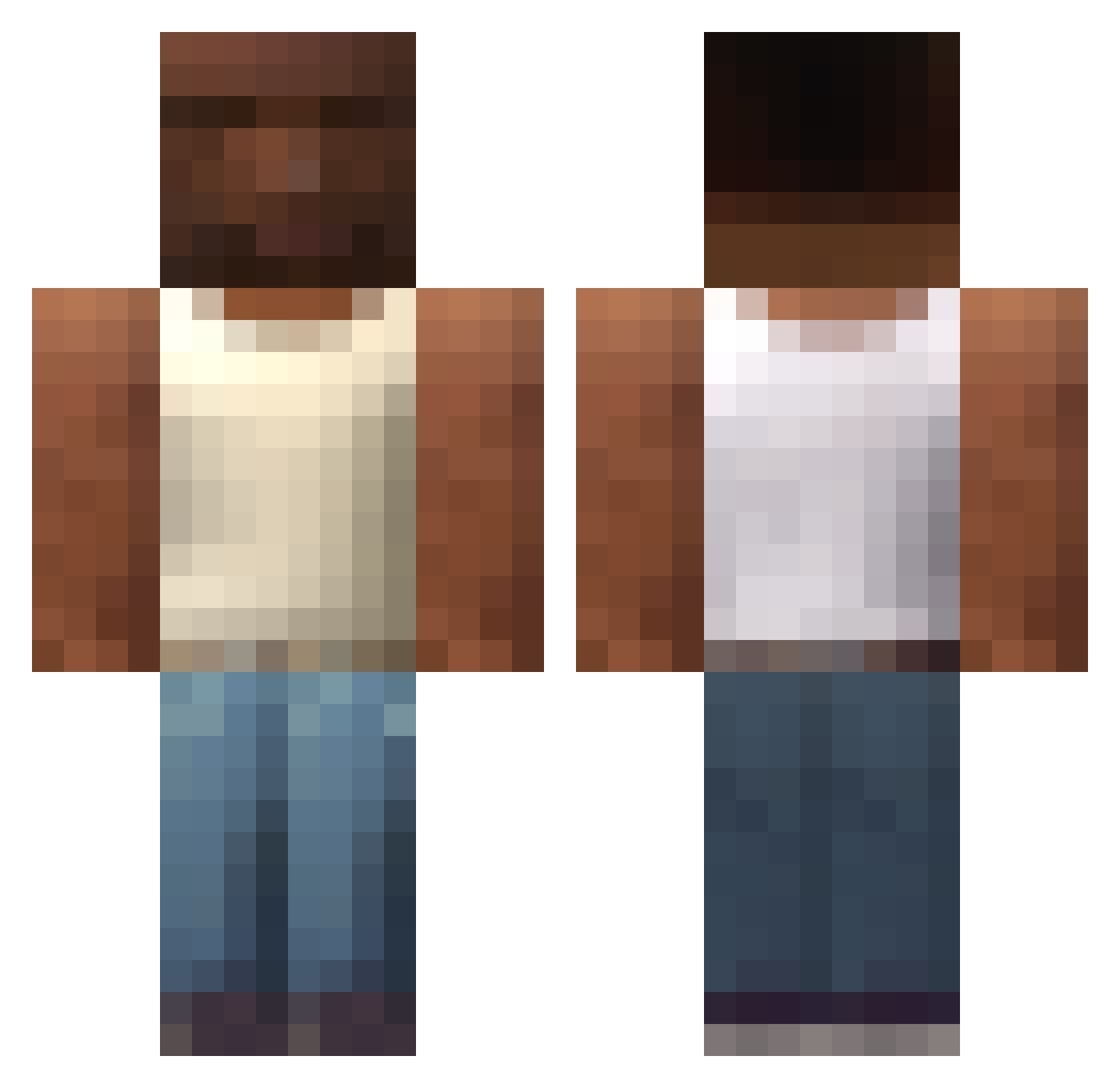
Current Minecraft skin of the player Bighead00, loaded from the official Mojang API. Rotate the 3D model with your mouse or finger, then download the skin as a PNG file and use it in Minecraft: Bedrock Edition or Java Edition for free. When Bighead00 changes their skin, this page updates automatically and the old skin stays in the history below.
Other players with this skin (607)
Bighead00 was the 575th player we have seen with this skin, first spotted on 26.10.2026. The same skin was seen on these players. Open a nickname to see their current skin and skin history.
 JordanT823 Otter668 xenoi1337 staffzs R3IW1 myster64 qeecs THEnincompoop KLABBI23 Hamilton54312 oe_smoothie doktor_ginekolog Tomclancyy2 rocke11 cachuchacraft kuokuo778 deadinside2123 SKATE11 Moooyan_aura menth0 BlackestBeast M_Murray Naakarg fnbn avge111 Szymciio iReallyStupid Clash_228 Amagorn VariousLamp1809 danvalentinn Goopal PPAP3312 Koekwouss BubaJestem ABAALMOHANNADI97 Jeruii ViaMantti its_cj1 thomaskralow Piterfrancis KILLI6522 AnnoyedRuby20 KimchiPapi036 infamoustetsujin MoonSide33 Pixel24 MSMB medaHQ jsts45 OVERDOSERz 66is celsotorre fa_do_CJ Emr2hr Multiply_Stylish DazeXF ItsRicked Adsuki aguslanfrann
More San Andreas Minecraft skins
How to install the Bighead00 skin
- Press the Download button above to save the skin as a PNG file.
- Minecraft: Bedrock Edition (PE): open the Dressing Room from the main menu (or tap your character → Edit Character), go to Classic Skins → Owned, press the + (new skin) button, choose the downloaded PNG and pick the Classic (Steve) model. Works on PC and mobile; consoles cannot import custom skins.
- Minecraft: Java Edition: open the Minecraft Launcher, go to the Skins tab, click New Skin, load the PNG, pick the Classic (Steve) model and press Save & Use. You can also upload it at minecraft.net → Profile → Change Skin.
The skin does not show up after import - what should I do?
Restart Minecraft and open the Dressing Room again - imported skins sometimes appear only after a restart. Also make sure you selected the imported skin and picked the Classic (Steve) model.
Which model should I choose, Classic or Slim?
This skin is designed for the Classic (Steve) model. If you pick the wrong model, the arms of the skin will look stretched or squeezed.
Is the skin of Bighead00 free to download?
Yes. Press Download, save the PNG file and use it in Minecraft: Bedrock Edition or Java Edition - no payment or registration needed. The skin also works on multiplayer servers and Realms.
More skins
Looking for more? Go back to all Minecraft skins and check the top skins of the week, month and all time, or find any player's skin by nickname.