
Big_Daddy69_420 - Minecraft Skins & Skin History
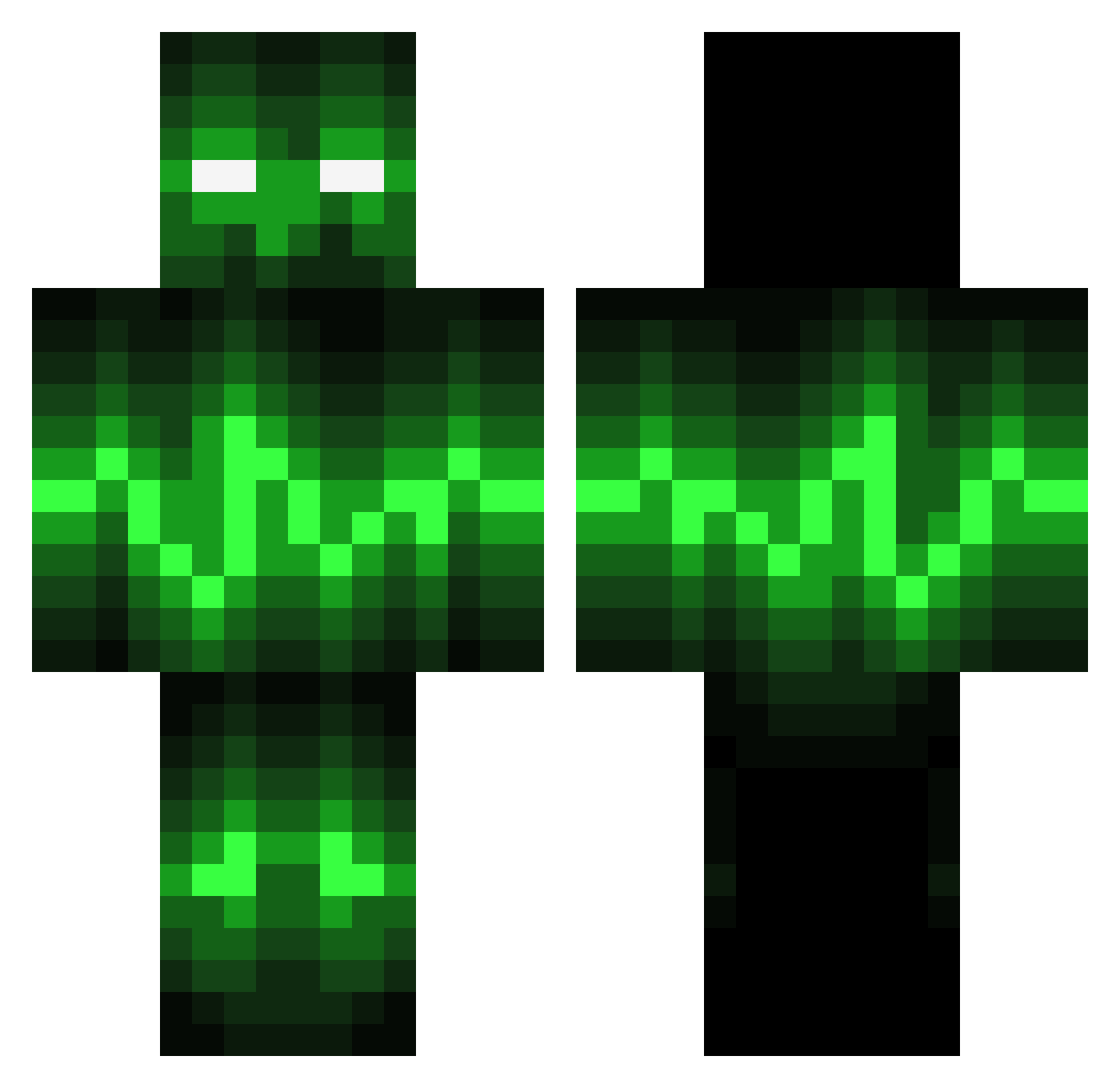
Current Minecraft skin of the player Big_Daddy69_420, loaded from the official Mojang API. Rotate the 3D model with your mouse or finger, then download the skin as a PNG file and use it in Minecraft: Bedrock Edition or Java Edition for free. When Big_Daddy69_420 changes their skin, this page updates automatically and the old skin stays in the history below.
Other players with this skin (141)
Big_Daddy69_420 was the 117th player we have seen with this skin, first spotted on 10.10.2026. The same skin was seen on these players. Open a nickname to see their current skin and skin history.
 HD12138 BryTech RuinManiac001 GunsFlower Raiderl9 Skjaz OneShot6969 jieshirui Lord145 Frodor123456 Crulix ArmertLoffen SwimmingBimbo prisonman1234 LeelaLovesLife textwithnospaces Zippeyo Daking_1236 Da_Man_Moore HollowDemise bossaden asta84 Hustak2k Xrey64 parto556 AskingCode731 TURKEYFLAP101 LinChiu shaojunbojerry Fenshii paul04panzer vomluxx Jamie8376 Kinghydra_082 Salcros UnPerfilDeMC Unikitty_18 hongHT4941 YYYPurple DesyX xXChaotic_JayXx HopelessSoul666 xKingJay420 SixthA2 Tinoil098 bifi1441 BigMike467 ACogaming_ hermunn21 DongFengXu Bigparker77 DeceasedMem Mxddin Elektryzor COULEURD greenface1015 badreaperhemz MROnettXD Abysssal5425 TiannaMJ
More Pulse Minecraft skins
How to install the Big_Daddy69_420 skin
- Press the Download button above to save the skin as a PNG file.
- Minecraft: Bedrock Edition (PE): open the Dressing Room from the main menu (or tap your character → Edit Character), go to Classic Skins → Owned, press the + (new skin) button, choose the downloaded PNG and pick the Classic (Steve) model. Works on PC and mobile; consoles cannot import custom skins.
- Minecraft: Java Edition: open the Minecraft Launcher, go to the Skins tab, click New Skin, load the PNG, pick the Classic (Steve) model and press Save & Use. You can also upload it at minecraft.net → Profile → Change Skin.
The skin does not show up after import - what should I do?
Restart Minecraft and open the Dressing Room again - imported skins sometimes appear only after a restart. Also make sure you selected the imported skin and picked the Classic (Steve) model.
Which model should I choose, Classic or Slim?
This skin is designed for the Classic (Steve) model. If you pick the wrong model, the arms of the skin will look stretched or squeezed.
Is the skin of Big_Daddy69_420 free to download?
Yes. Press Download, save the PNG file and use it in Minecraft: Bedrock Edition or Java Edition - no payment or registration needed. The skin also works on multiplayer servers and Realms.
More skins
Looking for more? Go back to all Minecraft skins and check the top skins of the week, month and all time, or find any player's skin by nickname.