
Bierbauchata - Minecraft Skins & Skin History
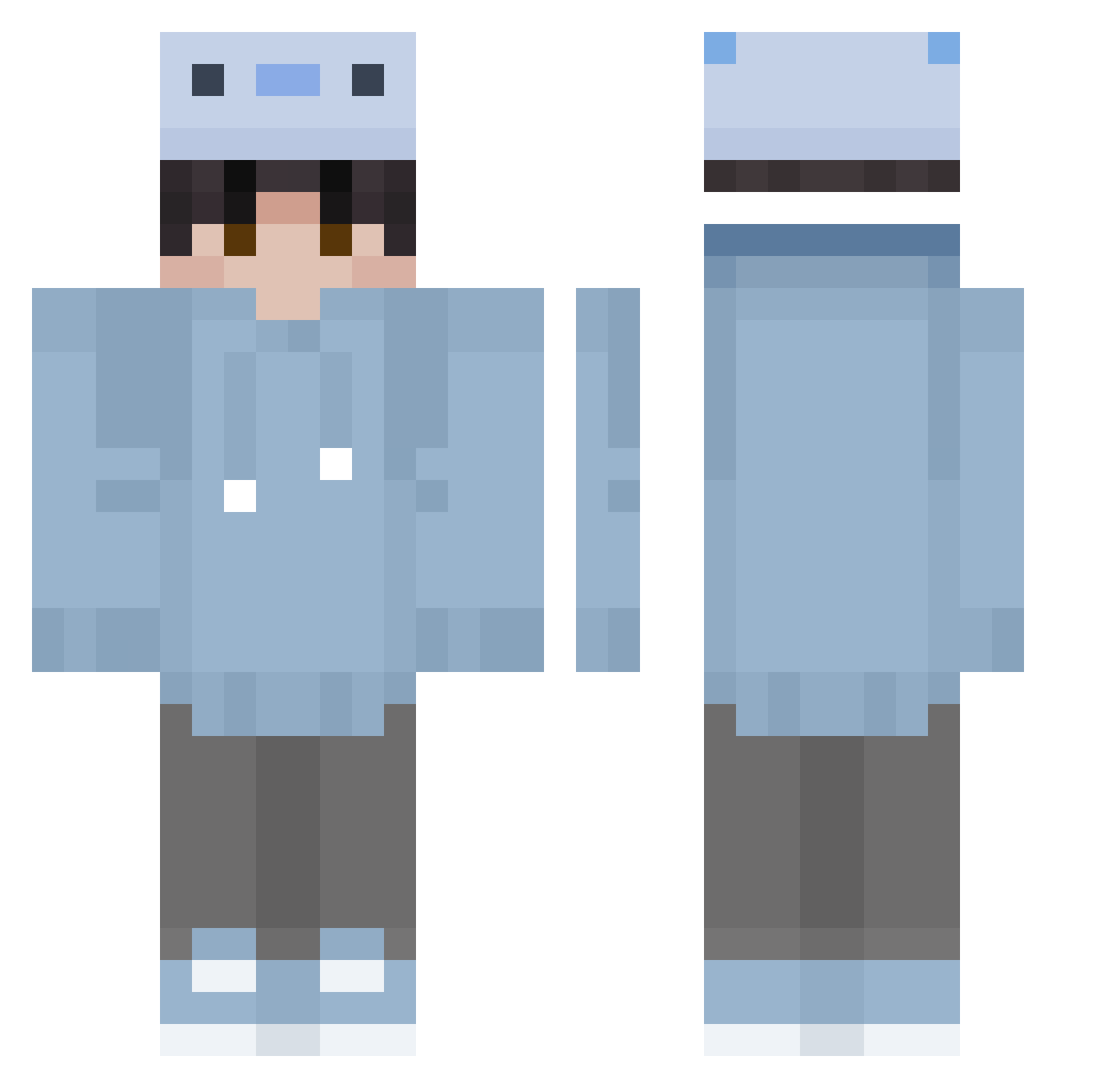
Current Minecraft skin of the player Bierbauchata, loaded from the official Mojang API. Rotate the 3D model with your mouse or finger, then download the skin as a PNG file and use it in Minecraft: Bedrock Edition or Java Edition for free. When Bierbauchata changes their skin, this page updates automatically and the old skin stays in the history below.
Other players with this skin (354)
Bierbauchata was the 215th player we have seen with this skin, first spotted on 29.09.2026. The same skin was seen on these players. Open a nickname to see their current skin and skin history.
 rekis_kun GaengGaengmo hanwill headbangz Izumi_Pain Chronotize NicorodeZ2004 tdryniu LHY3131 Itzoney Onisitobb gkuiyfg nuytrf TDriftXD 391457 uindty windpol5 Tyler591 laurentdufduf007 Ofeliaaaa AXO_Fluxxy Akyoof jirousan7 Y4mashy maldrox82 penguinice89 b0nes_xxx GHOST_BONE505 X3NOP FAKUMON lonro ttaettae 1Meachy Loxxin junin10 n54vrd ZShadowX AzTekerz Cloud168 Swordable tadashinx Genius_Goog GioSal99 n545cx Fjo0 popopopops Itz_Nightoo GalatticLasagna AverageJujuNon MuFeng81 FoxFier13 Ryuu524 Ameilvl chyngyyzzz Blu5ushi Pixeluse bdrtdrv Jewel_Ian KinnnnLunnnn HugE007
How to install the Bierbauchata skin
- Press the Download button above to save the skin as a PNG file.
- Minecraft: Bedrock Edition (PE): open the Dressing Room from the main menu (or tap your character → Edit Character), go to Classic Skins → Owned, press the + (new skin) button, choose the downloaded PNG and pick the Classic (Steve) model. Works on PC and mobile; consoles cannot import custom skins.
- Minecraft: Java Edition: open the Minecraft Launcher, go to the Skins tab, click New Skin, load the PNG, pick the Classic (Steve) model and press Save & Use. You can also upload it at minecraft.net → Profile → Change Skin.
The skin does not show up after import - what should I do?
Restart Minecraft and open the Dressing Room again - imported skins sometimes appear only after a restart. Also make sure you selected the imported skin and picked the Classic (Steve) model.
Which model should I choose, Classic or Slim?
This skin is designed for the Classic (Steve) model. If you pick the wrong model, the arms of the skin will look stretched or squeezed.
Is the skin of Bierbauchata free to download?
Yes. Press Download, save the PNG file and use it in Minecraft: Bedrock Edition or Java Edition - no payment or registration needed. The skin also works on multiplayer servers and Realms.
More skins
Looking for more? Go back to all Minecraft skins and check the top skins of the week, month and all time, or find any player's skin by nickname.