
Bibo_007 - Minecraft Skins & Skin History
Current Minecraft skin of the player Bibo_007, loaded from the official Mojang API. Rotate the 3D model with your mouse or finger, then download the skin as a PNG file and use it in Minecraft: Bedrock Edition or Java Edition for free. When Bibo_007 changes their skin, this page updates automatically and the old skin stays in the history below.
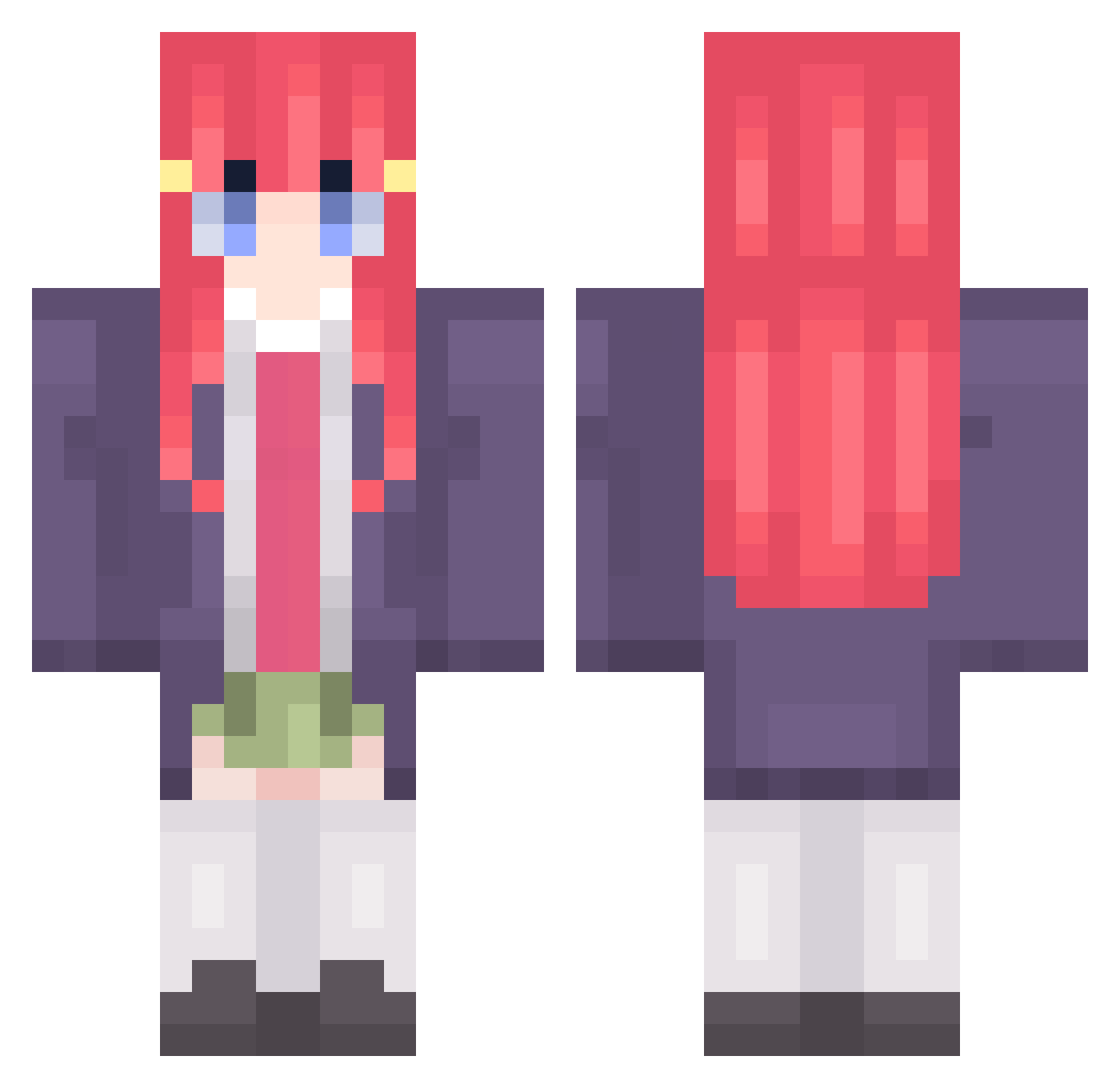
Other players with this skin (55)
Bibo_007 was the 36th player we have seen with this skin, first spotted on 18.09.2026. The same skin was seen on these players. Open a nickname to see their current skin and skin history.
 CheeseDoodle10 PeterCup L3monz_ sukablyad Animegamer12 Krisowaty1214 Makiduki Looking4Skiwie Wirus273847 Tutel_911 TeoFXC VoidTerminal 5k_Pato Wazouski_ CosmicUnicorn17 anttupo Samu0703
 ProRonaldo Slivness___ reytask 2ckytsuki
 area71ross nmys 0ZEH pvpmetiu Bambooo8785 Nelllo bufudx MoonLight0950 Frxncyyy
 LennPlatte StopkarzMati OrsokScore Zumbilandon Soirmuu77 Arka_17 g4m1ngmaster_ Chosenbomber Elixired _n3mi_ amateurbear nomikc Elias149
 baystir LazyNiko22 Ginogk Lucas1093 tarek_1343 imsaei Unoriginal3873 Small_Uto Piekon9
 imwintr
 __p16__ flashlol
More Nino Nakano Minecraft skins
How to install the Bibo_007 skin
- Press the Download button above to save the skin as a PNG file.
- Minecraft: Bedrock Edition (PE): open the Dressing Room from the main menu (or tap your character → Edit Character), go to Classic Skins → Owned, press the + (new skin) button, choose the downloaded PNG and pick the Classic (Steve) model. Works on PC and mobile; consoles cannot import custom skins.
- Minecraft: Java Edition: open the Minecraft Launcher, go to the Skins tab, click New Skin, load the PNG, pick the Classic (Steve) model and press Save & Use. You can also upload it at minecraft.net → Profile → Change Skin.
The skin does not show up after import - what should I do?
Restart Minecraft and open the Dressing Room again - imported skins sometimes appear only after a restart. Also make sure you selected the imported skin and picked the Classic (Steve) model.
Which model should I choose, Classic or Slim?
This skin is designed for the Classic (Steve) model. If you pick the wrong model, the arms of the skin will look stretched or squeezed.
Is the skin of Bibo_007 free to download?
Yes. Press Download, save the PNG file and use it in Minecraft: Bedrock Edition or Java Edition - no payment or registration needed. The skin also works on multiplayer servers and Realms.
More skins
Looking for more? Go back to all Minecraft skins and check the top skins of the week, month and all time, or find any player's skin by nickname.