
Beurs - Minecraft Skins & Skin History
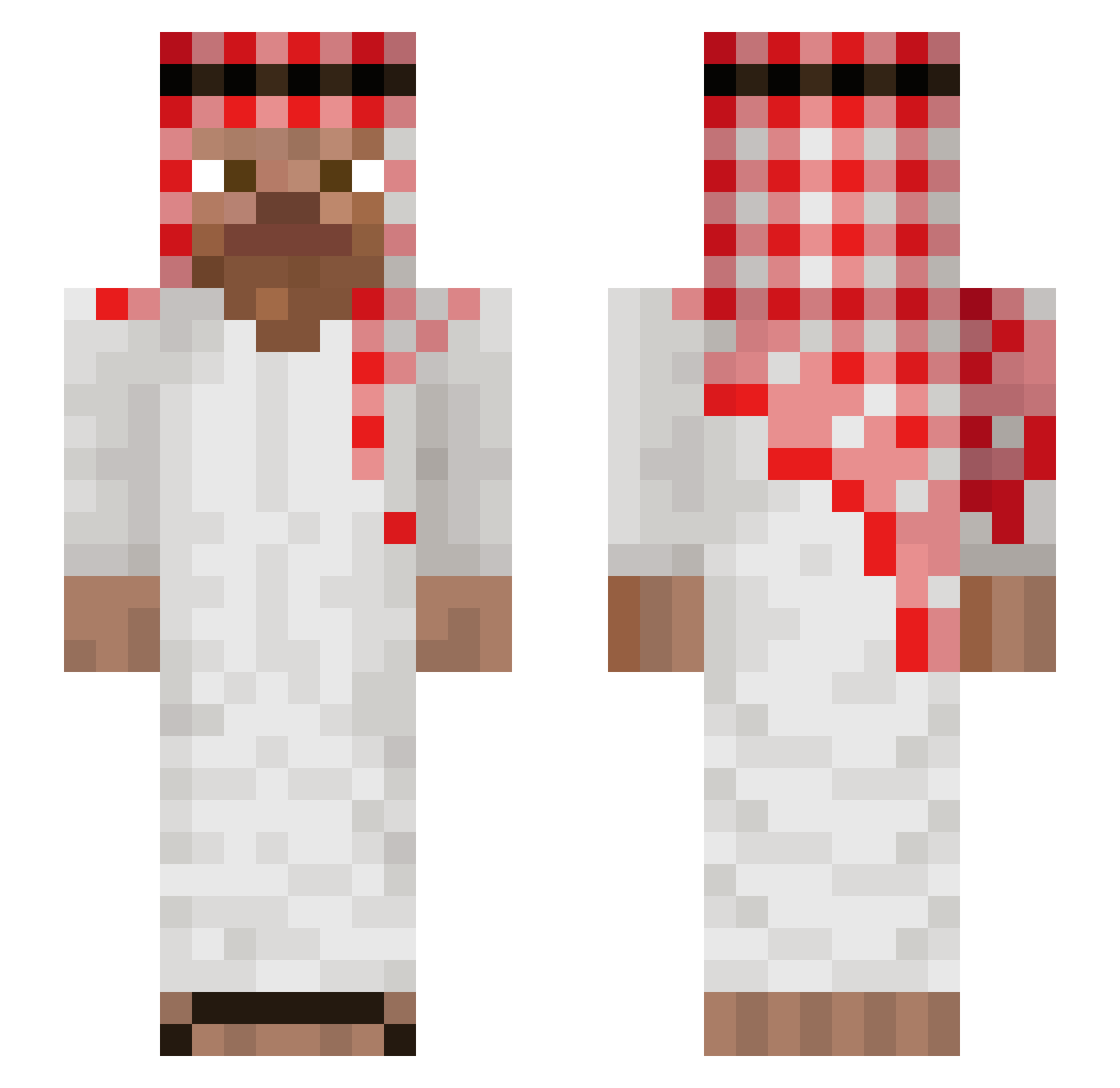
Current Minecraft skin of the player Beurs, loaded from the official Mojang API. Rotate the 3D model with your mouse or finger, then download the skin as a PNG file and use it in Minecraft: Bedrock Edition or Java Edition for free. When Beurs changes their skin, this page updates automatically and the old skin stays in the history below.
Other players with this skin (1045)
Beurs was the 421st player we have seen with this skin, first spotted on 10.09.2026. The same skin was seen on these players. Open a nickname to see their current skin and skin history.
 gustavoLIMA0 AlesYadai Anantha250 Loirino Sk11Lz chrissuper07 dyaholic Fishy_111 2d7oom2 JosefiBr SekiOffi Ucanzurafa nneoL arcekr Top1V Adam0203 TeteuuCHAD Daniel20q pozyczkabocian puneiei
 LennPlatte uhdinoalt Gooncas WaliEn69 Davidoss_111 BulletProof78 MlodyFiglarz Nayte__ JK1337 Kalliba mamr7 Abu_Ibn_Falafel godmango1 heewon22 GugaBoy RikV2 ramzes11123 Shawnathon07 KekoZanp Faze_Miley MEMO000 kamilgh 1SA_03 Slayz13 MommyMilkEnjoyer CowSeques Gunahee frenklins Fsheeedy LadiesMan217T Jisus10 TB_Not_Winning matishnlt vreditel2009 alfiemann AliMoussaAlHarbi NumberFourr Tahenee1 Olando__ Ballrock12
More Arabic Minecraft skins
How to install the Beurs skin
- Press the Download button above to save the skin as a PNG file.
- Minecraft: Bedrock Edition (PE): open the Dressing Room from the main menu (or tap your character → Edit Character), go to Classic Skins → Owned, press the + (new skin) button, choose the downloaded PNG and pick the Slim (Alex) model. Works on PC and mobile; consoles cannot import custom skins.
- Minecraft: Java Edition: open the Minecraft Launcher, go to the Skins tab, click New Skin, load the PNG, pick the Slim (Alex) model and press Save & Use. You can also upload it at minecraft.net → Profile → Change Skin.
The skin does not show up after import - what should I do?
Restart Minecraft and open the Dressing Room again - imported skins sometimes appear only after a restart. Also make sure you selected the imported skin and picked the Slim (Alex) model.
Which model should I choose, Classic or Slim?
This skin is designed for the Slim (Alex) model. If you pick the wrong model, the arms of the skin will look stretched or squeezed.
Is the skin of Beurs free to download?
Yes. Press Download, save the PNG file and use it in Minecraft: Bedrock Edition or Java Edition - no payment or registration needed. The skin also works on multiplayer servers and Realms.
More skins
Looking for more? Go back to all Minecraft skins and check the top skins of the week, month and all time, or find any player's skin by nickname.