
BestManicMiner - Minecraft Skins & Skin History
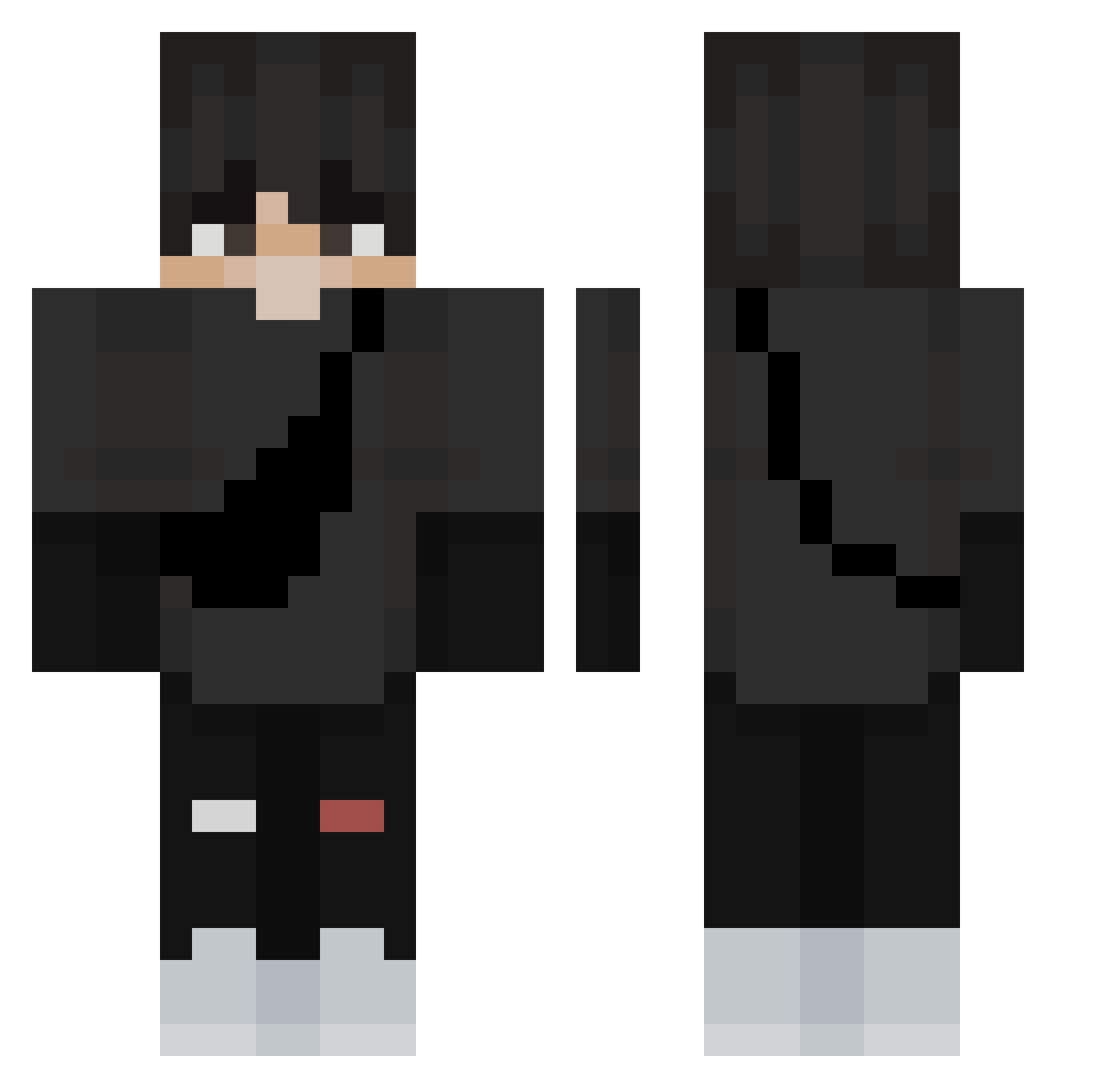
Current Minecraft skin of the player BestManicMiner, loaded from the official Mojang API. Rotate the 3D model with your mouse or finger, then download the skin as a PNG file and use it in Minecraft: Bedrock Edition or Java Edition for free. When BestManicMiner changes their skin, this page updates automatically and the old skin stays in the history below.
Other players with this skin (270)
BestManicMiner was the 98th player we have seen with this skin, first spotted on 28.08.2026. The same skin was seen on these players. Open a nickname to see their current skin and skin history.
 blackstract M0KK0 Kashmoney10 erikdasosa GG4U Tomazz111 leaf_Spring Itzcoco1107 SiKalaFouuu _Niemand_ ZARA_AX Skulls0911 Zorkst pxim Domi0428 ReaperRO nonki2XD thedangervk Dexter4G onefingers Raider_8RFS Gat0Gamer32 itsBIGpapa78 DoofusBear10 AM3R1C4NOP3R4T0R RichardOz Namenslos_DC pixelstrash iCr4sH_ lizhiha0 Brick2lait52 Chugtastic hamsterhk AutomaticDreams nicoilbislungo PinkMice buttynutty Bloods30 3_ly4 Slavish15 Noboshi Patimoshkailiy Randomm_Gamer Bone9090 TinyTreeBro L1l_Bear _laky ITTAI123 Taha1990 Hdkeks SaeSHD Se_yeong DarkGord0 SnowyZebra39813 VOidDried BIONICinsanebro Werner1234512 f6GrindBegins Jaxiy_ Santhoooos
More E Boy Minecraft skins
How to install the BestManicMiner skin
- Press the Download button above to save the skin as a PNG file.
- Minecraft: Bedrock Edition (PE): open the Dressing Room from the main menu (or tap your character → Edit Character), go to Classic Skins → Owned, press the + (new skin) button, choose the downloaded PNG and pick the Classic (Steve) model. Works on PC and mobile; consoles cannot import custom skins.
- Minecraft: Java Edition: open the Minecraft Launcher, go to the Skins tab, click New Skin, load the PNG, pick the Classic (Steve) model and press Save & Use. You can also upload it at minecraft.net → Profile → Change Skin.
The skin does not show up after import - what should I do?
Restart Minecraft and open the Dressing Room again - imported skins sometimes appear only after a restart. Also make sure you selected the imported skin and picked the Classic (Steve) model.
Which model should I choose, Classic or Slim?
This skin is designed for the Classic (Steve) model. If you pick the wrong model, the arms of the skin will look stretched or squeezed.
Is the skin of BestManicMiner free to download?
Yes. Press Download, save the PNG file and use it in Minecraft: Bedrock Edition or Java Edition - no payment or registration needed. The skin also works on multiplayer servers and Realms.
More skins
Looking for more? Go back to all Minecraft skins and check the top skins of the week, month and all time, or find any player's skin by nickname.